Need help?
Do you have a question about the Perlegear PGTVS26 and is the answer not in the manual?
Verify TV VESA pattern compatibility with the stand's specifications for proper fit.
Confirm TV weight, including accessories, does not exceed the stand's maximum weight limit.
Lists the tools required for assembly that are not provided in the package.
Provides crucial safety precautions, warnings, and important notes for safe installation and use.
Guide to selecting the correct TV bolts (M4, M6, M8) based on TV threaded inserts.
Explains different configurations for spacers and bolts based on TV back types.
Instructions for attaching brackets to flat back TVs using selected bolts and spacers.
Instructions for attaching brackets to curved TVs, emphasizing spacer height.
Instructions for TVs with a bump, ensuring flush mounting with spacers.
Use spacers to create space for protruding cables between the TV and brackets.
Use spacers to fill recessed holes, keeping brackets close to the TV.
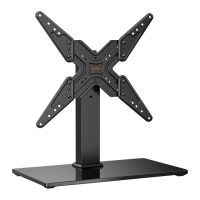
Attaching the foot pads [G] to the corners of the tempered glass base [02].
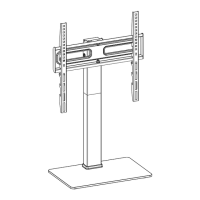
Attaching the support pillar [03] to the glass base [02] using various hardware.
Connecting the extension pillar [04] to the support pillar [03] by aligning holes.
Choosing the optimal height position for the TV plate on the support pillar.
Securing the TV plate [06] to the front of the extension pillar [04].
Selecting the appropriate hooks (#1, #2, #3) on the TV brackets for desired TV height.
Inserting and tightening safety locks [F] to secure the TV to the plate.
Using the cable clip [H] to manage and secure cables along the stand.
Loosening and retightening tilt bolts [E] to set and lock the TV's tilt angle.
Manually swiveling the TV by its edges without pressing on the screen.
 General
| Type | TV Stand |
|---|---|
| Color | Black |
| Adjustable Shelf | No |
| Number of Shelves | 2 |
| Cable Management | Yes |
| Assembly Required | Yes |
| Material | Metal |

 To Next Page