EasyManua.ls Logo

Perlegear PGTVS16 - User Manual

Perlegear PGTVS16
12 pages
Print Icon
To Next Page IconTo Next Page
Loading...
Thank you for choosing this Perlegear product! At Perlegear we strive to
provide you with the best quality products and services in the industry.
Should you have any issues, please don't hesitate to contact us at
Technical Support:
(US/CA)1-800-456-5231 Mon-Fri 8am - 8pm(CST)
(UK)44-808-196-4165 Mon-Fri 2pm - 10pm(UTC)
Other Info:
support@perlegear.com
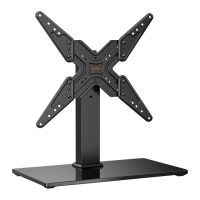
Table Top TV Stand Instruction Manual
V1.0
Model: PGTVS16
Question and Answer IconNeed help?

Do you have a question about the Perlegear PGTVS16 and is the answer not in the manual?

Summary

Important Safety Instructions

Weight Restrictions

Check VESA Pattern Compatibility

Tools Needed

Step 1 Assemble the Base

Step 2 Secure the Faceplate to a TV

Select TV Bolts

Guides selection of appropriate TV bolts based on TV type and thread engagement.

Option A: For Flat Back TV

Details the attachment method for TVs with a flat back panel using specific bolts.

Option B: For Round Back TV

Details the attachment method for TVs with a round back panel using specific bolts.

Option C: For TV with A Bump

Describes attachment for TVs featuring a rear 'bump' or protrusion using specific bolts.

Option D: Cable Management & Spacers

Explains using spacers for cable clearance or inset holes between the TV and faceplate.

Step 3 Connect the Faceplate to Support Pillar

Manage the wires

Step 4 Swivel Adjustment

Perlegear PGTVS16 Specifications

General IconGeneral
BrandPerlegear
ModelPGTVS16
CategoryRacks & Stands
LanguageEnglish

Related product manuals