12
APPENDICES
Appendix 2 T
roubleshooting
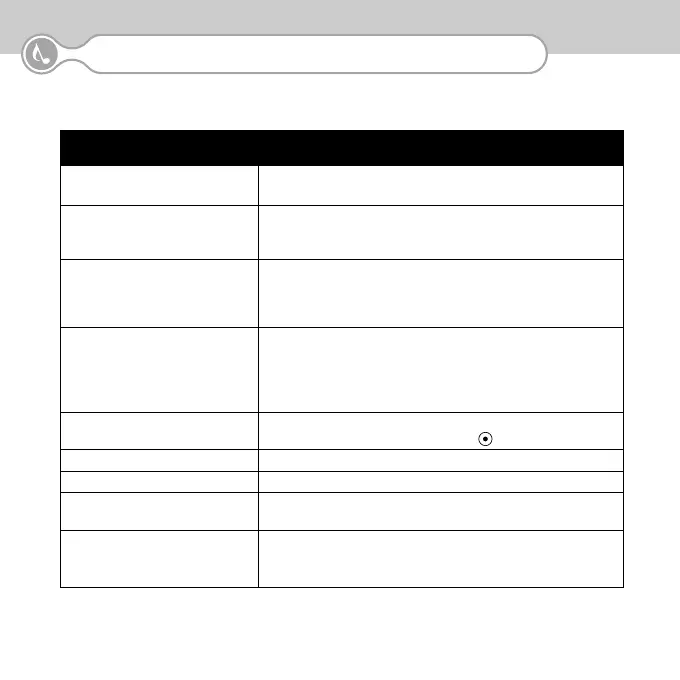
Problems Troubleshooting
∙ The unit does not turn on. ∙ Replace batteries. The batteries may be exhausted.
∙ Check battery polarity.
∙ A DAB signal cannot ∙ Check if you are out of a DAB service area.
be received. ∙ Adjust the antenna length or redirect the antenna.
∙ Try other channels.
∙ The audio signal is ∙ The received signal strength is too weak. Try extending
intermittent or mutes or redirecting the antenna.
It may be required to try another location.
∙ Keep away from PC’s or other possible interference sources.
∙ The DAB signal is received ∙ Check audio format icon. If audio format shows “DATA”, no
but no sound is heard. audio service is provided.
∙ Earphone is not properly plugged, or malfunctioning.
Replace earphone or plug-in properly.
∙ Volume is turned fully down.
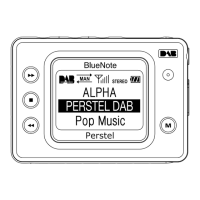
∙ Buttons do not work ∙ Check if “HOLD”is on the Tuning Icon. Release Button
Hold mode by pressing the Hold button
( )
for more than 2 seconds.
∙ LCD dim ∙ Adjust the contrast of the LCD display.
∙ Backlight does not turn on ∙ Check the backlight setting and adjust.
∙ Replace battery ∙ Bluenote automatically turns off the backlight when battery level is
extremely low.
∙ Battery life is short ∙ Battery life expected is typically 6 to 8 hours with good quality alkaline
batteries.
∙ An optional power adaptor is available.


 To Next Page