6
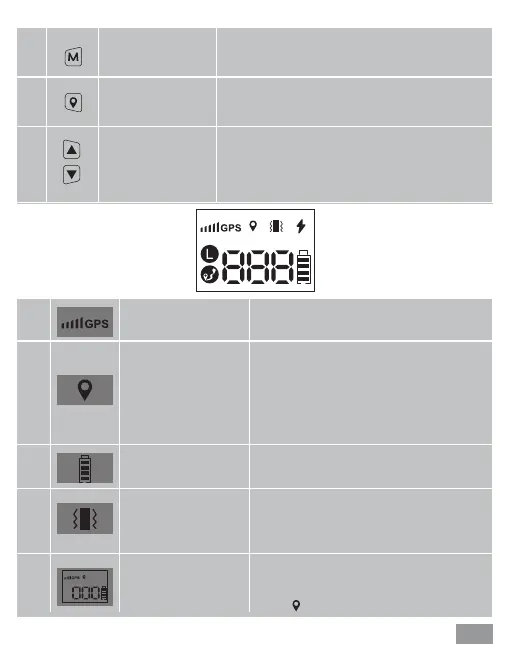
Multi- function
button
Used to turn on/off and mode
adjustment.
Center point
setting button
Used to set the center point and adjust
the safe radius distance
Up/down
button
Used to adjust the distance of safe
radius
①
②
③
GPS signal icon GPS signal strength
Positioning icon
Battery power
icon
Vibration mode
This icon is displayed when the
center point is successfully
positioned. If the positioning fails,
the icon will blink, and the product
will beep for 5 seconds.
Used to display the battery
power status.
If this icon is on, it indicates
that the product is currently in
vibration mode setting.
A successful location is indicated
by the displaying of the location
icon and "000".
①
②
③
④
⑤


 To Next Page