• TPMS (option)
•
PTO (option)
• Driver Assistance (LDW/LCA/LKA)
(option)
• Other Software
Information specific to these categories
can be shown by navigating to a category
using the Scroll and then pressing Select.
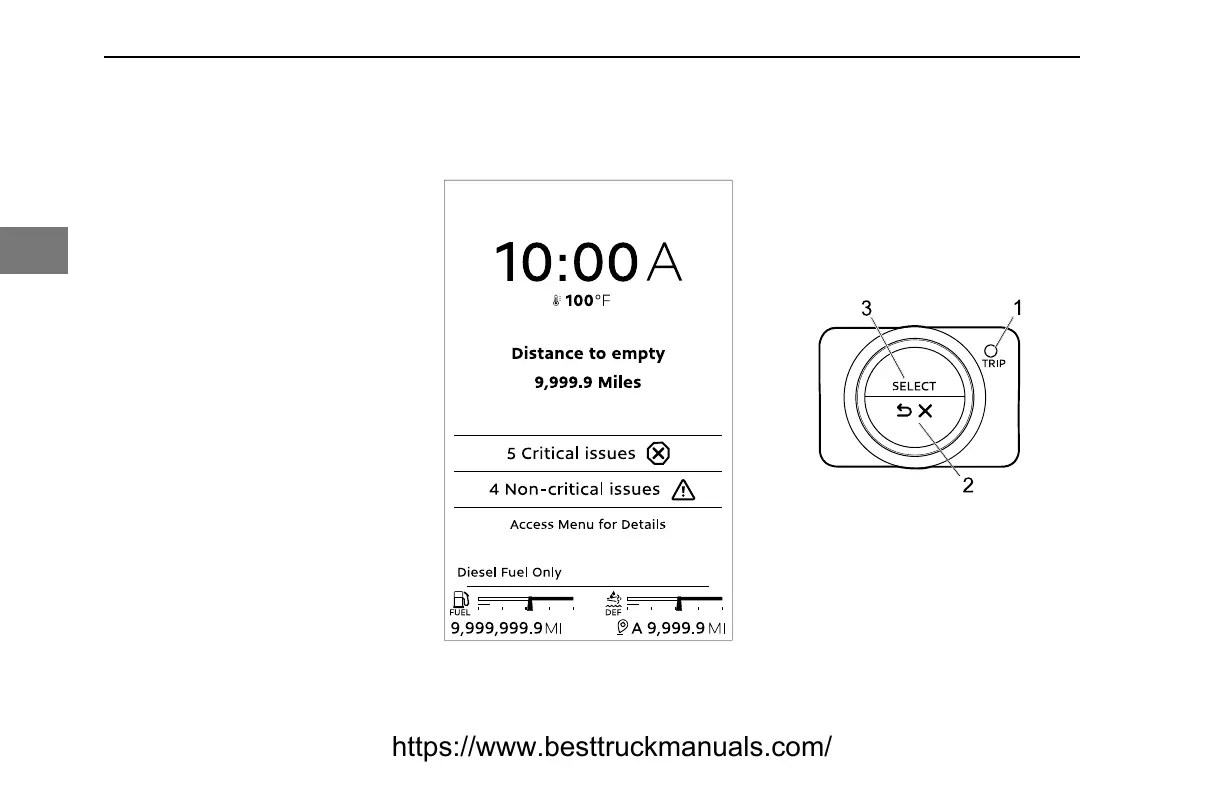
Post Trip
Post Trip presents information the driver
might require for the next time the vehicle
is operated, such as active warnings and
the distance to empty. Post trip is shown
when the ignition switch is turned to OFF
.
During Post Trip, the menu can be
accessed by pressing Select.
Menu Control Switch
The Menu Control Switch (MCS) is a dial
with buttons.
1. T
rip – Starts a trip or sub-trip. A
long press will clear all trip data.
2. Back/Cancel – Withdraws from
changing a setting, returns to the
previous menu, or suppresses a
warning.
3. Select – Chooses menu
selections, acknowledges warnings
(called suppressing), and activates
some drive views.
CONTROLS - Post Trip
76 Y53-6096-1C1 (09/20)
3
https://www.besttruckmanuals.com/



 To Next Page