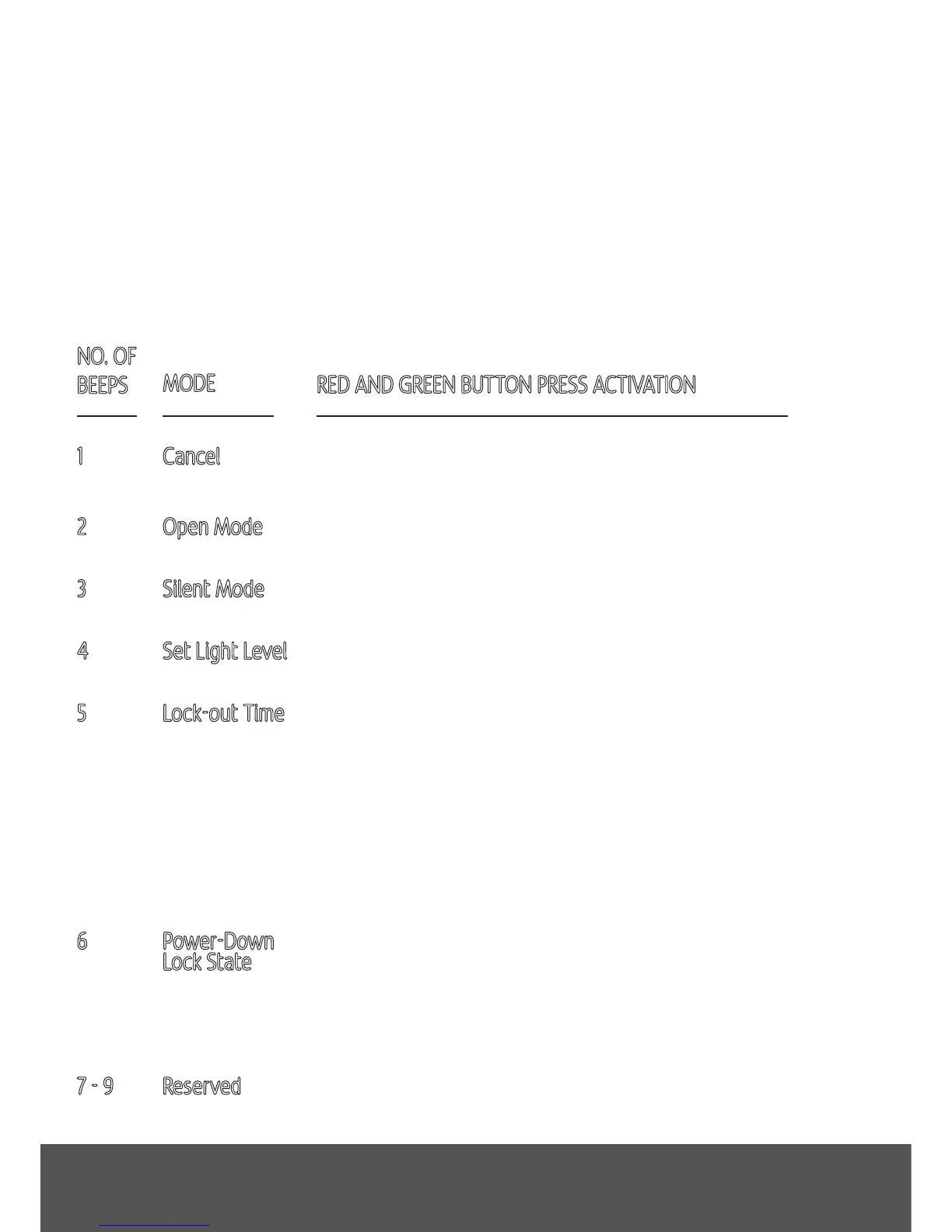
NO. OF
BEEPS
MODE
1
2
3
4
5
6
7 - 9
Cancels the extended mode option system and returns
the Smart Flap to a normal mode of operation.
The green light will flash and the green lock will lower
allowing any cat access through the Smart Flap.
The audible beep will no longer sound when your cat is
recognised by the Smart Flap.
Sets the desired light level for which the cat flap will
lock and unlock during Night Mode operation.
The red light will flash to indicate you are in “lock-out
time” mode.
Press and hold the Green Button for the desired lock-out
time of between 1 and 25 seconds before releasing.
During this period an audible beep will sound until the
Green Button is released and the Smart Flap re-enters
its normal mode of operation.
Pressing the Green Button toggles the green-lock state,
while pressing the Red Button toggles the red-lock state.
Once the locks are in the required position a press of
both Red and Green Buttons returns the Smart Flap to
a normal mode of operation.
Reserved modes.
Press and hold both the Red and Green Buttons for > 2 seconds and then release to
enter the extended mode menu.
When in extended mode the green light illuminates. Modes are selected by pressing
the Red Button to go “up” a mode and the Green Button to go “down” a mode. The
current mode is indicated by a number of beeps. When you are in the mode you
require a quick press of both buttons simultaneously will activate that mode.
RED AND GREEN BUTTON PRESS ACTIVATION
Cancel
Open Mode
Silent Mode
Set Light Level
Lock-out Time
Power-Down
Lock State
Reserved
Extended Modes - Quick Guide
4 extended modes - quick guide


 To Next Page