Customer Care Center +1 (800) 732-26776
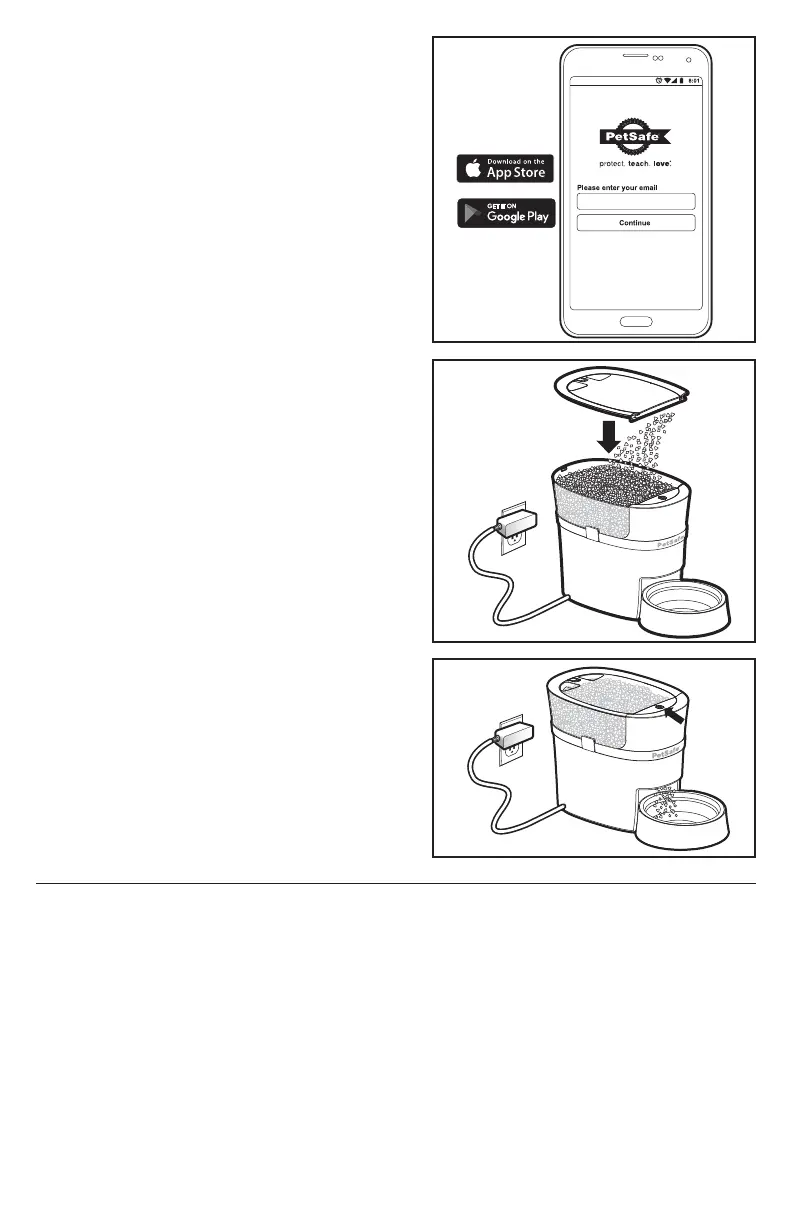
5. Search for “Smart Feed” in your phone’s app store and
download the app. Locate and open the app on your
smartphone, and follow the onscreen instructions.
Complete all instructions and app setup before filling
with food.
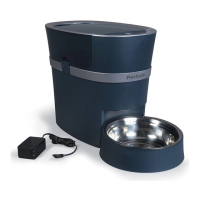
6. Fill the hopper with your pet’s favorite dry or semi-moist
food. Level the food, and replace the lid.
7. Prime the feeder by pressing and holding the manual
feed button until food starts to dispense into the bowl or
use the “Feed Now” feature in the app.
Note: The feeder conveyor must be primed anytime the
food gets low to ensure correct meal sizes
are dispensed.
Your Smart Feed is now ready for use! Use the Smart
Feed app to schedule meals and setup notifications.
Setup Troubleshooting
If you went through the setup process and were unable to get your feeder connected, first try the instructions within the
app. If you are still having issues, then try the steps below:
1. Ensure your home Wi-Fi is working properly and your phone is connected to it.
2. Place your feeder near your router during initial setup.
3. If you are an Android user, make sure to select “stay connected” to your Wi-Fi during setup. Or if you receive a
“no internet access” notification, open it to reconnect to your Wi-Fi.





 To Next Page