EasyManua.ls Logo

PEUGEOT RT6 - Page 9

PEUGEOT RT6
73 pages
Print Icon
To Next Page IconTo Next Page
To Previous Page IconTo Previous Page
Loading...
04
187
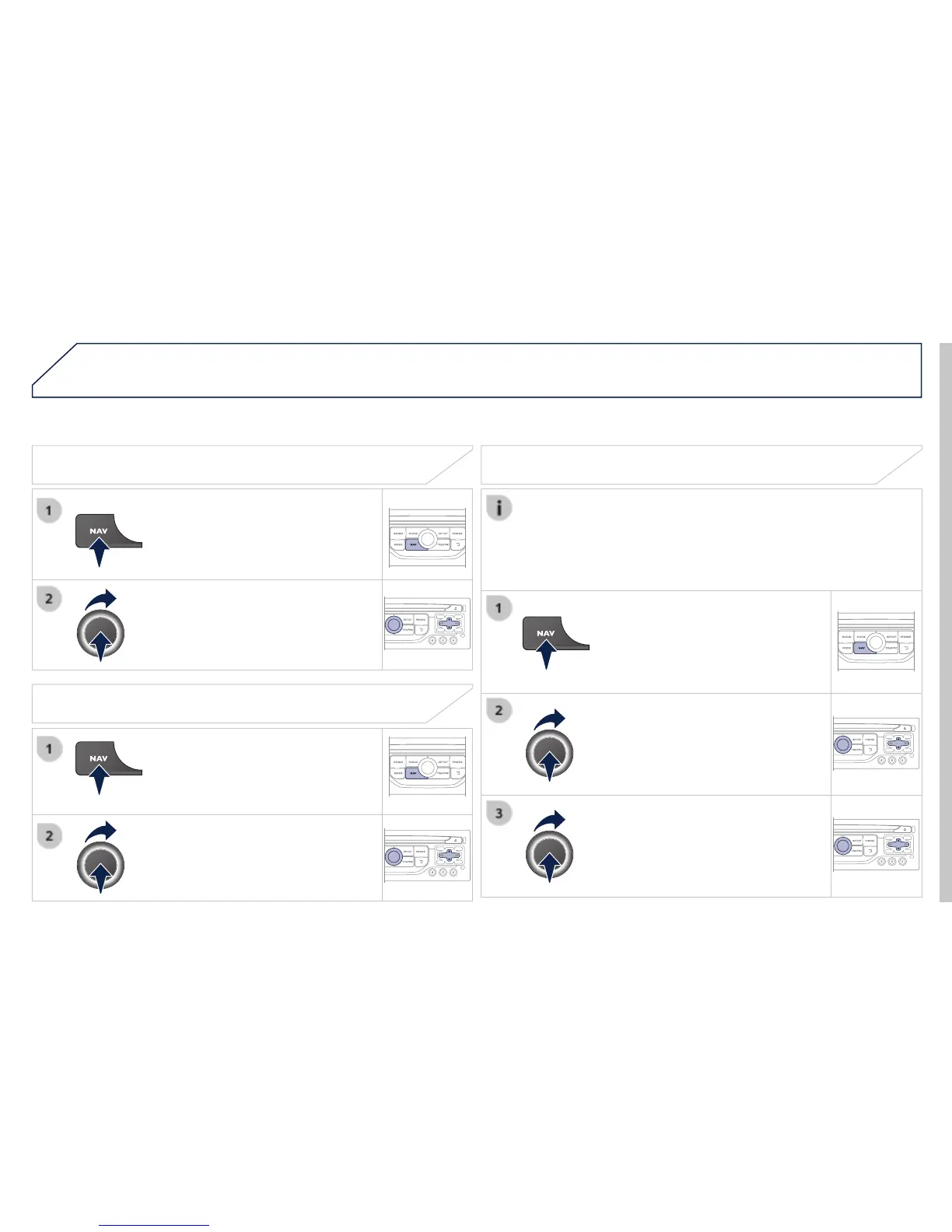
Towards a recent destination
Press
NAV
to display the
"
Navigation - guidance
" menu.
Select the desired destination and
confi rm to start guidance.
Towards a contact in the contacts directory
Select "
Select destination
" and
confi rm, then select "
Directory
" and
confi rm.
Selection the desired destination from
your contacts and confi rm "
OK
" to start
the guidance.
Press
NAV
to display the
"
Navigation - guidance
" menu.
Navigation towards a contact is only possible if it has an address
entered in the audio navigation system.
Delete recent destinations
Press
NAV
to display the
"
Navigation - guidance
" menu.
Select "
Options
" and confi rm and then
"
Delete recent destinations
" and
confi rm.
NAVIGATION - GUIDANCE