Need help?
Do you have a question about the PEZTIO Dashcam-A1 and is the answer not in the manual?
Details the core information and model specifics of the Dashcam-A1.
Lists the technical specifications and hardware details of the Dashcam-A1.
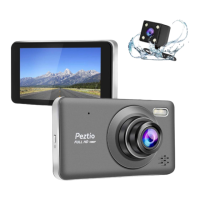
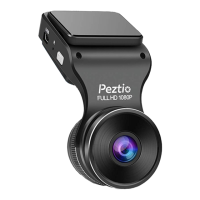
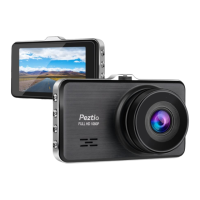
Illustrates the physical components and layout of the Dashcam-A1 device.
Explains how to power the dashcam and details its internal battery capabilities.
Lists all items included in the Dashcam-A1 product package.
Guides on formatting an SD card on a computer before inserting it into the dashcam.
Provides instructions on correctly inserting the SD card into the Dashcam-A1.
Instructions for mounting the Dashcam-A1 onto the car's windshield and routing cables.
Details on adjusting the lens angle for the best possible recording view.
Steps to format the SD card directly using the Dashcam-A1's menu.
Information on where to download the TimaCam mobile application for iOS and Android.
Step-by-step guide to connect the dashcam to your smartphone via Wi-Fi.
Explains the different functions and displays within the TimaCam mobile application.
Solutions for common problems encountered when connecting or using Wi-Fi.
Details on settings available for video recording, such as resolution and loop recording.
Explanation of the icons and information shown on the screen during video mode.
Settings for capturing still images, including capture mode and image size.
Description of the interface elements displayed when in picture mode.
Options for managing recorded videos and pictures, like delete and protect.
Overview of the interface for reviewing recorded videos and images.
Covers general device settings like Wi-Fi, date/time, and audio.
Addresses problems like fixed view angle, short recording time, and SD card errors.
Solutions for unresponsiveness, difficulty removing SD cards, and read errors.
Troubleshooting for connection problems, heating, and viewing issues on the dashcam screen.
Contact information for customer support and links to e-instruction and guidance videos.
 General
| Viewing Angle | 170 degrees |
|---|---|
| GPS | Yes |
| Wi-Fi | Yes |
| G-Sensor | Yes |
| Loop Recording | Yes |
| Night Vision | Yes |
| Power Source | Car charger |
| Screen Size | 3 inch |
| Storage | MicroSD card |

 To Next Page