EasyManua.ls Logo

Pfannenberg DTI 8161 - Page 46

Pfannenberg DTI 8161
53 pages
Print Icon
To Next Page IconTo Next Page
To Previous Page IconTo Previous Page
Loading...
685408006G 48







 

                 

 
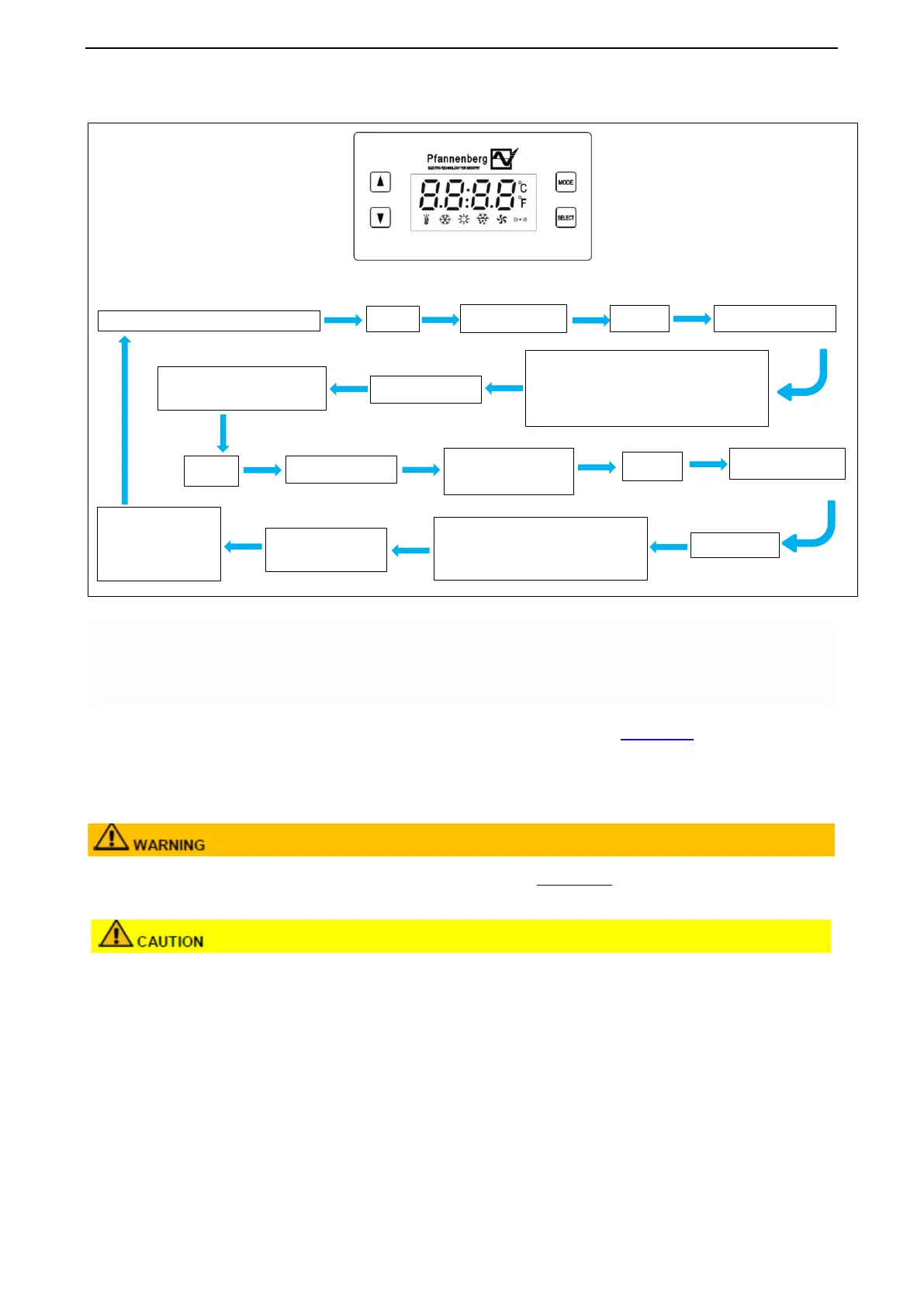
Operation Display
Press“Select”key
SEE
Main interface long press
Select
key
Press

key
PASS
Press“Select”key
Use the "
" or "
" keys to
select
Co
Press“Select”key
add
Use the "
" or "
"
keys to select
Press“Select”key
Default:"1"
Enter the modified value by pressing
the "
" key and pressing the "
"
key to shift the value
Press the "Select"
key to save
Press the "Mode"
key continuously to
return to the main
interface
Password Interface: Default display: 000,
enter the password "666" , by pressing the
"
" key to enter the value, press the
"
"
key to shift the value input.

Related product manuals