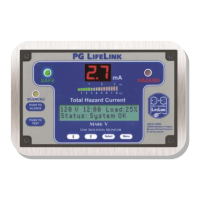
PG LIFELINK Mark V Line Isolation Monitor Instruction Manual Rev. 2.0
© 2014 PG LifeLink, Inc. - All rights reserved
Page 13
The “Cfgr” menu allows the user to step through all system setup options. Use the
“Up” key to step from one option to the next, or “Down” to the previous option.
Hour, Minute, Month, Day, Year - sets real-time clock time and date, in 24-hour
format (note: all time settings will be overridden by time sync commands from
LIM-C
ONNECT
TM
at local midnight if installed and running.) Setting the minute
value resets the seconds to :00.
Alarm Volume - sets either “High” or “Low” volume, or “Mute”, for the LIM itself.
Does not affect remotes.
Silence Timeout - provides control of the duration of manual silence during
alarms. The alarm will sound again after this time has elapsed, to reduce the
possibility of users forgetting that an alarm has occurred.
Calibration Frequency - sets the schedule format for automatic self-calibration.
Options are “Hour” (multiple times per day at a selectable interval) or
“Day” (once per day at a selectable time).
Cal Interval / Time - selects desired frequency and timing of self-test/calibration
function. If the Calib Frequency eld is changed from Day to Hour or vice-versa,
the Hour or Interval setting is reset to the factory default. Available values for
“hourly” interval are 1 through 12. Available values for “day” time are 0 to 23
(per 24 hour clock). Factory default setting is once every six (6) hours at
midnight, 6:00, 12:00, & 18:00. Note that since a new log entry is created for
every calibration event, setting the unit for more frequent calibrations will ll the
limited onboard memory more quickly, thus limiting the reviewable time span of
stored events in the log.
Calibration frequency by Day (once daily) – at the top of the selected hour, or
Calibration frequency by Hour – at the following times:
1 = 24 per day: every hour
2 = 12 per day: every 2 hours, at even-numbered hours
3 = 8 per day: every 3 hours starting at 0:00
4 = 6 per day: every 4 hours starting at 0:00
5 = 5 per day: 0:00, 5:00, 10:00, 15:00, 20:00
6 = 4 per day: every 6 hours starting at 0:00 (default value)
7 = 4 per day: 0:00, 7:00, 14:00, 21:00
8 = 3 per day: every 8 hours starting at 0:00
9 = 3 per day: 0:00, 9:00, 18:00
10 = 3 per day: 0:00, 10:00, 20:00
11 = 3 per day: 0:00, 11:00, 22:00
12 = 2 per day: 0:00, 12:00
CT Range - selects the full-scale current range of the optional load metering
current transformer installed in the IPS panel, if so equipped. For panels without
this optional equipment, or to disable it if present, set to 0. Options are 0
(inactive), 10, 20, 50, 100, 150, and 200A. This setting must match the range of
the CT itself, which in turn is selected by the factory to match the expected
range of transformer primary current. If Inactive, the “Pri Brkr Amps” and “Load
Alarm Limit” menu options will not be displayed.
Pri Brkr Amps - use the “Up” and “Down” keys to enter the trip rating (A) of the
Primary Main Circuit Breaker which is being monitored. The actual full-load
primary current of the transformer may also be used as the reference for the


 To Next Page
 Loading...