23
Chapter 3: Phantom Software
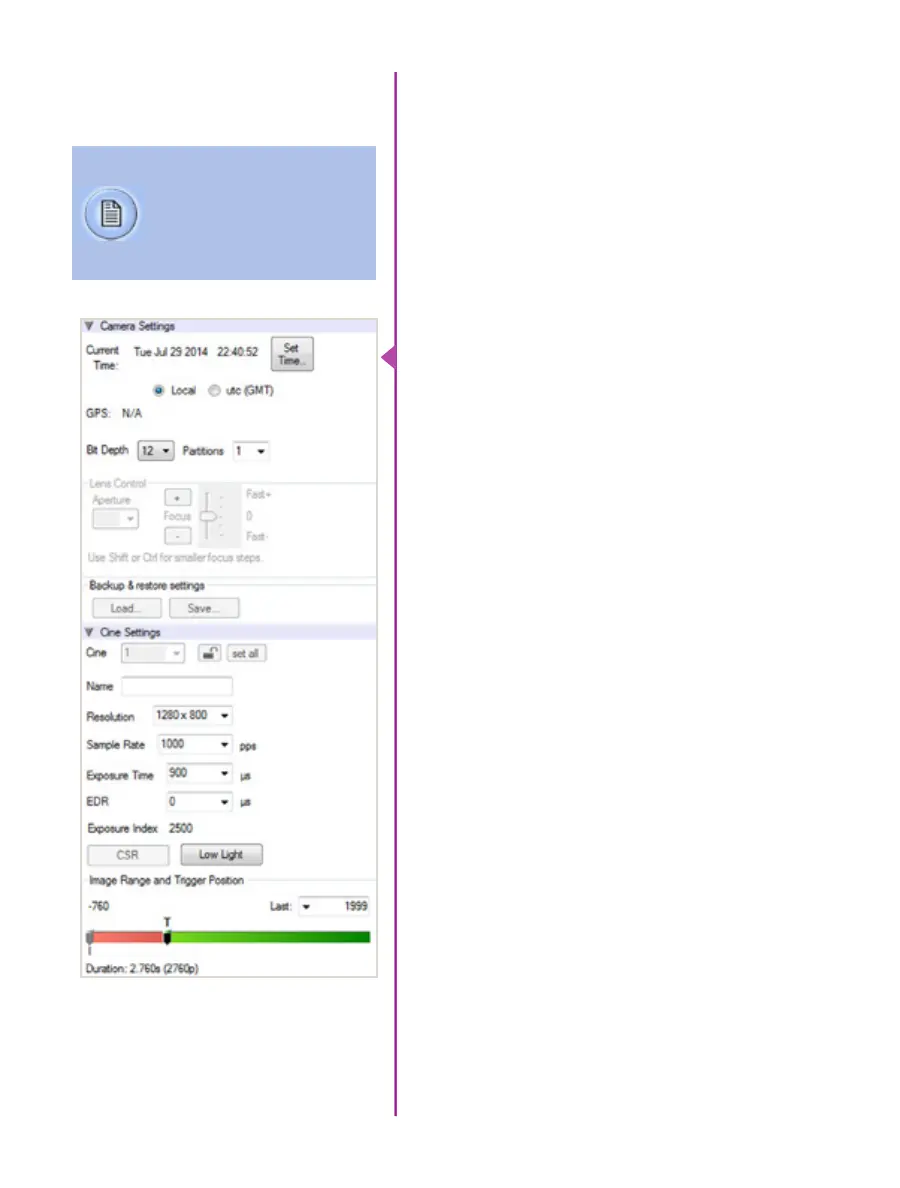
Set Time: Synchronizes the time stamps embedded
in the recorded image data to the computer’s clock or
supplied IRIG-B clock.
Bit Depth: The Phantom v1212, v1612, v2012, and
v2512 camera operate in 12-bit mode only.
Partitions: Select the number of desired partitions (evenly
divided memory segments) from the ‘Partitions’ pull-down
menu. For basic camera setups, this should be set to one.
Lens Control: Will be available for Canon EF lenses only,
for control of aperture and focus.
Backup & Restore: Allows for user settings to be saved
and recalled from the camera’s memory.
Resolution: Set the number of pixels used to capture an
image. For example, if 1280 x 800 (width x height) is set,
the full sensor space is available. Smaller resolutions allow
higher recording speeds. Cropped resolutions are set
using the ‘Crop and Resample’ menu in Image Tools.
Sample Rate: Set the acquisition frame rate in frames-
per-second (FPS).
Exposure Time (shutter): Set the exposure time in
microseconds, percentage, or degrees (this depends on
how the PCC preferences are set).
EDR (Extreme Dynamic Range): Set a unique
exposure time (defined in microseconds or a percentage
of the defined ‘Exposure Time’) to pixels that may become
saturated, (over exposed).
Exposure index: This is a reference display of the EI
value in relation to the Image settings.
CSR (Current Session Reference): Closes the camera’s
internal shutter and resets the black point of every pixel
for optimal image quality.
Image Range and Trigger Position: The slider
represents the memory buffer, with the ‘Duration’
indicated in seconds and the total number of frames
available.
Camera Settings
& Cine Settings
Camera Settings are used
to set and recall the overall
camera system parameters.
Cine Settings are used to set
the capture parameters.



 To Next Page