Vision Research, Inc. | Phantom Ultrahigh-Speed Camera Manual
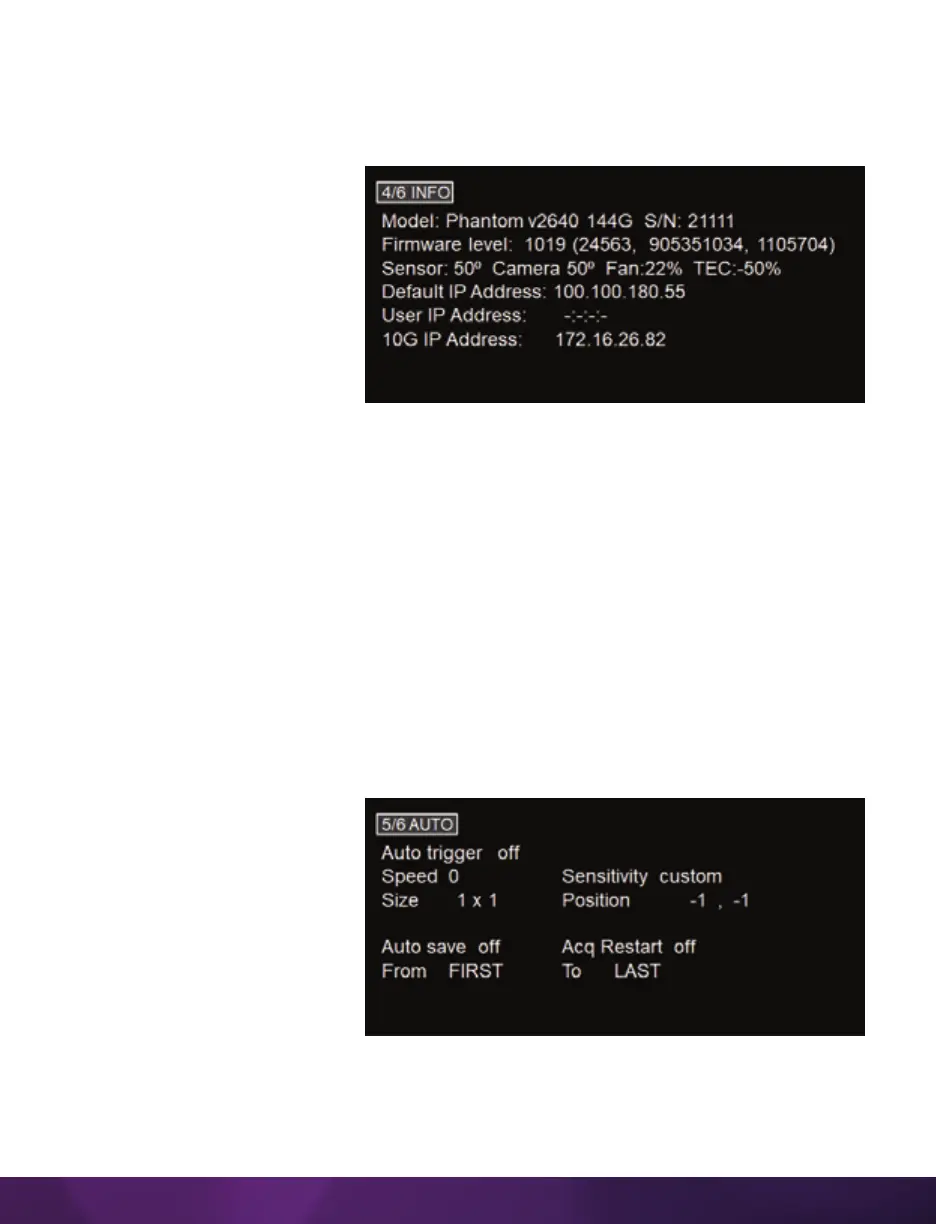
5/6 AUTO
The AUTO menu allows for control of some of the camera’s automatic functions.
AUTO TRIGGER
Enables the camera’s Image-Based Auto-Trigger function. The settings for Size and
Position define the area in which a change in motion will activate the trigger. A change
outside that window will have no effect.
AUTO SAVE
When enabled, the camera
automatically saves the Cine,
once triggered, to an installed
Phantom CineMag.
FROM & TO
Used to define the first frame
and last frame for the auto-
save function.
ACQ RESTART
When enabled, the camera automatically starts recording again after the auto-save or
auto-play functions are complete.
4/6 INFO
The INFO page displays unique information about the camera, including:
Model: name, memory and
serial number.
Firmware level
Current Temperature of the
Sensor and Camera, and the
power of the Fan and the TEC
(thermoelectric cooler) of the
sensor.
Factory-assigned IP address
of the camera.
User-defined IP address (secondary IP) which can be used with an IP range outside of
the Phantom 100.100 network. This is set using Phantom PCC software.
10Gb IP-defined secondary 10-Gigabit (10Gb) IP address which can be used with a 10Gb
IP range within the Phantom 172.16 network. This is set using Phantom PCC software.


 To Next Page
 Loading...

