Vision Research, Inc. | Phantom Ultrahigh-Speed Camera Manual
GRAPHICS
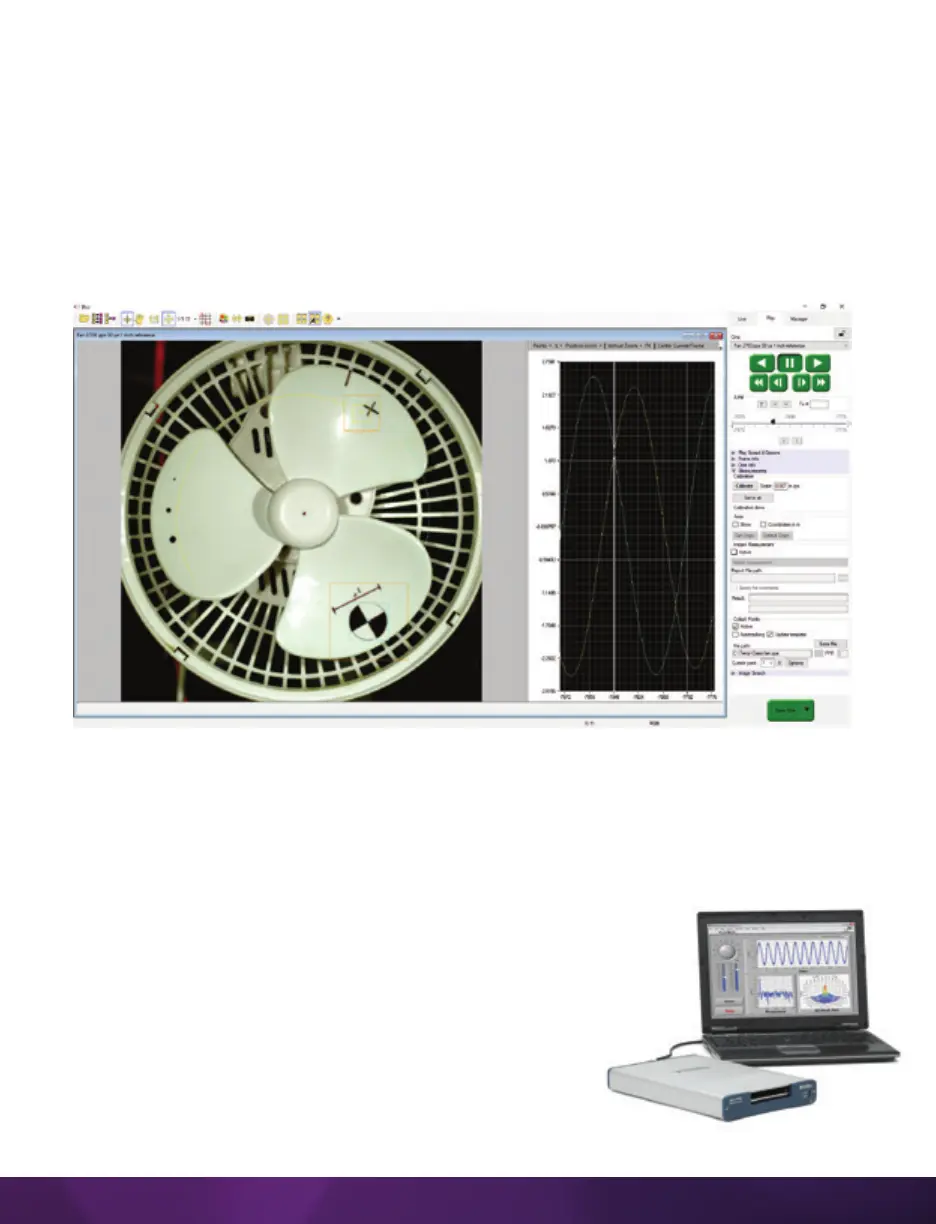
Optionally, click the ‘Graphics’ toolbar button to view a chart of the tracked points.
This opens a graphical interface (displayed to the right of the Cine image) which is
used to display signal acquisition information or position/speed/acceleration, and the
coordinate X or Y of tracked collect points. The displayed values take into account the
global measurement preferences for position/speed/acceleration. Only windows for
the types of signals that are present in the .Cine file will be available.
FINISHING STEPS
1. Deactivate (uncheck) ‘Collect Points.’
2. Click the ‘Save’ button to save the completed points and computation files that are
required.
DATA ACQUISITION
To investigate the effect environmental conditions may have on
the recorded data, a National Instruments
™
USB- or M-Series
Data Acquisition (DAQ) module can also be used to acquire
data from a wide range of sensors and synchronize it
with slow-motion video images recorded on a Phantom
camera, using Phantom Camera Control (PCC) software.



 To Next Page