14
‘Processing’ Mode
‘Processing’ mode and all operations within this mode shall be conducted separately for U1 ultrasonic
transducer and D1 dynamic transducer.
Within this mode the listed below operations can be carried out:
• compute mean value;
• clear archive
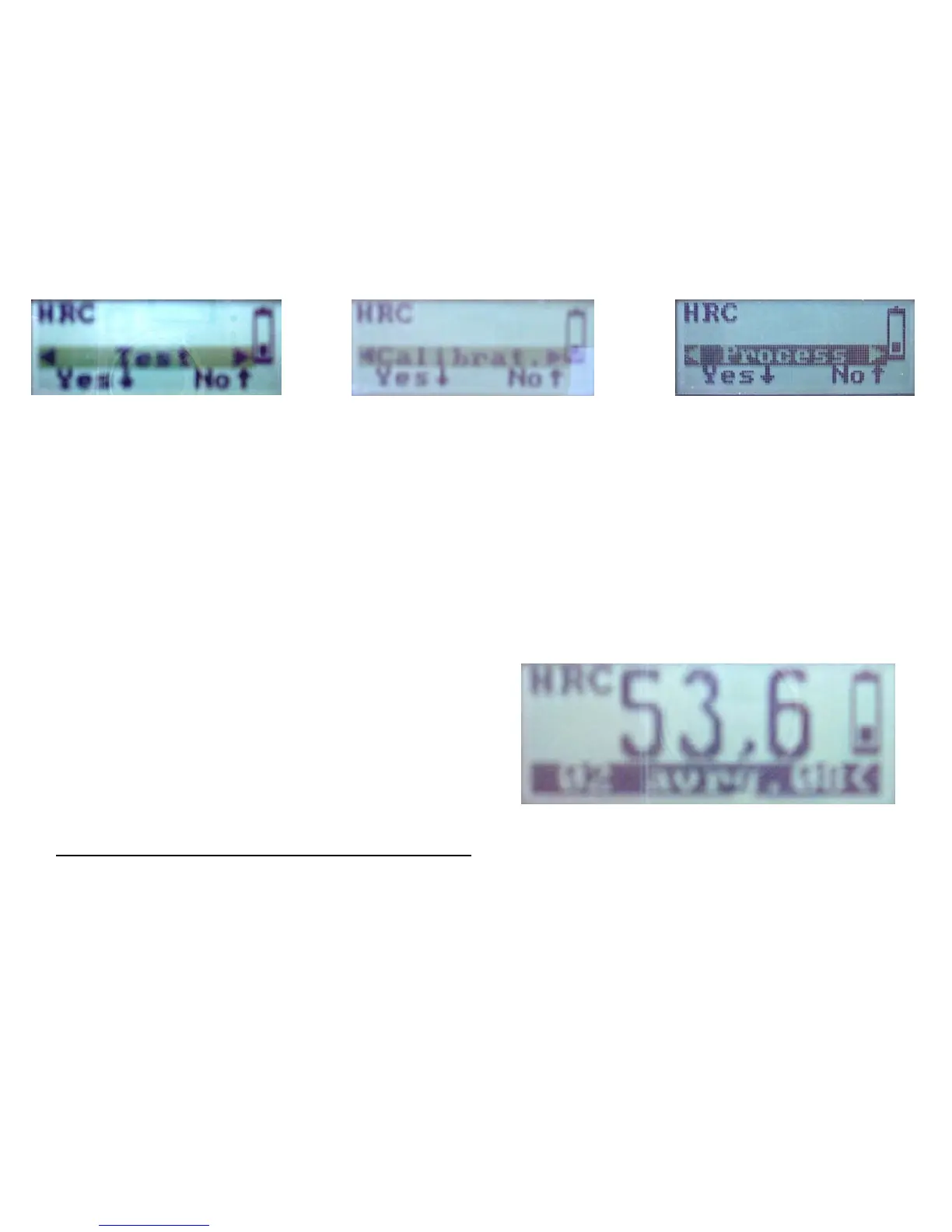
Select the scale. Press the Ð button. The display will show Test (blinking) Press the Enter the Î button
to scroll over to “Process” and then press Ð button to enter ‘processing mode Select your operation by
Í or Î button and confirm your selection by the Ð button.
‘Mean Value’ Operation
‘Mean Value’ operation is used for mean value computation within any interval of the archive cell
(sample interval).
Display indication is shown on the figure.
Hardness scale
Mean hardness value on Hrc scale
Battery charge symbol
Sample interval
The meaning of words and symbols on the display
• ‘HRC’ = Rockwell C hardness scale
• 53.6 = mean hardness value in HRC
• 02 avrg 08 =’ sample interval
• ‘Battery symbol = battery strength
The display shows the result of the hardness mean value 53.6 on Rockwell C scale (HRC) for the archive
cells from number two through number eight (<02 mean 08)



 To Next Page