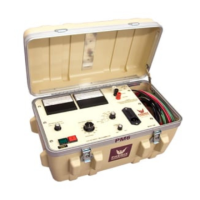
DCD 4100-10
6-2
CALIBRATION
2. Output Currentmeter
It is necessary to connect adequately rated High Voltage loads (isolated from ground) to the high voltage
unit that will allow each full range current to be drawn at approximately 15% or higher output voltage.
This allows sufficient resolution to adjust current levels.
Place Binding Post Configuration in GUARD MODE. (Jumper clip is installed between Guard and
Ground posts.)
Connect a precision ammeter between the low potential side of the appropriate high voltage load and the
Return post. Select the low current meter range (20uA). Raise the output to approximately 80% of
range (16uA). Adjust the reading on the panel meter (M1) by means of potentiometer R204 to the
corresponding reading of the standard meter. Repeat for 200uA, 2mA, and 20mA ranges; adjusting
R203, R202, and R201 respectively. (High Voltage load will need to change when changing range).
An optional method is to use DC current injection between “RTN” and “GND” (Guard Mode). If using this
method, do not turn High Voltage ON!
3. Overcurrent
This calibration should not need adjustment (factory adjusted). If the overcurrent circuit is out of
calibration, perform the following steps.
a. With unit off, short the output terminal to ground through an appropriate currentmeter. (A High
Voltage Load will give better resolution and make calibration easier and more accurate. Minimum
recommended resistance: 100K ohm, 100 watt.).
b. Set the Current Trip potentiometer on the front panel to "1” and the current range switch to 20mA.
c. Turn on HV On and adjust the output current slowly until 10% of rated current (2mA) is displayed on
the currentmeter.
d. Adjust potentiometer R101 until the Reset lamp illuminates and high voltage is shut off.
e. Set the Current Trip potentiometer on front panel to "11."
f. Turn on HV On and adjust the output current slowly until 110% of rated current (22mA) is displayed
on meter.
g. Adjust potentiometer R103 until the Overload lamp illuminates and high voltage is shut off.
h. Repeat steps "b" through "g" as necessary until both settings are calibrated.
4. Range Overcurrent. R235 sets an overcurrent for the ranges and should be set to trip at approximately
112% of 2mA range.


 To Next Page