The OSD Controls
Description of the On-Screen Display • The OSD Tree
The OSD Controls : Brightness (HotKey) • Contrast (HotKey) • Language • Zoom • Adjust
Horizontal • Adjust Vertical • Adjust Shape • Adjust Color • Reset to Factory Settings • Extra
Controls • Close Main Controls
BRIGHTNESS
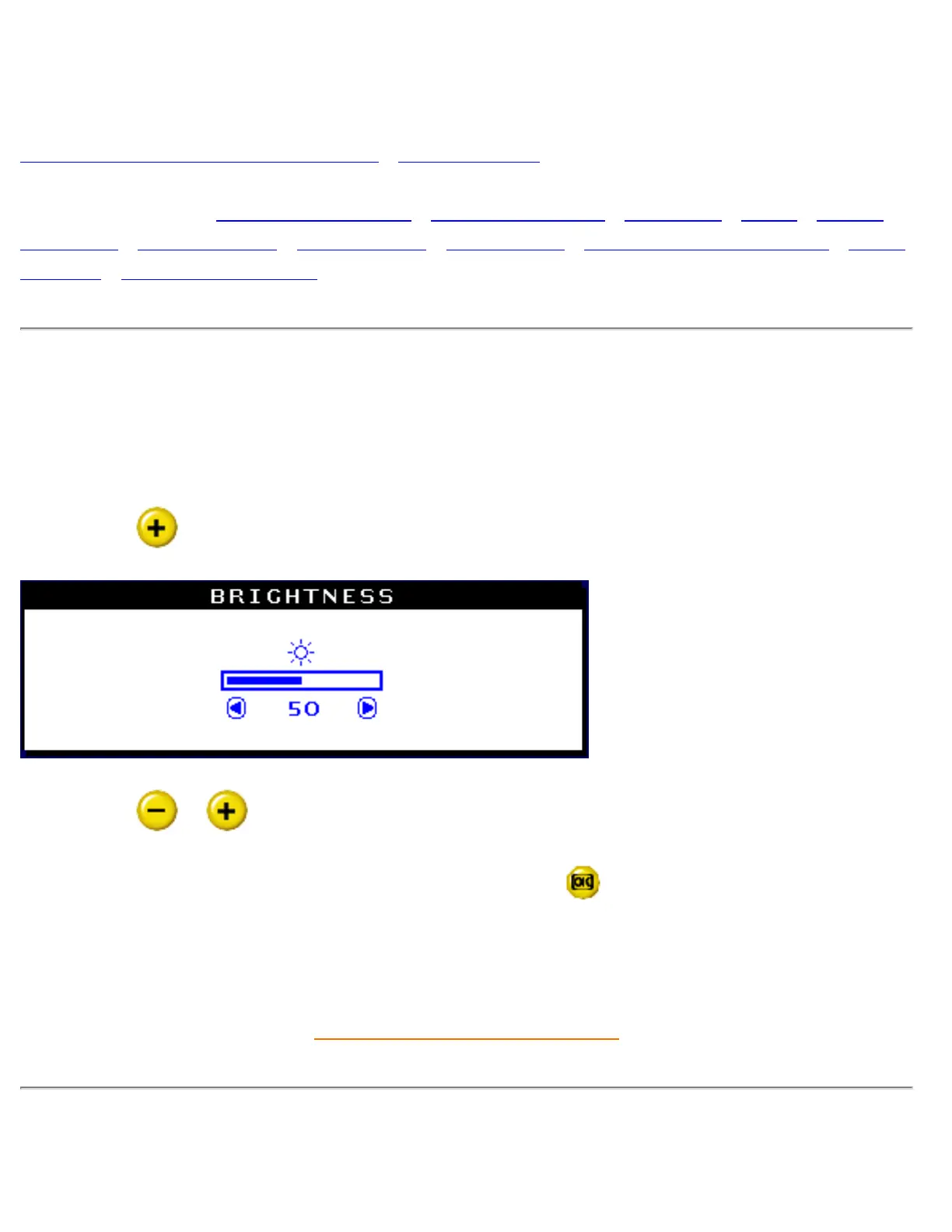
To adjust your screen's brightness, follow the steps below. Brightness is the overall intensity of the
light coming from the screen. A 50% brightness is recommended.
1) Press the
button on the monitor. The BRIGHTNESS window appears.
2) Press the or button to adjust the brightness.
3) When the brightness is adjusted to the level desired, press
to confirm and the BRIGHTNESS
window will disappear with the new adjustment saved.
RETURN TO TOP OF THE PAGE
CONTRAST
file:///D|/EDFU/crt_17_5/edoc/ENGLISH/OSD_3/osd_cont.htm (1 of 26)2005-04-07 ¤U¤È 03:59:03


 To Next Page