18
1818
OSD
f
A/CH
SURF
f
A/CH
SURF
CHILD LOCK
ÉÉ
ÉÉ
É
CLOCK
ÉÉ
ÉÉ
É
SURF A/CH
BLUE MUTE OFF
INSTALLATION
ÉÉ
ÉÉ
É
CHILD LOCK
ÉÉ
ÉÉ
É
CLOCK
ÉÉ
ÉÉ
É
SURF SURF
BLUE MUTE OFF
INSTALLATION
ÉÉ
ÉÉ
É
8
8
ADDED
8
DELETED
MENU
12
3
4
5
6
7
8
9
0
f
A/CH
SURF
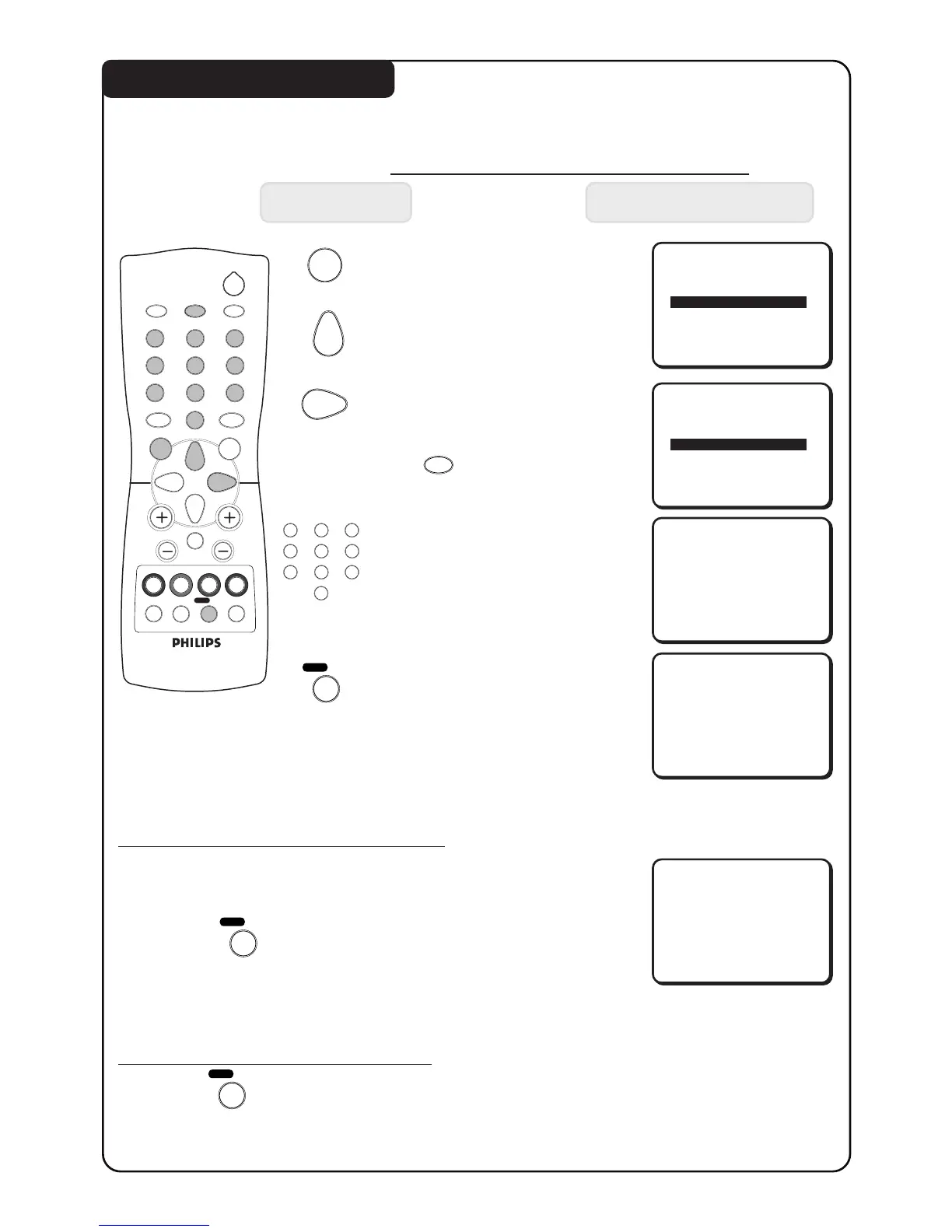
USING THE SURF FEATURE
This feature allows you to create a surf list. You can select up to a maximum of 8 channels
and view quickly the selected channels by the control handset.
How to add a channel to the surf list
Press button Result on TV Screen
1. Enter main menu.
2. Press button repeatedly
until SURF is selected.
3. Select SURF option.
After selection of surf option,
exit menu from screen by
the (OSD) button.
4. Key in the channel number
you want to add to the surf
list.
5. Add selected channel to the
surf list. “ADDED” will appear
indicating that the selected
channel has been added.
Repeat steps 4 and 5 to add
more channels to the surf list.
How to delete a channel from the surf list
1. Select the channel you want to delete from the surf list by
the DIGIT (0 - 9) button.
2. Press the (SURF / A/CH) button to activate deletion
of channel.
3. Repeat the above step 1 to 2 if you want to delete more
channels from the surf list.
How to view channels from the Surf list
1. Press the (SURF / A/CH) button repeatedly to cycle through
the channels and select the channel you want to view.
2
ehf
4
b
12
3
4
5
6
7
8
9
0
CH
MENU
INC.
SURR.
SLEEPOSDAV
SMART
SMART
±
`
A/CH
SURF
A
H


 To Next Page