20
20
SMART PICTURE AND SOUND
Smart Picture
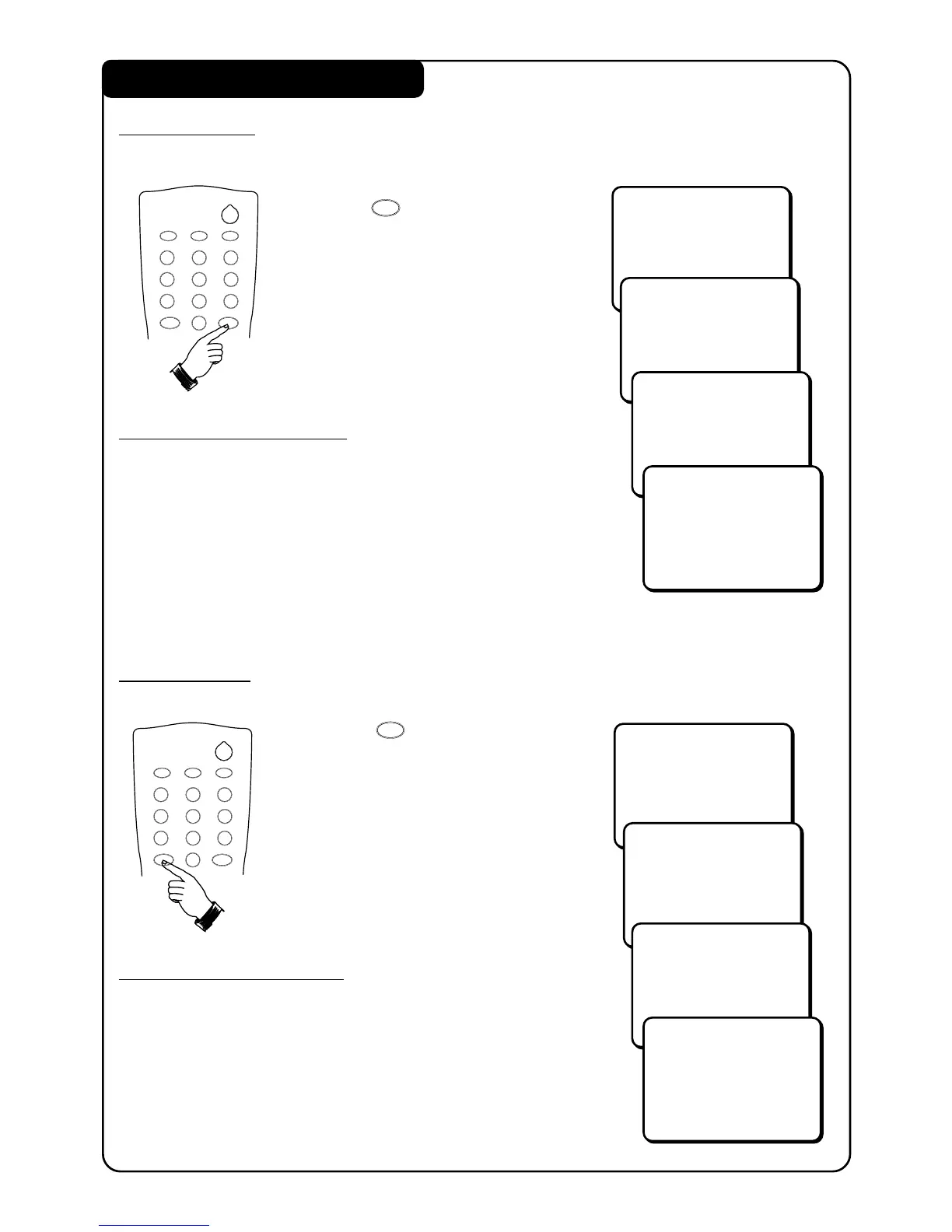
Smart Picture offers you a choice of 4 settings – RICH, NATURAL, SOFT and PERSONAL.
• Press (SMART PICTURE)
button repeatedly to cycle
through the 4 settings to select
your desired picture setting.
Definition of Picture Settings
RICH : Emphasizes very vibrant colours.
(Suitable for AV mode in brightly-lit condition)
NATURAL : Emphasizes natural and original colours.
SOFT : Emphasizes warm colours.
(Suitable for dimly-lit room condition and gives
cinema-like effect when light is switched off)
PERSONAL : Settings are set to your preference.
Smart Sound
Smart Sound offers you a choice of 4 settings – THEATRE, MUSIC, VOICE and NORMAL.
• Press (SMART SOUND)
button repeatedly to cycle
through the 4 settings to select
your desired sound setting.
Definition of Sound Settings
THEATRE : Emphasizes sensation to action and a
wider sound ambience.
MUSIC : Emphasizes bass frequency making
the music dynamic.
VOICE : Emphasizes treble frequency making
speech clearer.
NORMAL : Normal tone (No boosting).
SMART
`
RICH
NATURAL
SOFT
PERSONAL
2
12
3
4
5
6
7
8
9
0
SLEEPOSDAV
SMART
SMART
±
`
2
12
3
4
5
6
7
8
9
0
SLEEPOSDAV
SMART
SMART
±
`
SMART
±
THEATRE
MUSIC
VOICE
NORMAL



 To Next Page