19
19
MENU
CHILD LOCK
ÉÉ
ÉÉ
É
CLOCK
ÉÉ
ÉÉ
É
SURF SURF
BLUE MUTE OFF
INSTALLATION
ÉÉ
ÉÉ
É
CHILD LOCK
ÉÉ
ÉÉ
É
CLOCK
ÉÉ
ÉÉ
É
SURF A/CH
BLUE MUTE OFF
INSTALLATION
ÉÉ
ÉÉ
É
OSD
f
A/CH
SURF
BLUE MUTE OFF
INSTALLATION
ÉÉ
ÉÉ
É
BRIGHTNESS
IIIII
❙ ❙ ❙ ❙ ❙ ❙ ❙ ❙
28
COLOUR
IIII
❙ ❙ ❙ ❙ ❙ ❙ ❙ ❙ ❙ ❙
18
CONTRAST
IIIIIIII
❙ ❙ ❙ ❙ ❙ ❙
38
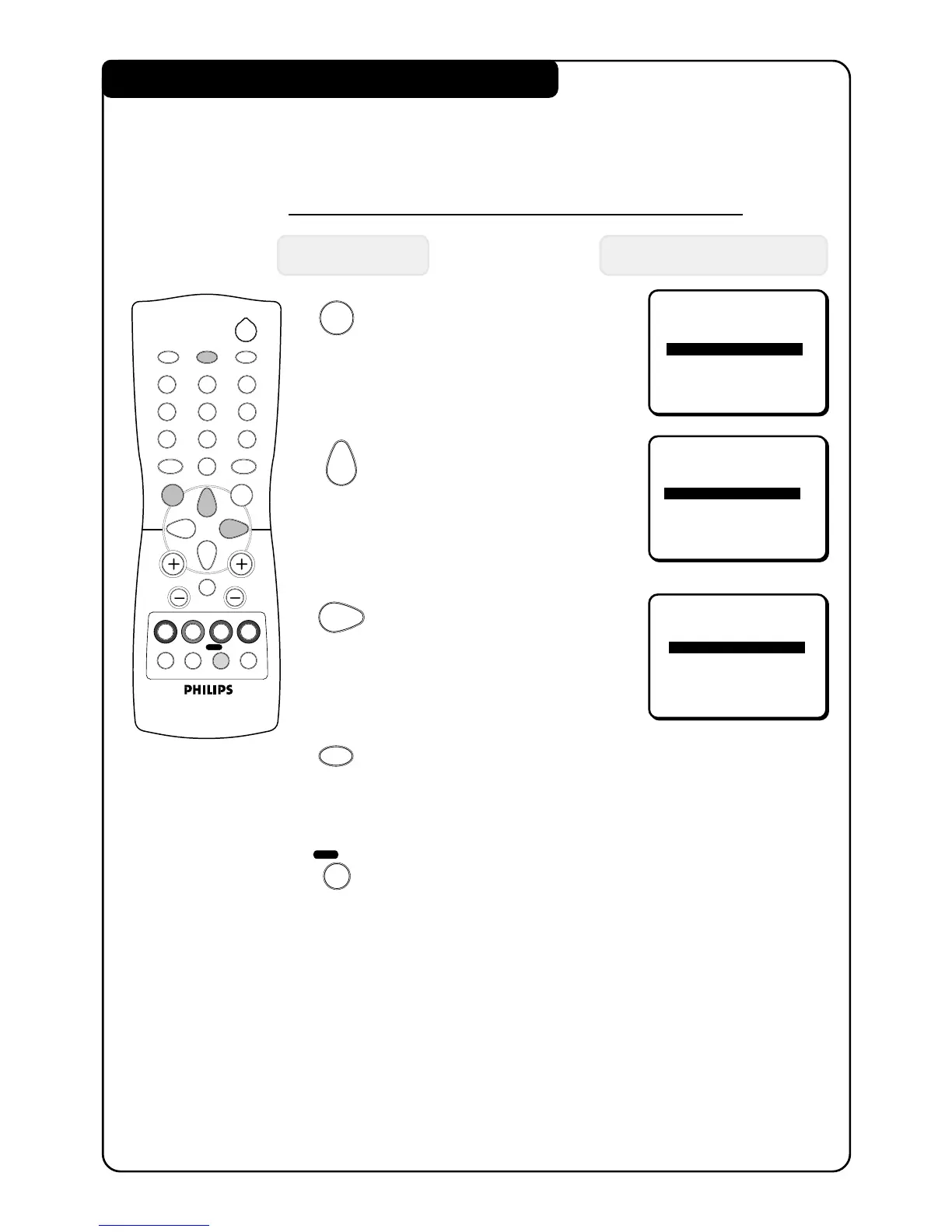
USING THE ALTERNATE CHANNEL FEATURE
When you are viewing a channel and decide to view the previous channel, use this
feature to alternate between the two channels.
How to activate the Alternate Channel feature
Press button Result on TV Screen
1. Enter main menu.
2. Press button repeatedly
until SURF is selected.
3. Select A/CH (Alternate
Channel) option.
4. Exit menu from screen.
5. Alternate between the
present channel and the
previous channel.
2
ehf
4
b
12
3
4
5
6
7
8
9
0
CH
MENU
INC.
SURR.
SLEEPOSDAV
SMART
SMART
±
`
A/CH
SURF
A
H



 To Next Page