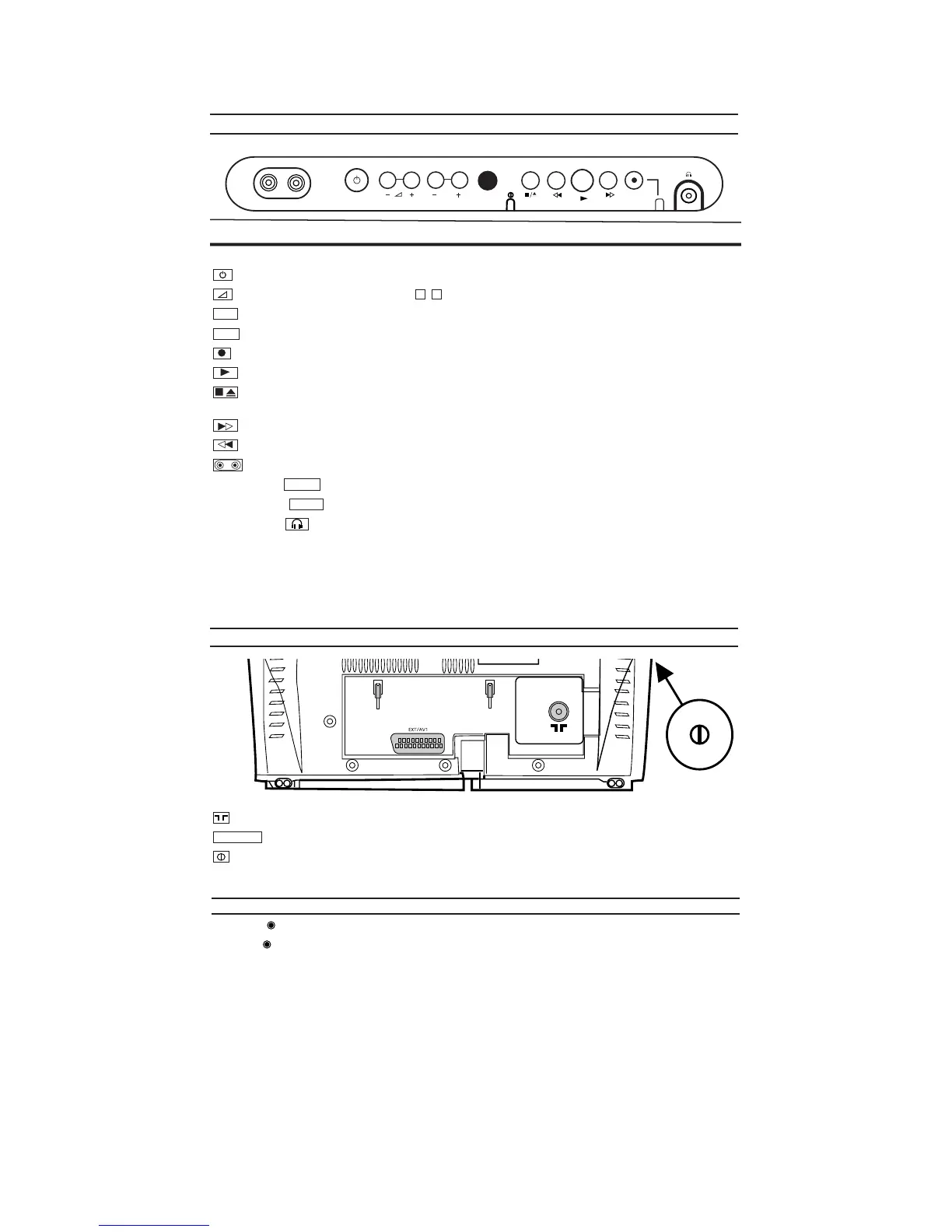
1-4-6 T6450IB
STANDBY/ON: To switch off or on, interrupt menu function.
Volume: In connection with the button to adjust the volume.
Programme number minus: previous programme number
Programme number plus: next programme number
Record: To record the programme currently selected.
Playback: To play a recorded cassette.
Pause/Stop, eject cassette: To stop the tape; If this key is depressed while in STOP, the cassette is then
ejected from the machine.
When tape playback is stopped, press to fast forward the tape at hight speed.
When tape playback is stoped, press to rewind the tape at hight speed.
Sockets on the front:
White socket / input socket: To connect a camcorder or a video game machine (audio).
Yellow socket / input socket: To connect a camcorder or a video game machine (video).
Small socket / socket for headphones: To connect headphones.
VIDEO
AUDIO
/
P+
P-
–+
STANDBY/ON
VIDEO AUDIO
P
Aerial input socket: To connect the aerial cable.
Scart socket : To connect a satellite receiver, decoder, video recorder, etc
Power switch: To switch the TVCR off.
Caution: If you switch of
f using the power switch, TIMER-recordings are impossible!
The control lights on the front of machine
STANDBY Standby light: lights up when the TVCR has been switched on by means of the main switch.
RECORD Recording light: lights up during recording.
FAST blink: RECORDING PAUSE; TIMER RECORDING NOT STAND-BY.
SLOW blink: TIMER RECORDING is stored in a timer block.
EXT1/AV
Front of your TVCR
Back of your TVCR








 To Next Page