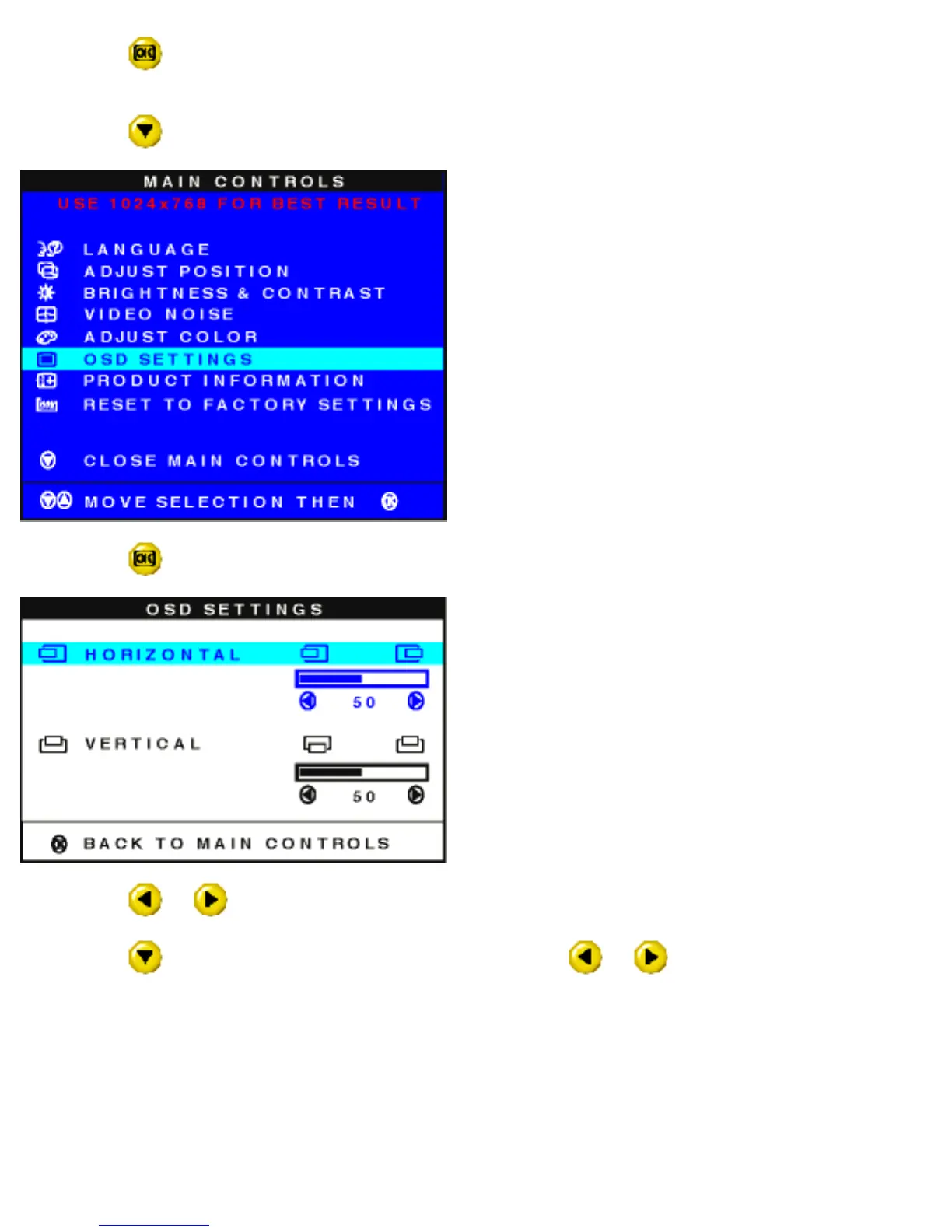
1) Press the button on the monitor. The MAIN CONTROLS window appears. LANGUAGE is
highlighted.
2) Press the
button until OSD SETTINGS is highlighted.
3) Press the button. The OSD SETTINGS window appears. HORIZONTAL is highlighted.
4) Press the or button to move the MAIN CONTROLS window left or right to the desired position.
5) Press the
button until VERTICAL is highlighted. Press the or button to move the MAIN
CONTROLS window up or down to the desired position.
file:///D|/Philips LCD/english/150S/OSD/OSD_CONT.HTM (12 of 16) [1/20/2001 3:13:10 PM]



 To Next Page