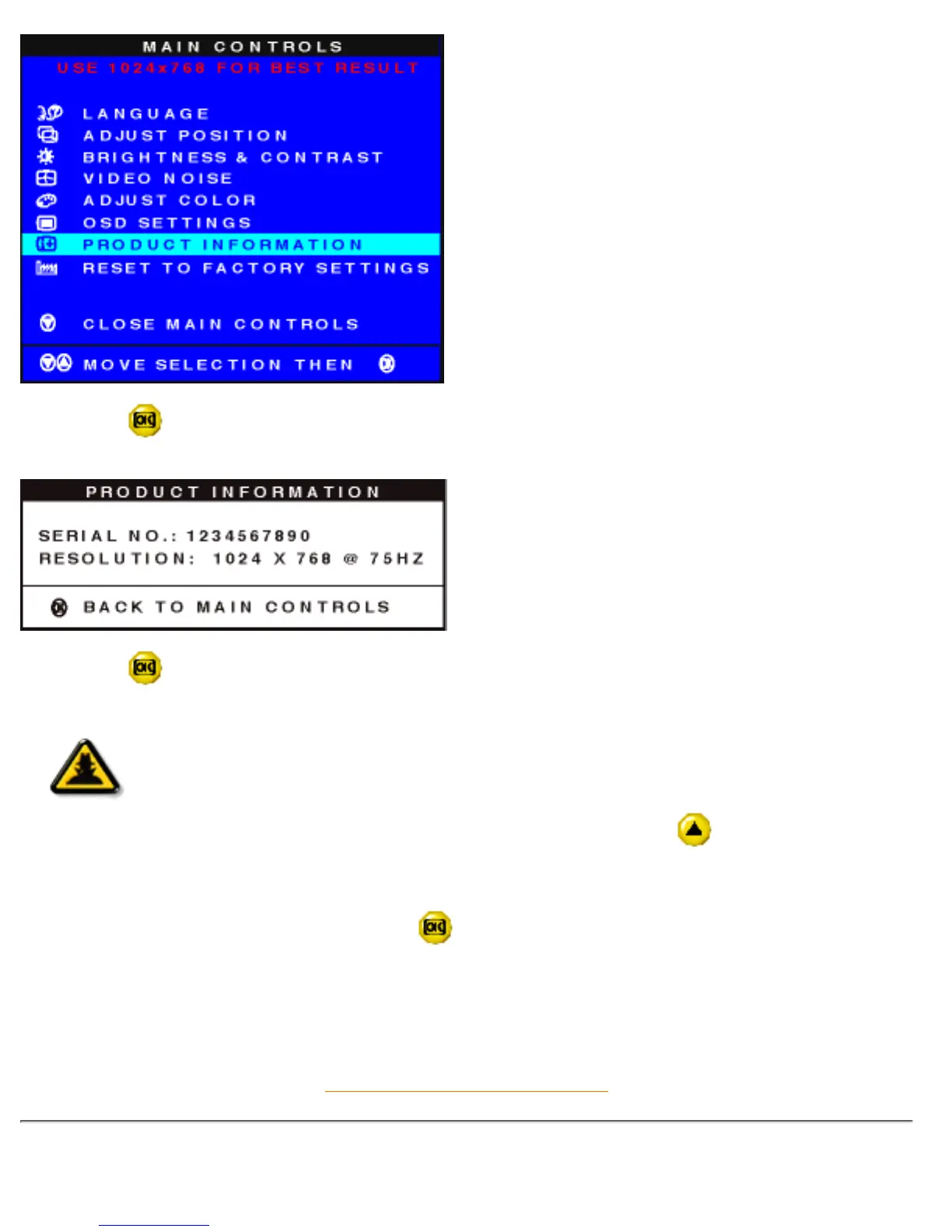
3) Press the button. The PRODUCT INFORMATION window appears. This window shows the
monitor's SERIAL NUMBER and RESOLUTION of the monitor.
4) Press the button to return to the MAIN CONTROLS window. CLOSE MAIN CONTROLS is
highlighted.
Smart
Help
Smart Help
After returning to MAIN CONTROLS…
… to continue to RESET TO FACTORY SETTINGS, press the
button until
RESET TO FACTORY SETTINGS is highlighted. Next, start with step 3 under RESET
TO FACTORY SETTINGS and follow the directions.
… to exit completely, press the button.
RETURN TO TOP OF THE PAGE
RESET TO FACTORY SETTINGS
file:///D|/Philips LCD/english/150S/OSD/OSD_CONT.HTM (14 of 16) [1/20/2001 3:13:10 PM]



 To Next Page