RETURN TO TOP OF THE PAGE
BRIGHTNESS & CONTRAST
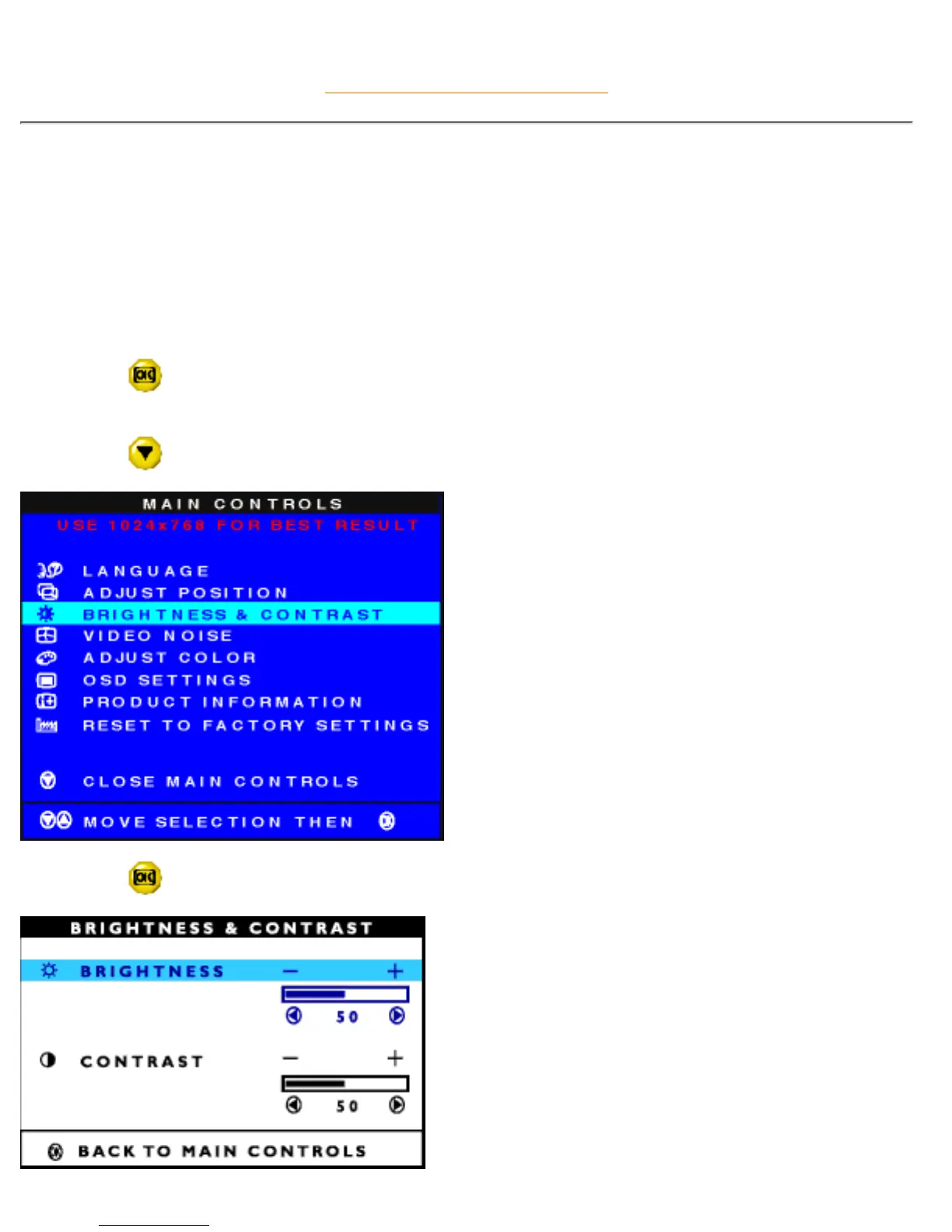
BRIGHTNESS & CONTRAST is composed of two steps, BRIGHTNESS and CONTRAST. Brightness is the
overall intensity of the light coming from the screen. An 80% brightness is recommended. Contrast is the
difference between the light and dark areas on the screen. A 50% contrast is recommended.
To adjust the Brightness and Contrast, follow the steps below. Note: Brightness can also be adjusted
without using the MAIN CONTROLS window. See the steps at the beginning of these instructions to learn
how.
1) Press the
button on the monitor. The MAIN CONTROLS window appears. LANGUAGE is
highlighted.
2) Press the
button until BRIGHTNESS & CONTRAST is highlighted.
3) Press the button. The BRIGHTNESS & CONTRAST window appears. BRIGHTNESS is highlighted.
file:///D|/Philips LCD/english/150S/OSD/OSD_CONT.HTM (5 of 16) [1/20/2001 3:13:10 PM]



 To Next Page