I_i+ most _ases, the volume levels coming
om broadcast programming or commer-
cials arc, never the same, With the AVL
(Audio Volume Le_eh, r) control turned ON,
you can have the TV level out sound that is
being heard, This makes f!)r a more _onsis-
t_mt sound by reducing the peaks and valh, ys
that occur during program _hanges or _om-
inertial breaks. "lb turn the AVL ON, follow
these steps,
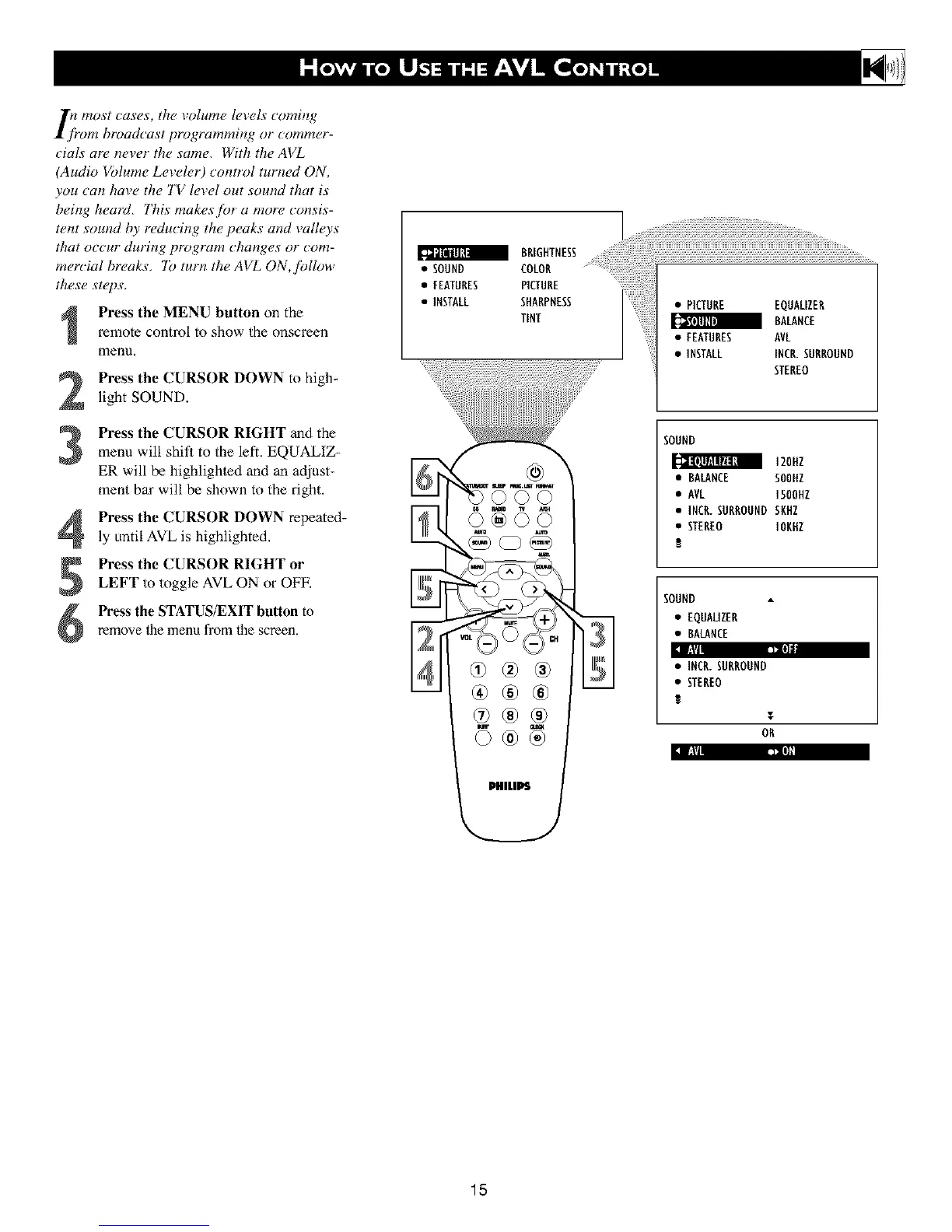
Press the MENU button on the
remote control to show the onscreen
menn,
Press the CURSOR DOWN to high+
light SOUND.
Press the CURSOR RIGHT and the
menu will shit_ to the left. EQUALIZ-
ER will be highlighted and an adjust-
ment bar will be shown to the right.
Press the CURSOR DOWN repeated-
ly until AVL is highlighted.
5
6
Press the CURSOR RIGHT or
LEFT to toggle AVL ON or OFF.
Press the STATUS/EXIT button to
remove the menu fi'om the screen.
BRIGHTNESS
• SOUND COLOR
• FEATURES PICTURE
• INSTALL SHARPNESS
TINT
:1_ i--->
• PICTURE EQUALIZER
BALANCE
• FEATURES AVL
• iNSTALL INCR.SURROUND
STEREO
SOUND
120NZ
• BALANCE SOONZ
• AVL 150OHZ
• INCR.SURROUNDSKHZ
• STEREO IOKNZ
!
SOUND
• EQUALIZER
• BALANCE
• INCR.SURROUND
• STEREO
1
T
OR
15












 To Next Page