28
USING THE CLOSED CAPTION CONTROL
24
C
losed Captioning (CC) allows you to
read the voice content of television
programs on the TV screen. Designed to
help the hearing impaired, this feature
uses on-screen “text boxes” to show dia-
logue and conversations while the TV
program is in progress.
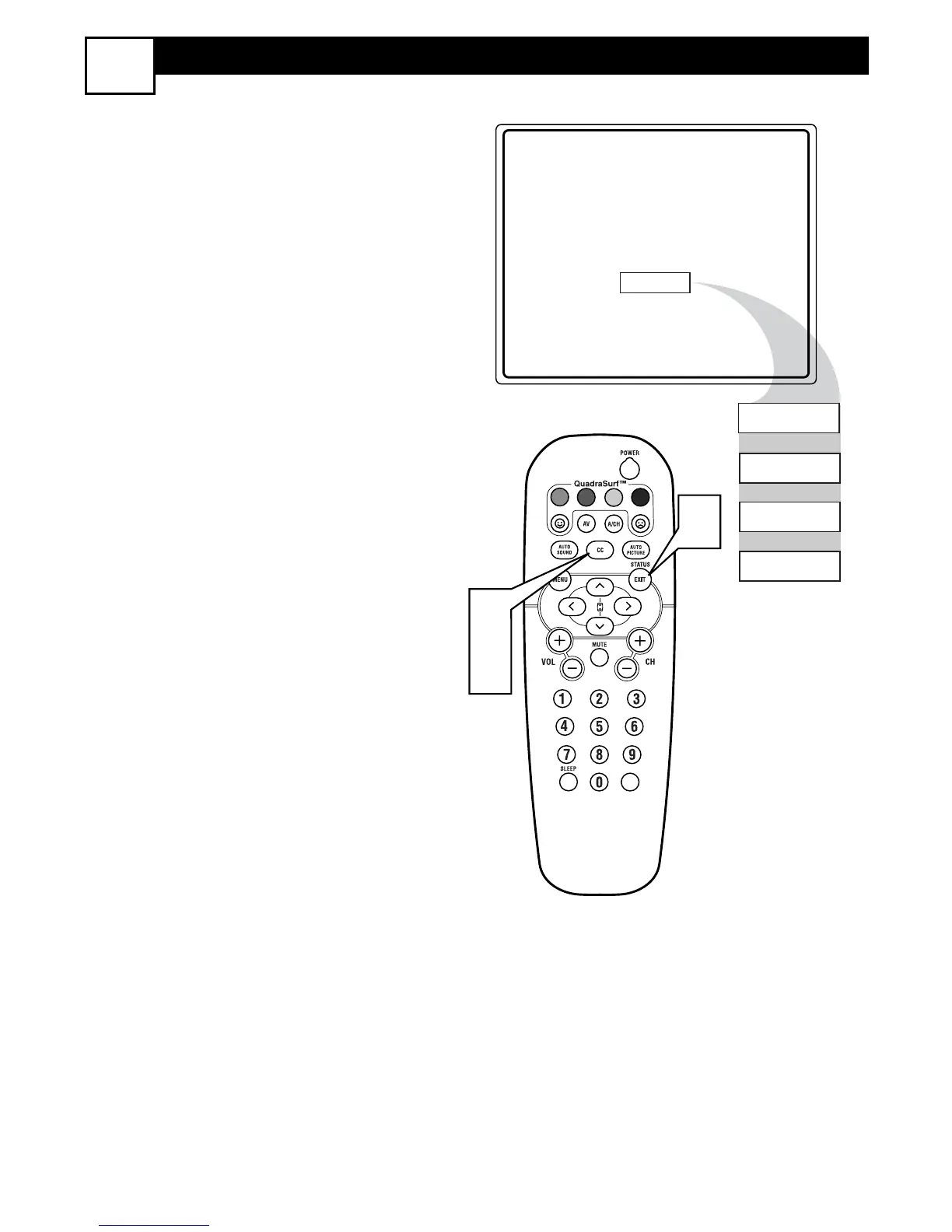
1
Press the CC button on the remote to
display the current Closed Caption
setting.
2
Press the CC button repeatedly to
choose from the four Closed Caption
options (CC Off, CC1, CC2, CC
Mute).
3
When finished, press the STATUS
/EXIT button to remove the menu
from the TV’s screen.










 To Next Page