25
Y
our TV can be set to automatically
turn itsef off at a given amount of
time.
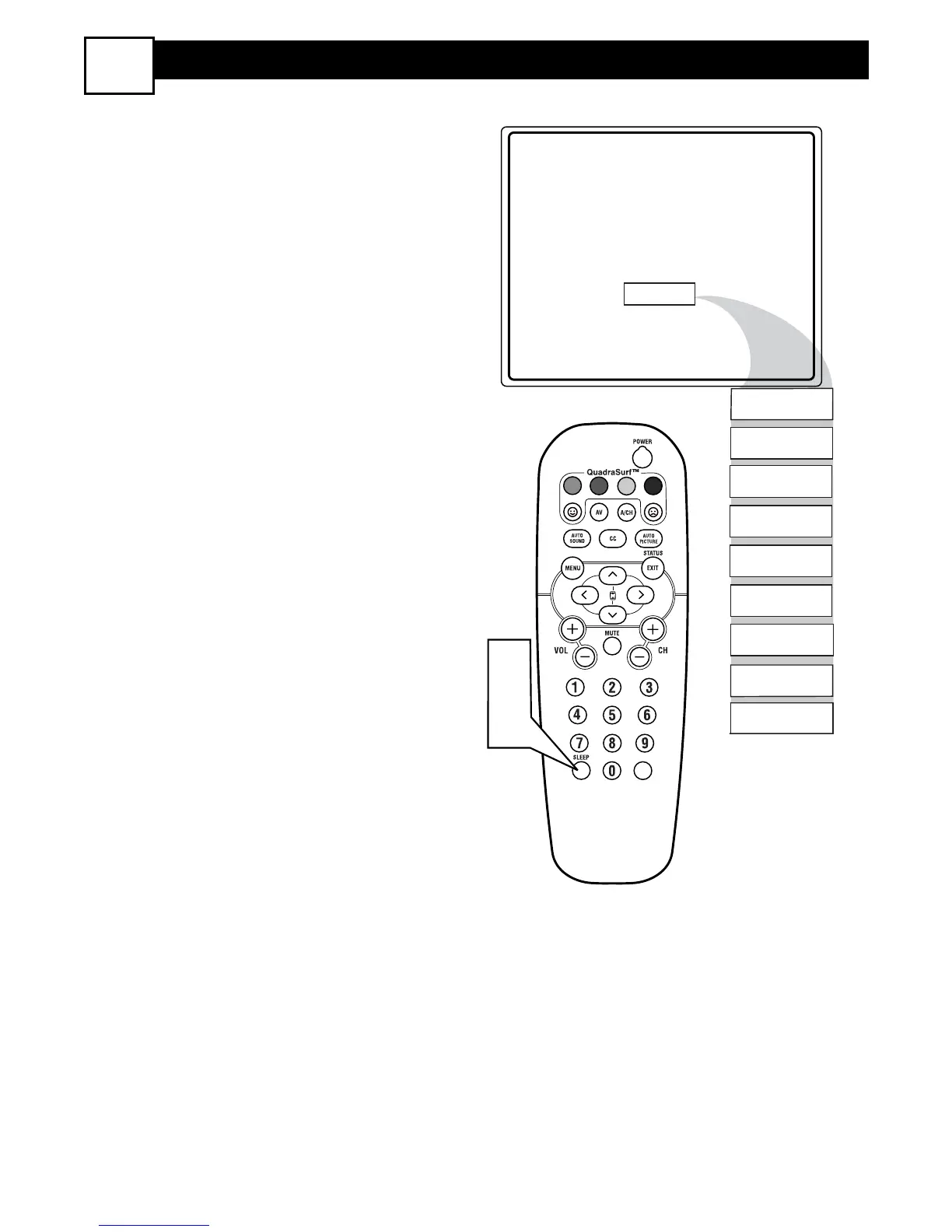
1
Press the SLEEP button on the
remote control and the SLEEP timer
display will apprear on the screen.
2
Press theSLEEP button repeatedly
to pick the amount of time (15, 30,
45, 60, 90, 120, 180, or 240 minutes)
before the TV will turn itself off.
NOTE: An on-screen count down will
appear during the last minute before the
TV shuts itself off. If any button is
pressed during the last minute of the
countdown , the Sleeptimer setting will be
cancelled.







 To Next Page