31
USING THE AUTOSOUND™ CONTROL
T
he Auto Sound feature allows the lis-
tener to select between four different
factory set sound options.
1
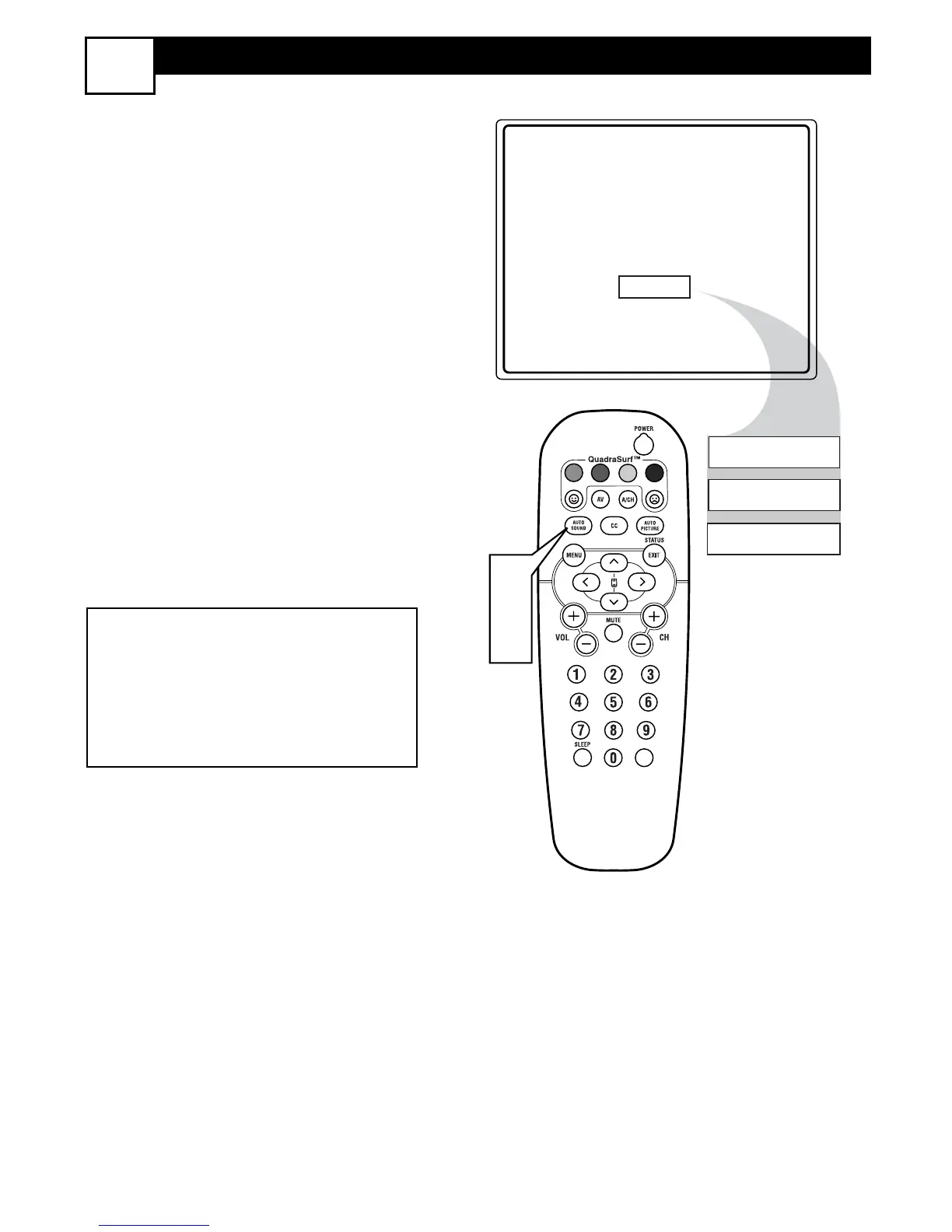
Press the AUTO SOUND button
on the remote control. The current
Auto Sound setting will appear in the
middle of the screen.
2
Press the AUTO SOUND button
repeatedly to toggle between the
four settings. (PERSONAL, THE-
ATRE, MUSIC, or VOICE)
NOTE: The way you choose to set the
Sound Menu Controls will become your
PERSONAL setting.
THEATRE - Preset sound options for
watching movies.
MUSIC - Preset sound options for musical
programming where there is little dialogue.
VOICE - Preset sound options for program-
ming where heavy dialogue is present.
27






 To Next Page