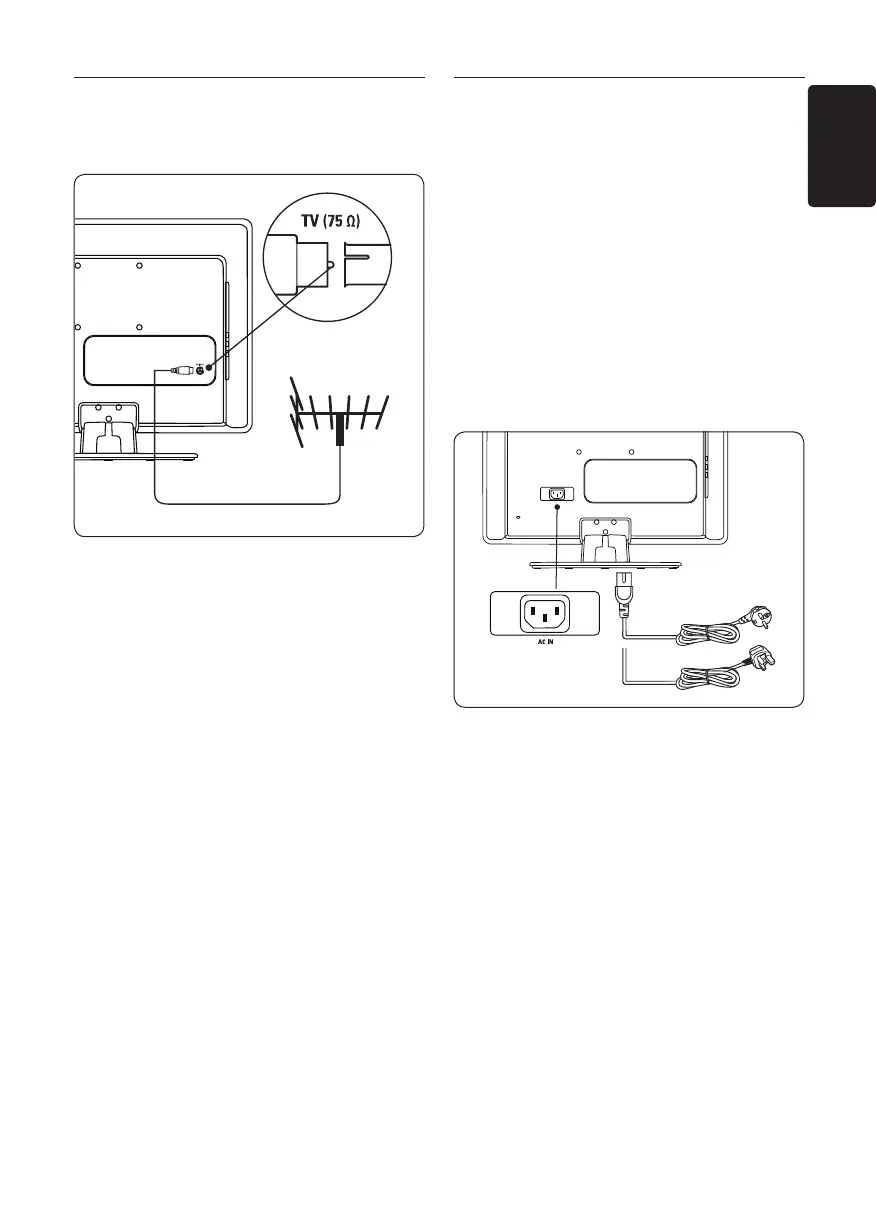
3�3 Connect the antenna cable
Locate the 1. TV ANTENNA connector at
the back of the TV Monitor.
Connect one end of an antenna cable 2.
(not supplied) to the TV ANTENNA
connector. Use an adaptor if the antenna
cable does not fit.
Connect the other end of the antenna 3.
cable to your antenna outlet, ensuring that
the cable is tightly secured at both ends.
3�4 Connect the mains cord
WARNING B
Verify that your mains voltage
corresponds with the voltage printed
at the back of the TV Monitor� Do not
insert the mains cord if the voltage is
different�
To connect the mains cord
Note: D The location of the mains connector
varies according to TV Monitor model.
Locate the 1. AC IN mains connector at the
back or on the bottom of the Product.
Connect the mains cord to the 2. AC IN
mains connector.
Connect the mains cord to the mains, 3.
ensuring that the cord is tightly secured at
both ends.



 To Next Page