
 Need help?
Do you have a question about the Philips 241B7QPJKEB/00 and is the answer not in the manual?
Essential safety guidelines and procedures for monitor care and longevity.
Explains icons, notes, cautions, and warnings used throughout the manual.
Guidelines for environmentally responsible disposal of the monitor and packaging.
Steps for physically setting up the monitor and connecting it to a computer.
Details on using the monitor's buttons and navigating the On-Screen Display (OSD).
Information on resolution notifications and physical adjustments like tilt and swivel.
Instructions on how to detach the monitor stand for VESA mount compatibility.
Explains presets that optimize display for different content types in real-time.
Describes technology that optimizes contrast ratio for visual clarity and viewing comfort.
Explains how the sensor detects user presence to manage power consumption.
Guides on default settings, custom adjustments, and hotkey usage for the sensor.
Lists the necessary hardware and software specifications for the webcam to operate.
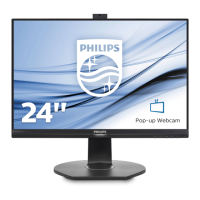
Instructions on connecting and using the built-in webcam for video calls and other communication.
Guide on using DisplayPort 1.2 to connect multiple monitors in a chain.
Details on panel type, inputs, ports, and stand adjustments.
Power usage details for different operating modes and voltages.
Information on dimensions, weight, operating conditions, and environmental compliance.
Recommended resolutions and available display preset modes for optimal viewing.
Explains VESA DPM compliance and power saving modes for different monitor models.
Defines acceptable levels for pixel and sub-pixel defects and warranty service.
Information on warranty coverage, extended warranty options, and contact details.
Solutions for common problems like no picture, image issues, and button functions.
Answers to common user queries regarding installation, resolution, cleaning, and features.









 To Next Page
 General