8
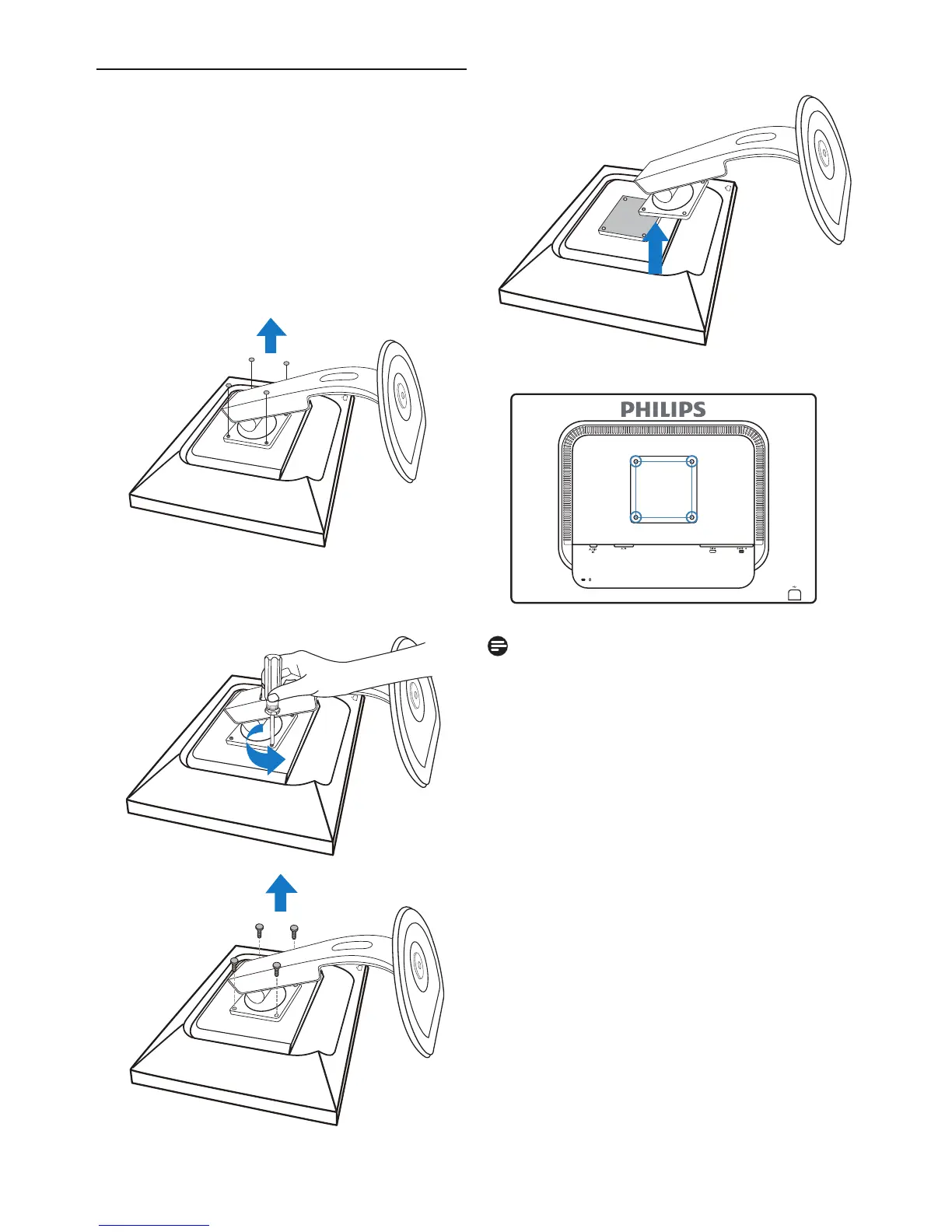
2. Remove the 4 screws and then remove the
base from the LCD monitor.
100mm
100mm
2.3 Remove the Base
Condition:
•
For
VESA standard mounting applications
Before you start disassembling the monitor base,
please follow the instructions below to avoid
damage or injury.
1. Remove the 4 screw covers.
Note
This monitor accepts a 100mm x 100mm
VESA-Compliant mounting interface.



 To Next Page