Need help?
Do you have a question about the Philips 243V5 and is the answer not in the manual?
Contains warnings and instructions for safe operation and maintenance.
Explains icons, bold, and italic text used for notes, cautions, and warnings.
Provides information on environmentally responsible disposal of the product and packaging.
Details the process of unpacking and assembling the monitor stand.
Guides on connecting the monitor to a computer using various cable options.
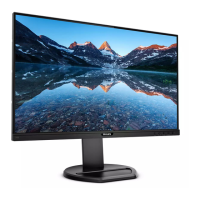
Explains the front view product description and the On-Screen Display (OSD) interface.
Instructions for detaching the monitor's base stand and base column.
Explains the SmartContrast technology for enhancing visual clarity and saving power.
Introduces SmartControl Lite software for monitor adjustments and its installation.
Lists supported resolutions and display modes for optimal performance.
Explains acceptable pixel defect levels for warranty repair or replacement.
Provides contact information for customer support centers worldwide.
Offers solutions for common problems like no picture, centered image, flicker, and blurred text.
Answers frequently asked questions about resolution, refresh rate, drivers, and image settings.


 To Next Page
 General