[/_/_ether you re 'aatchmg a
? V movie or a sporting event,
your TV has azttomatic video con-
trol _ettings matched [br your cur-
rent program source or content.
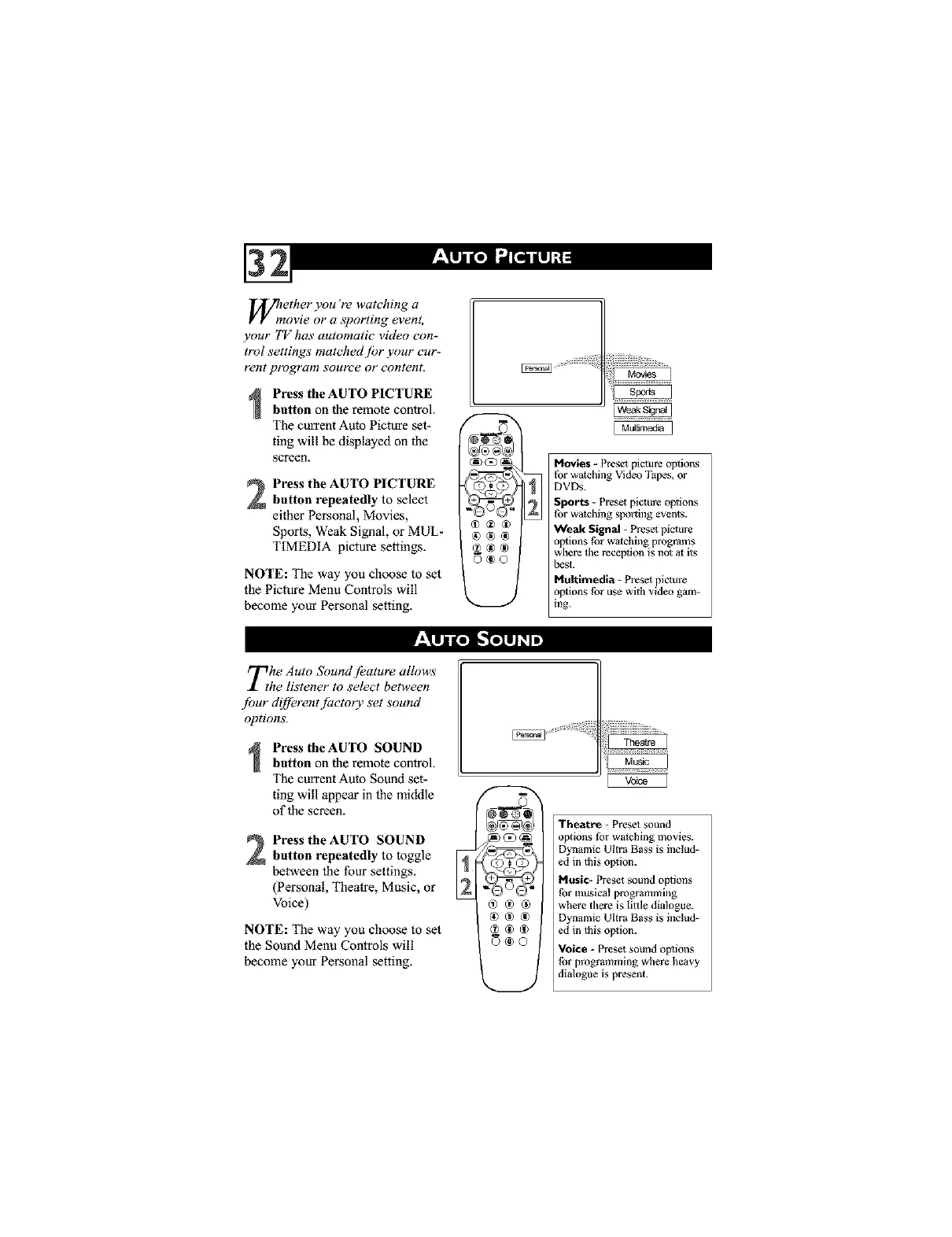
Press the AUTO PICTURE
button on the remote controk
The current Auto Picture set-
ting will be displayed on the
screen.
Press the AUTO PICTURE
button repeatedly to select
either Personal, Movies,
Sports, Weak Signal, or MUL-
TIMEDIA picture settings.
NOTE: The way you choose to set
the Picture Menu Controls will
become your Personal setting.
Movies - Preset picture options
for watching Video Tapes, or
DVDs.
Sports - Preset picnure options
for watching sporting events.
Weak Signal - Preset picture
options tbr watching programs
where the reception is not at its
best.
Multimedia - Preset pivure
options tbr use with video gam-
ing.
The Auto Sound [eature allows
he listener to _elect between
.fbur di[fbrent fitctorv set sound
options.
Press theAUTO SOUND
button on the remote controk
The current Auto Sound set-
ting will appear in the middle
of the screen.
Press the AUTO SOUND
button repeatedly to toggle [4
between the four settings,
(Personal, Theatre, Music, or
Voice)
NOTE: The way you choose to set
the Sound Menu Controls will
become your Personal setting.
Theatre - Presel sound
options tbr watching movies.
Dynamic Ultra Bass is includ-
ed in this option.
Music- Preset sound opllons
tbe musical programming
where there is little dialogue.
Dynamic Ultra Bass is includ-
ed in this option.
Voice - Preset sound options
tbe programming where heavy
dialogue is present.



 To Next Page