J _ iII"7±!,."l[ol Lvlr±! _In_l ;,4::1*':,loll II::LlW[e)_ IIII_(ol NLO1_1::1_r±ll | [e]_ I
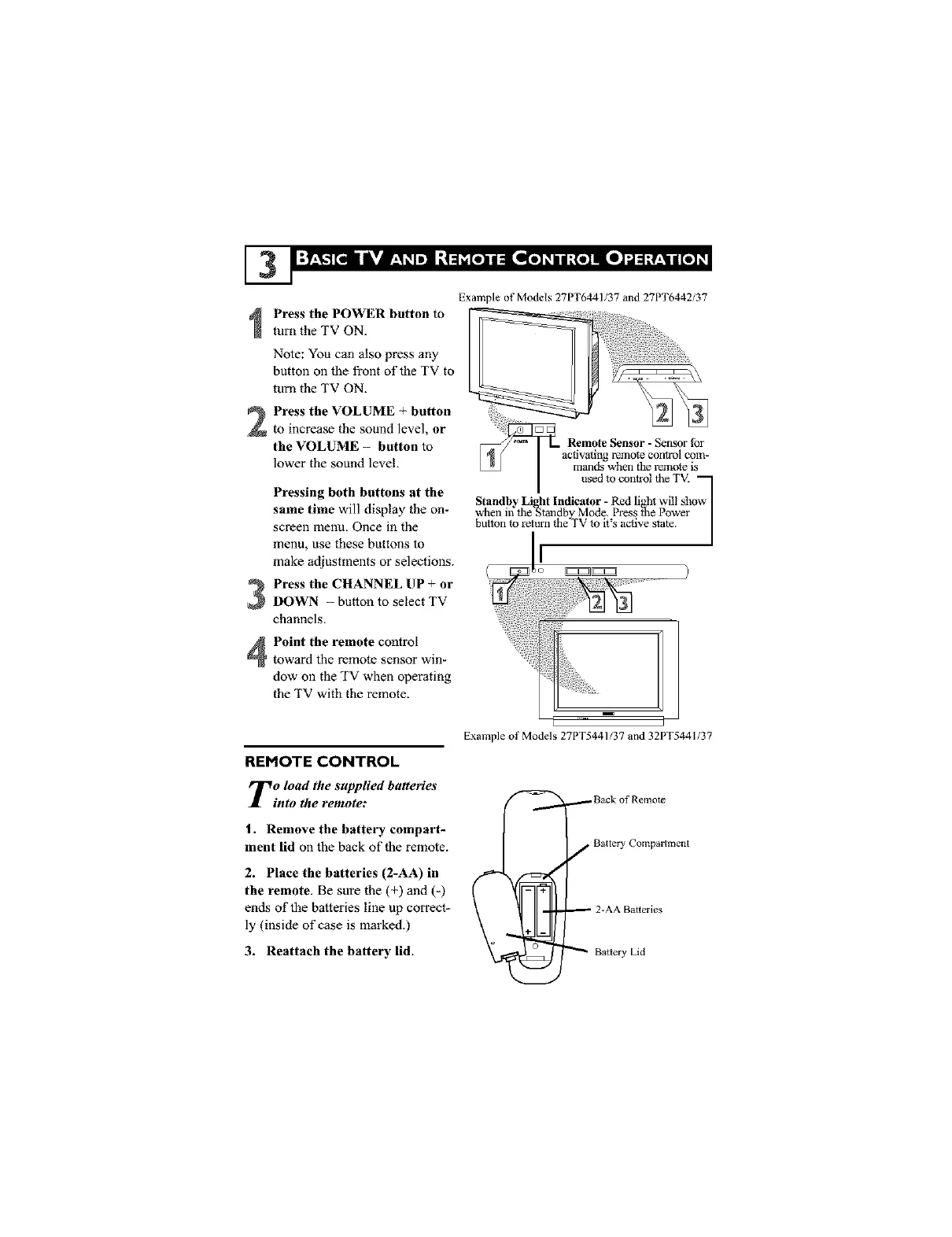
Example of Models 27PT6441/37 and 27PT6442/37
Press the POWER button to
turn the TV ON.
Note: You can also press any
button on the front of the TV to
turn the TV ON.
Press the VOLUME + button
to increase the sound level, or
the VOLUME - button to
lower the sound level.
Pressing both buttons at the
same time will display the on-
screen menu, Once in the
menu, use these buttons to
make adjustments or selections.
Press the CHANNEL UP + or
DOWN - button to select TV
channels.
Remote Sensor - Sensor tbr
remote control com-
mands when the remote is
used to control fileTV_
when in the_tandby Mode. Press _e Power q
Standby Li ht Indicator - Red li ,ht will show
button to return fl_eTV to it's active state. |
!
I
EZZ_
Point the remote control
toward the remote sensor win-
dow on the TV when operating
the TV with the remote.
REMOTE CONTROL
To load the supplied batteries
into the remote:
1. Remove the battery compart-
ment lid on the back of the remote.
2. Place the batteries (2-AA) in
the remote. Be sure the (+) and (-)
ends of the batteries line up correct_
ly (inside of case is marked.)
3. Reattach the battery lid.
Exmnple of Models 27PT5441/37 and 32PT5441/37
i _ Back of Remote
f Battery Compartment
_ 2-AA Batteries
Battery Lid





 To Next Page