14
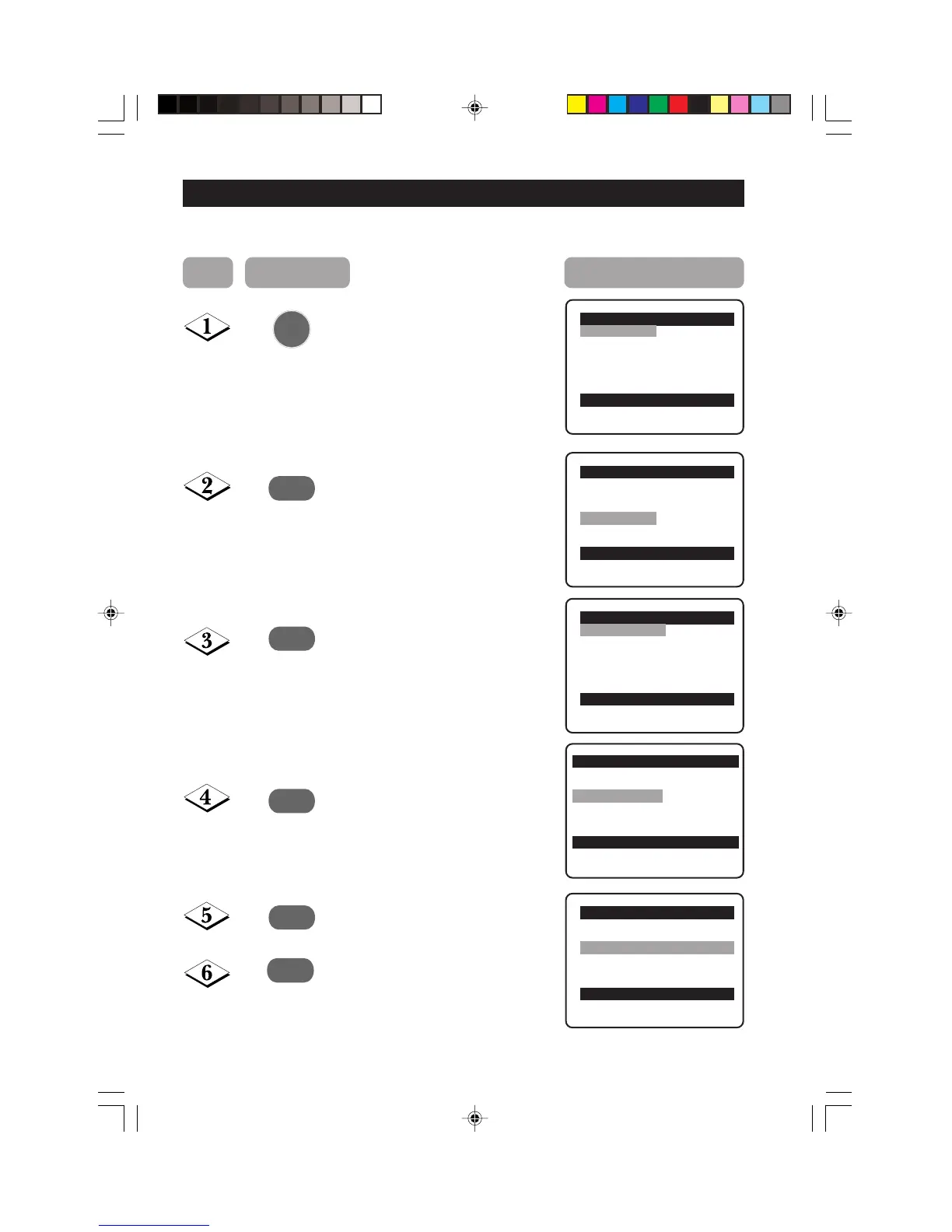
MANUAL T UNING OF CHANNELS
Manual tuning of channels allows you to select your preferred channel number for every
available programme.
MENU
¸
˙
¸
˙
Enter main menu.
Press button repeatedly until
Install is selected.
Enter install menu.
Press button repeatedly until
Manual Store is selected.
Enter manual store menu.
Press button repeatedly until
Search is selected.
MANUAL T UNING OF
Main o
✔ Picture π Brightness
■ Sound Colour
■ Features Contrast
■ Install Sharpness
Colour Temp.
More...
œ
Main o
■ Picture Language
■ Sound Auto Store
■ Features Manual Store
✔ Install π Sort
Channel Edit
Name
œ
Install o
✔ Language π English
■ Auto Store
■ Manual Store
■ Sort
■ Channel Edit
■ Name
œ
Install o
■ Language Colour System
■ Auto Store Sound System
✔
Manual Store π Search
■ Sort Channel No.
■ Channel Edit Fine Tune
■ Name Store
œ
Manual Store o
■ Colour System
■ Sound System
✔
Search 79 MHz π
■ Channel No.
■ Fine Tune
■ Store
œ
¸
Step Press button Result on screen
12-20/E 24/9/01, 11:52 am14




 To Next Page