26
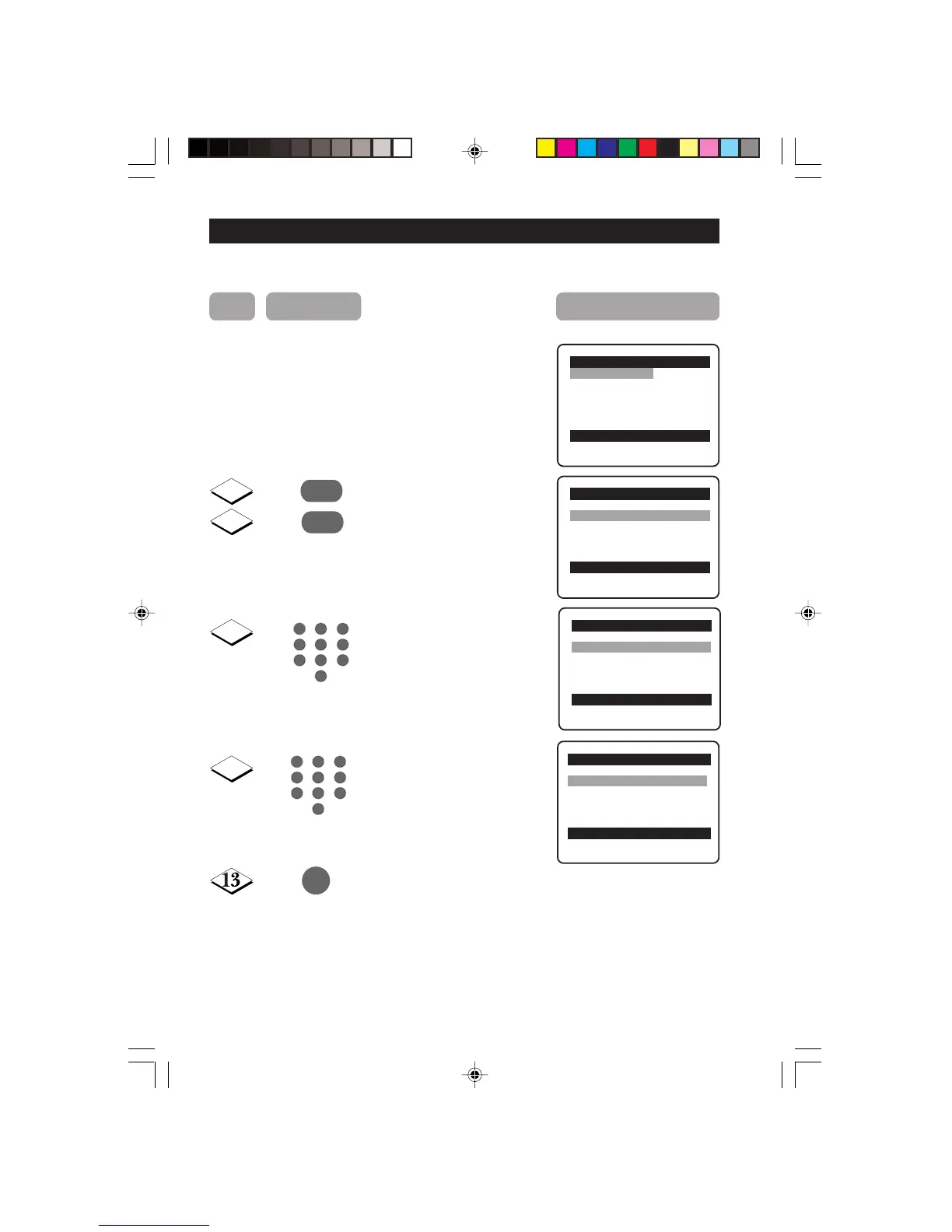
ACTIVATING THE CHILD LOCK (CHANGE CODE)
Note : You need to key the access code only once.
Repeat Steps 1 to 8 as The Child Lock menu will
in “ACTIVATING THE now appear. You can proceed
CHILD LOCK to change code.
(ACCESS CODE)”
Select Change Code.
Enter change code mode.
Key in your preferred code
(4-digit).
Key in the new code the
second time to confirm
code.
Exit menu from screen.
Child Lock o
✔ Lock Channel π 002
■ Change Code 003
■ Clear All 004
■ Lock All 005
006
007
œ
10
12
11
¸
˙
5
1
3
2
4
6
7
9
8
0
Child Lock o
■ Lock Channel New Code
✔ Change Code π ----
■ Clear All
■ Lock All
œ
Child Lock o
■ Lock Channel New Code
✔ Change Code π xxxx
■ Clear All
■ Lock All
œ
Child Lock o
■ Lock Channel Confirm Code
✔ Change Code π xxxx
■ Clear All Confirmed
■ Lock All
œ
5
1
3
2
4
6
7
9
8
0
m
9
Step Press button Result on screen
23-29/E 24/9/01, 11:53 am26










 To Next Page