9
English
Note: This feature is on clean mode only.
Activating or deactivating pacer
You can activate or deactivate the pacer feature by holding the on/off button
and the mode button simultaneously for 5 seconds when the device is turned
off.
- When deactivated, all the lights will flash once.
- When activated, all the lights will flash twice.
Pulse Wave technology
The deep clean mode has a "Pulse Wave technology" feature. The flow of the
water increases and decreases in intensity, providing a brief pause during
which you can move the nozzle to the next space between your teeth.
Sonicare power toothbrush charger (Specific models only)
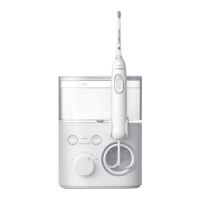
The Sonicare Power Flosser & Toothbrush System has an integrated charger for
your Philips Sonicare Power toothbrush.
Charging your toothbrush on your Power Flosser & Toothbrush
System
1
Place the handle on the charger.
2
The lights on your toothbrush handle will turn off when its battery is fully
charged.
Note: See Sonicare power toothbrush charging instructions and charging
times in the separate toothbrush manual.
Getting started
1
Connect the small plug into the bottom of the base and connect the power
plug in any 100-240V power outlet.
2
Remove the reservoir from the base.
Note: Make sure the product is powered off before you remove the
reservoir.
3
Open the lid, fill the reservoir with lukewarm water to the MAX fill line.







 To Next Page