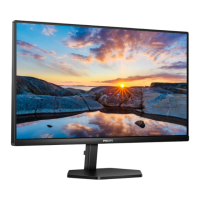
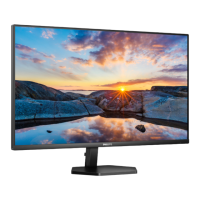
This document serves as the user manual for the Philips 3000 Series Monitor, model 32E1N3100LA. It provides comprehensive information on setting up, operating, maintaining, and troubleshooting the device, along with its technical specifications and warranty details.
Function Description:
The Philips 3000 Series Monitor is a flat panel display designed for various computing tasks, including gaming, office work, and multimedia consumption. It offers a range of features aimed at optimizing visual clarity, comfort, and performance. The monitor supports Adaptive Sync technology for smoother gaming experiences by synchronizing the display's refresh rate with the graphics card's output, reducing tearing and stuttering. It also incorporates SmartImage presets to dynamically adjust display settings based on content, and SmartContrast for enhanced contrast ratios. The monitor is designed for easy setup and includes a user-friendly On-Screen Display (OSD) for adjusting various settings.
Important Technical Specifications:
- Model: 32E1N3100LA
- Monitor Panel Type: VA
- Backlight: W-LED
- Panel Size: 31.5 inches (80 cm)
- Aspect Ratio: 16:9
- Pixel Pitch: 0.36375 (H) mm x 0.36375 (V) mm
- Contrast Ratio (typical): 3000:1
- Native Resolution: 1920 x 1080 @ 60 Hz
- Maximum Resolution: 1920 x 1080 @ 75 Hz
- Viewing Angle: 178° (H) / 178° (V) @ C/R > 10 (typical)
- Vertical Refresh Rate: 48 Hz - 75 Hz
- Horizontal Frequency: 30 KHz - 85 KHz
- Monitor Colors: 16.7M
- Built-in Speakers: 5W x 2
- Connectivity:
- Signal Input Source: HDMI, VGA
- Connectors: 2 x HDMI 1.4 (HDCP 1.4), 1 x VGA, 1 x Audio in, 1 x Audio out
- Sync Input: Separate Sync, Sync on Green
- Power Consumption:
- Normal Operation: 30.7 W (typical) at 100VAC, 60Hz; 30.5 W (typical) at 115VAC, 60Hz; 30.3 W (typical) at 230VAC, 50Hz
- Sleep (Standby mode): 0.5 W
- Off mode: 0.3 W
- Dimensions (with stand): 715 x 514 x 248 mm (WxHxD)
- Weight (with stand): 7.50 kg
- Tilt: -5 / +20 degrees
- VESA Mount: 100 x 100 mm (M4 screws)
- Operating Conditions:
- Temperature: 0°C to 40°C
- Relative Humidity: 20% to 80%
- Atmospheric Pressure: 700 to 1060hPa
- Environmental and Energy: RoHS compliant, 100% recyclable packaging, 100% PVC BFR free housing.
Usage Features:
- On-Screen Display (OSD): The monitor features an intuitive OSD menu, accessible via a single joystick-like toggle button on the rear. This allows users to adjust various settings such as brightness, contrast, color temperature, input source, and activate special features.
- SmartImage: This exclusive Philips technology offers preset modes (FPS, Racing, RTS, Gamer 1, Gamer 2, LowBlue Mode, EasyRead, Off) that dynamically optimize display settings for different content types. For example, "FPS" enhances dark details in games, while "Racing" provides faster response times and high color saturation. "LowBlue Mode" reduces harmful shortwave blue light for eye comfort, and "EasyRead" optimizes the display for text-based applications.
- SmartContrast: This feature dynamically analyzes displayed content and automatically optimizes the monitor's contrast ratio, adjusting backlighting for clearer, crisper images on bright backgrounds and dimming for dark backgrounds, enhancing visual clarity and reducing power consumption.
- Adaptive Sync: For gamers, this technology synchronizes the monitor's refresh rate with compatible AMD Radeon GPUs, eliminating screen tearing and stuttering for a smoother, more responsive gaming experience. Compatible graphics cards include AMD Radeon R9 290/300 Series & R7 260 Series, and various AMD A-Series Desktop and Mobility APUs.
- Flicker-Free Technology: The monitor is designed to be flicker-free, reducing eye strain during prolonged use.
- LowBlue Mode: Specifically designed to reduce the emission of harmful shortwave blue light, promoting eye comfort and well-being.
- Kensington Anti-Theft Lock: Provides a security slot for a Kensington lock to deter theft.
- Resolution Notification: The monitor displays an alert if it's not operating at its native resolution of 1920 x 1080, advising users to switch for optimal performance. This notification can be disabled through the OSD.
- Hot Key Lock/Unlock: The monitor's hot keys can be locked or unlocked by pressing the toggle button for 10 seconds, preventing accidental changes to settings.
Maintenance Features:
- Cleaning: For normal cleaning, a clean, soft cloth is recommended. For more extensive cleaning, isopropyl alcohol can be used. Users are advised against using organic solvents such as ethyl alcohol, ethanol, acetone, or hexane, as these may damage plastic parts and void the warranty.
- Pixel Defect Policy: Philips maintains a stringent pixel defect policy, outlining acceptable levels of bright and dark pixel defects. Monitors exceeding these tolerances qualify for repair or replacement under warranty. This policy details different types of pixel and sub-pixel defects and their acceptable quantities and proximities.
- Burn-in/Ghost Image Prevention: To prevent "burn-in" or "ghost imaging" (a phenomenon where static images displayed for extended periods leave a faint after-image), users are advised to always activate a moving screen saver program when leaving the monitor unattended and to use a periodic screen refresh application if static content is displayed. Failure to do so may result in permanent damage not covered by warranty.
- Storage and Handling: The manual emphasizes protecting the monitor from direct sunlight, extreme temperatures, dust, rain, water, and excessive moisture. When moving the monitor, users should grasp the frame and avoid putting pressure on the LCD panel. The monitor should not be tilted downward by more than -5 degrees to prevent potential damage.
- Power Cord Protection: Users are instructed to protect the power and signal cables from being pulled, bent, or having heavy objects placed on them to prevent fire or electric shock. Only approved Philips power cords should be used.
- Service and Support: In case of persistent problems or for repair/integration documentation, users should contact their local Philips service center. Warranty information and extended warranty options are available on the Philips website. The casing cover should only be opened by qualified service personnel.


 To Next Page
 General