2005 HF Series User’s Manual 112505.0959
4
Basic Television Connection
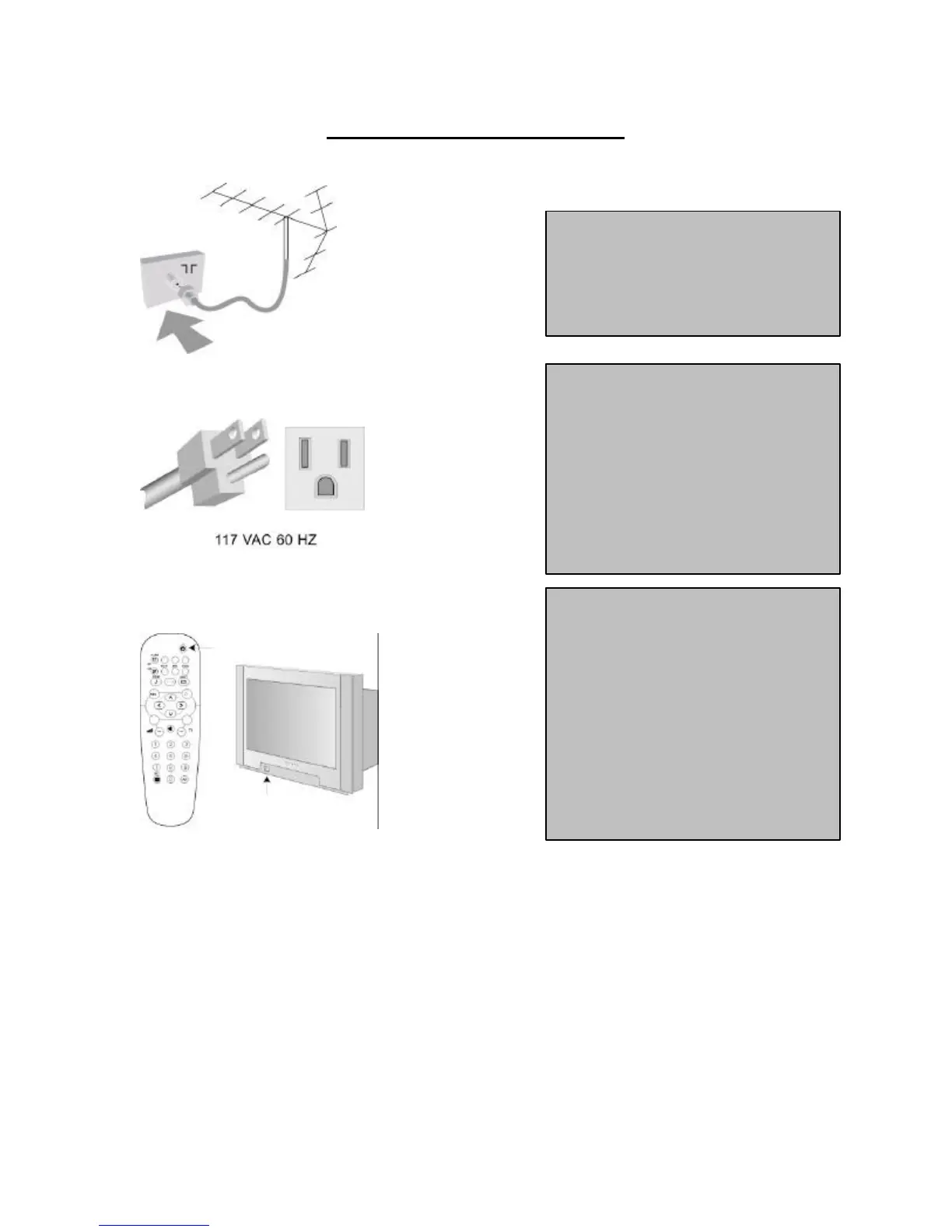
Antenna Connection
• Connect the antenna or RF cable signal
to the 75-ohm RF ‘F’ connector socket
located on the TV’s rear jack panel.
Mains Connection
• Verify that the mains voltage and
frequency are correct. Please refer to the
product labeling and documentation.
Note: The power button on the front panel
does not disconnect the television from the
AC mains; it toggles the
between on and standby. To completely
remove AC mains power, you must unplug
the AC mains plug.
Switching on the Set
• Press the power button on the TV’s front
panel or on the remote control to switch on
the set.
might not respond to the front panel or the
remote control, depending upon the TV’s
mode and setup configuration. Please refer
to the section TV Installation and TV
Setup Menu in this documentation for
more information.
Mains Connection, above.












 To Next Page