3
Remote Control
3.1
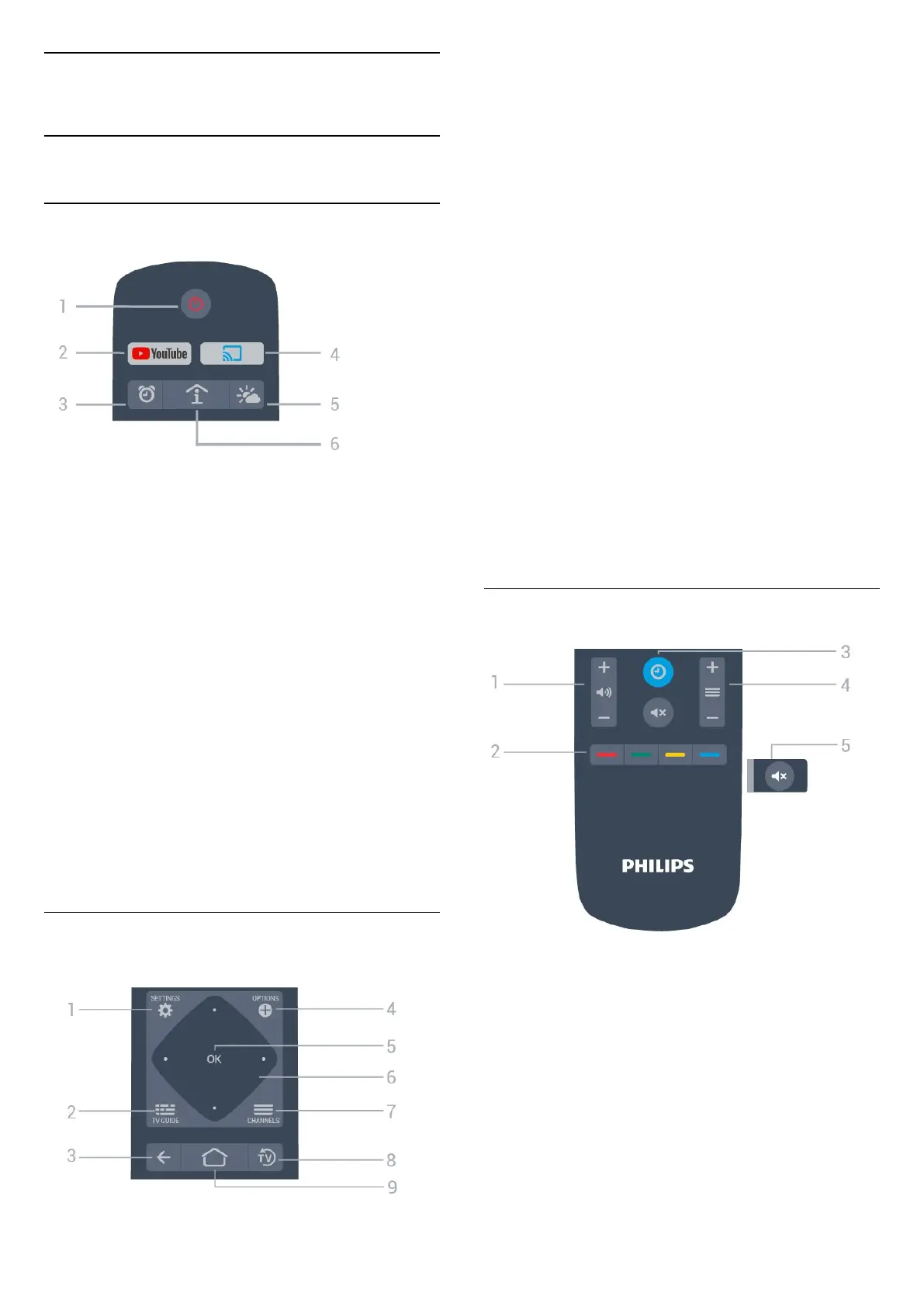
Key overview
Top
1 - Standby / On
To switch the TV on or back to Standby.
2 - Youtube
To open Youtube.
3 - Alarm (Only in Professional Mode ON )
To set the alarm.
4 - Google Cast (Only in Professional Mode ON
)
To mirror the content of your mobile device display
on to the TV.
5 - Weather (Only in Professional Mode ON )
To show the weather information of your location.
6 - SMART INFO (Only in Professional Mode
ON)
To show information provided by the Hotel.
Middle
1
-
SETTINGS
To open the settings menu.
2 - TV GUIDE
To open a list of the current and scheduled TV
programmes of your channels.
3
- BACK
• To switch back to the previous channel you
selected.
•
To return to previous menu.
4 - OPTIONS
To open or close the options menu.
5 - OK
key
To confirm a selection or setting.
6 - Arrow / navigation
keys
To navigate up , down , left or right .
7 - Channel
To switch to the next or previous channel in the
channel list.
8 -
EXIT
To switch back to watching TV.
9 - Home
To open the Home menu.
Bottom
6
1 - Volume
To adjust the volume level.
2 - Colour keys
Direct selection of options.
3 - CLOCK
To display the clock.
4 - Channel
To switch to the next or previous channel in the
channel list.
5 - Mute
To mute the sound or to restore it.







 To Next Page