EasyManua.ls Logo

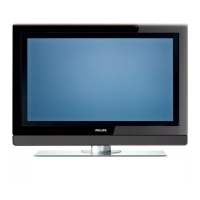
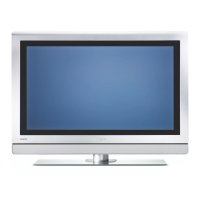
Philips 32PF9541/10 - User Manual

Philips 32PF9541/10
58 pages
Print Icon
To Next Page IconTo Next Page
Loading...
Safety warnings . . . . . . . . . . . . . . . . . . . . . . . . . 2
Getting started . . . . . . . . . . . . . . . . . . . . . . . . . 3
Use of the remote control RC4401/01 . . . . . . 5
Use of the option key . . . . . . . . . . . . . . . . . . . 7
Keys at the right side of the TV . . . . . . . . . . . . 7
Switch the TV on . . . . . . . . . . . . . . . . . . . . . . . 8
First time installation . . . . . . . . . . . . . . . . . . . . 8
How to navigate through the menus . . . . . . . 11
Use of the TV menu settings . . . . . . . . . . . . . 12
Adjust picture menu settings . . . . . . . . . . 14
Adjust sound menu settings . . . . . . . . . . 17
Enjoy Ambilight . . . . . . . . . . . . . . . . . . . . 19
Adjust feature menu settings . . . . . . . . . . 22
Search for and store TV channels . . . . . . 25
Rearrange the channel number list . . . . . 27
Set your preferences . . . . . . . . . . . . . . . . 28
Select your connections . . . . . . . . . . . . . 29
Select a decoder channel number . . . . . . 29
Reset the factory settings . . . . . . . . . . . . 30
How to upgrade the TV software . . . . . . 30
Create your favourite list . . . . . . . . . . . . . . . . 31
Multimedia Browser . . . . . . . . . . . . . . . . . . . . 32
Teletext . . . . . . . . . . . . . . . . . . . . . . . . . . . . . 35
To make video and audio connections . . . . . 37
Side panel overview . . . . . . . . . . . . . . . . . 38
Rear panel overview . . . . . . . . . . . . . . . . 39
Connect:
a VCR or DVD recorder . . . . . . . . . . . . . 40
twoVCRs or VCR and DVD recorder . . .41
a satellite receiver . . . . . . . . . . . . . . . . . . 41
a DVD player, Cable box/game console . .42
a DVD player or Cable box . . . . . . . . . . . 42
a DVD player, sat. receiver or cable box .43
a PC . . . . . . . . . . . . . . . . . . . . . . . . . . . . . 44
a Home Cinema amplifier . . . . . . . . . . . . 45
Select connected equipment . . . . . . . . . . . . . 46
Record with your recorder . . . . . . . . . . . . . . 46
Audio- and video equipment keys . . . . . . . . . 47
Troubleshooting . . . . . . . . . . . . . . . . . . . . . . . 48
Annex 1:To set the remote control to
work a Philips DVD or DVD/R . . . . . . . . 49
Annex 2 - Philips TV software upgrade
with portable memory . . . . . . . . . . . . . . . 50
Annex 3 - Philips TV-Slideshow Format
with background music . . . . . . . . . . . . . . 53
Annex 4 - Philips TV - Digital camera
and USB issues . . . . . . . . . . . . . . . . . . . . . 55
Annex 5 - Issues referring to connected
peripherals with a HDMI connector . . . . 56
Index . . . . . . . . . . . . . . . . . . . . . . . . . . . . . . . . 57
Recycling . . . . . . . . . . . . . . . . . . . . . . . . . . . . . 58
Product information . . . . . . . . . . . . . . . . . . . . 58
Contents
EN
1
If this instruction manual does not give an answer or if ‘Troubleshooting’ does not solve your TV
problem, you can call your Local Philips Customer or Service Centre. See the supplied Worldwide
guarantee booklet.
Please, have the Model and Product number which you can find at the back or the bottom of your television
set or on the packaging, ready, before calling the Philips customer support service.
Model:
Product No: ....................................
About this User Manual
This manual contains all information you will need to initially install and operate your new TV.
Also read the help texts which are being displayed at the bottom of the screen.

32PF9541/10 - 32PF9551/10

Questions and Answers

  • S
    stantonannJul 29, 2025
    Why is there no picture on my Philips 32PF9541/10?
    • A
      Ashley YorkJul 29, 2025
      First, ensure that all supplied cables (aerial cable to the TV, other aerial to your recorder, and power cables) are correctly and securely connected. Also, make sure you have selected the correct source on your Philips TV. Finally, check that the child lock feature has been switched off, as this can prevent a picture from displaying.
  • S
    Steven SchultzAug 2, 2025
    What to do if my Philips 32PF9541/10 remote is not working?
    • M
      Morgan RobinsonAug 2, 2025
      First, verify that the remote is correctly configured for the equipment you are trying to control. Then, check the batteries and replace them if necessary. As an alternative, you can use the keys located on the top or right side of the TV. Also, ensure that you have selected TV mode on your remote control. If the key LEDs blink rapidly with low intensity when pressing a key, remove the batteries and reinsert them.
  • K
    Karen PenaAug 6, 2025
    Why is the picture quality poor on my Philips TV?
    • T
      Tyler JohnsonAug 6, 2025
      Check that you have selected the correct TV system in the Manual installation menu. Also, ensure that your TV or house aerial is not located too close to loudspeakers, non-earthed audio equipment, or neon lights. If you are in an area with mountains or high buildings, try adjusting the direction of the aerial to improve the picture quality. If the picture or teletext is unrecognisable, verify that you have entered the correct frequency, fine-tune the frequency for that specific channel, or adjust the antenna direction.
  • S
    Steven RodriguezAug 10, 2025
    What to do if there is no sound on my Philips TV?
    • C
      Christian JacksonAug 10, 2025
      First, make sure that the volume is not set to the minimum. Also, verify that the sound has not been muted. Finally, check the connections between any optional equipment and the TV to ensure they are properly connected.
  • M
    Michael StantonAug 14, 2025
    What to do if my Philips 32PF9541/10 TV has a red blinking light?
    • J
      jessica05Aug 14, 2025
      Unplug the TV's mains cord for 10 seconds, and then plug it back in.
  • D
    Devin WarrenAug 25, 2025
    What to do if I can't find a solution for my Philips TV picture or sound problem?
    • S
      seth80Aug 25, 2025
      Switch your TV off and then on again once.
  • N
    Nicole JacksonSep 10, 2025
    How to fix poor color on Philips 32PF9541/10 TV?
    • M
      Molly GilbertSep 12, 2025
      Try selecting 'Factory settings' in the Installation menu to reset the color settings. Also, verify the connections between any optional equipment and the TV to ensure they are properly connected.

Summary

Safety Warnings and Precautions

General Safety Precautions

General guidelines for safe TV operation and placement, including ventilation and avoiding heat sources.

Stationary Image Precautions

Warnings about potential screen damage from prolonged display of static images (e.g., logos, menus).

Getting Started with Your TV

Before Initial TV Setup

Essential steps to take before powering on and connecting peripherals to the TV.

Using the Remote Control

Menu Navigation and Selection

Using OPTION, BROWSE/MENU, and cursor keys to navigate TV menus and settings.

Accessing and Adjusting TV Settings

Initial TV Setup and Installation

Guide to switching on the TV and completing the first-time installation procedure.

Configuring TV Settings via Assistant

Using the Settings Assistant to adjust picture, sound, and Ambilight preferences.

Navigating and Using TV Menus

Adjusting Viewing and Listening Settings

How to access and modify picture and sound settings through the TV menu.

Fine-Tuning Picture, Sound, and Ambilight

Detailed individual adjustments for picture, sound, and Ambilight settings.

Picture Settings and Adjustments

Sound Settings and Audio Options

Ambilight Feature Customization

Ambilight Menu and Basic Control

Turning Ambilight on/off and adjusting its brightness and color settings.

Channel Management and Preferences

Automatic Channel Storage

Scanning the TV spectrum to automatically search for and store available channels.

Managing Connections and Peripherals

Selecting Peripheral Connections

Assigning connected external equipment (DVD, VCR, etc.) to specific input connectors.

System Maintenance and Software Updates

Resetting TV to Factory Settings

Restoring all TV settings to their original default factory values.

Upgrading TV Software via USB

Instructions for updating the TV's software using a USB portable memory device.

Connecting External Audio and Video Equipment

Best Video Performance Connection Types

Guide to connectors like HDMI, Component, Scart, S-Video for optimal video performance.

Rear Panel Connection Overview

Diagram illustrating various rear panel connectors and typical equipment hookups.

Connecting PCs via HDMI or VGA

Steps for connecting a computer to the TV using HDMI or VGA interfaces.

Connecting Home Cinema Amplifiers

Connecting digital or analogue home cinema amplifiers to the TV's audio outputs.

Troubleshooting Common TV Issues

Resolving Picture and Sound Problems

Solutions for issues such as no picture, poor picture quality, poor colour, and no sound.

Remote Control and Peripheral Issues

Troubleshooting steps for a non-functional remote control or connected equipment.

Annexes and Additional Information

Annex 2: TV Software Upgrade Procedures

Preparing for, verifying, and performing automatic or manual TV software upgrades via USB.

Philips 32PF9541/10 Specifications

General IconGeneral
Screen Size32 inches
Display TechnologyLCD
Resolution1366 x 768
Aspect Ratio16:9
Response Time8 ms
Brightness500 cd/m²
HDMI Ports2
Component Video Input1
S-Video Input1
Composite Video Input1
SCART Ports2
Audio Output2 x 10 W
PC Input (VGA)Yes
Headphone JackYes
Built-in SpeakersYes
Power Consumption (Standby)< 1 W
HD FormatHD Ready
Viewing Angle176°
AmbilightYes
TunerDVB-T

Related product manuals