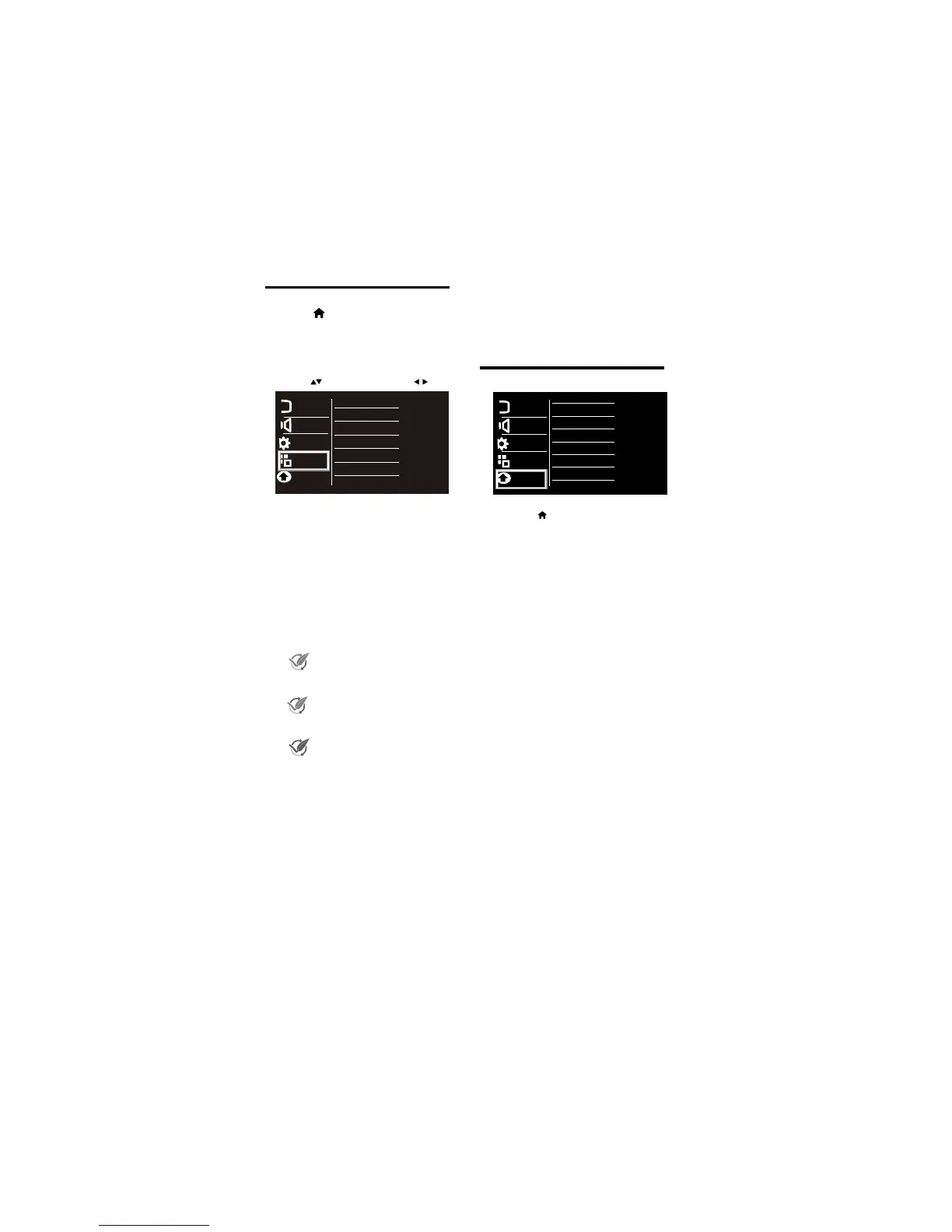
4.10 Features Menu
•
[Back Light] :
[Energy Saving]:
4.11 Parental Menu
• [Child Lock]: Enter the password, then
1
Press
2 Select [Setup] >
[Features]
then press
OK
3 Select one of the following settings.
then press OK. .
The backlight value
can be varied . This function used to
adjust brightness level of panel.
power saving modes Off/low/Mid/ High/
Audio only Mode.
To save
the power consumed by TV, select
Note:Press any key ( except Find,Text,
subtitle Vol +/- and Mute)
•
1
Press
2
Select [Setup] > [Parental]
then press OK
3
Select one of the following settings.
then press OK.
[Child Lock Switch]:Make the child lock
•
Note: Default password is “0000”
switch ON to lock the source/channel.
the following menus will open.
[Change Password]: Select this option
•
to change the password.
..
[Channel Block]: Select the channels to
•
to be locked and press ‘2’ to lock or.. .
unlock the channels.
[Video Lock]: Select the sources
•
with up/down keys on remote and press
OK to set or clear lock.
Press to move, and press to adjust.
•
•
[Easy Link]: If you connect HDMI-CEC
This option is for updating the software.
[Software Update] :
•
[Reset]
: Reset to factory default settings.
compliant devices through HDMI,you
can control them at the same time with
your TV remote control.
Picture
Sound
Features
Installation
Child Lock
Parental
[Clear All]: Reset the child lock
option to default value.
•
Picture
Sound
Features
Installation
Back Light
Energy Saving
EasyLink
Software Update
Reset
Parental
to exit 'Audio only' mode
After selection of Low/Mid/high energy
saving indication displayed on energy
meter by pressing info key of remote control
Low: After selection of energy saving
option to “Low”, approx.5% of rated
power will get saved.
Mid: After selection of energy saving
option to “Mid”, approx.10% of rated
power will get saved.
High: After selection of energy saving
option to “High”, approx 25% of rated
power will get saved.
Audio only : After selection of energy
saving to “Audio only ” panel power
switched off & only audio come
from TV sets which results in
power saved of approx 35%
EN 13













 To Next Page