Press to select the function icon, press
OK button to confirm the function.
Prev Page
Next Page
Prev. Next
Stop
Music
Playlist
Info.
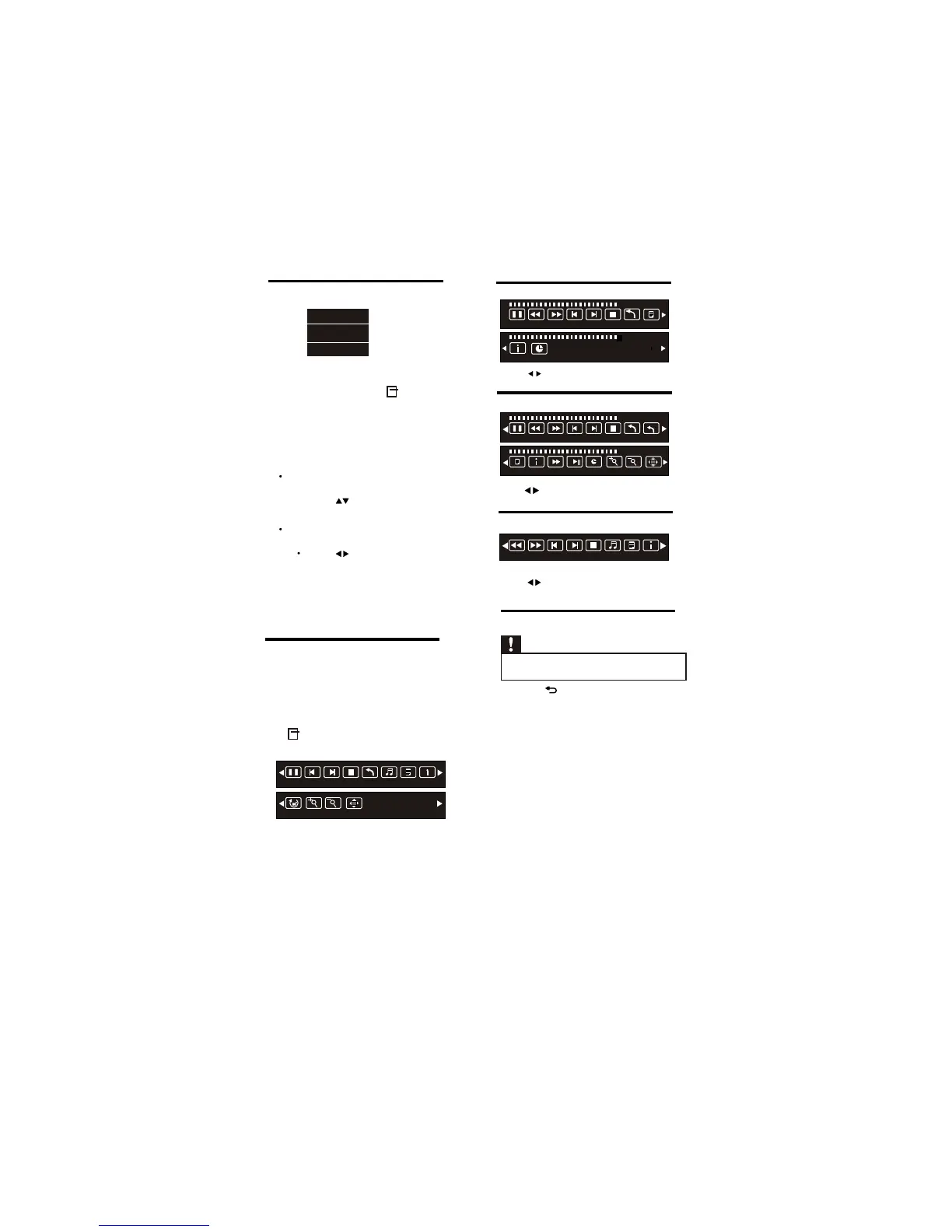
Text mode menu bar:
Music mode menu bar:
Video mode menu bar:
5.9 Disconnect a USB storage device
Caution
•
Follow this procedure to avoid damage to your
USB storage device.
1 Press to exit the USB browser.
2 Wait for five seconds, then disconnect
the USB storage device.
EN 17
Press to select the function icon, press
OK button to confirm the function.
Press to select the function icon, press
OK button to confirm the function.
5.8 Music,Photo, video, text
mode control menu bars
You can select the multimedia functions
like play, Pause, FF, FR, Next, Previous.
Stop etc.
To use above functions press
OPTIONS key , then select ‘Guide Bar”.
Picture mode menu bar:
Pause Prev.
Next
Stop
All
Music
Playlist
Info.
Rotate
Zoom In
Zoom Out
Move
00:00:33/00:04:22
Pause FR FF Prev. Next
Stop
All
Playlist
Info.
00:00:33/00:04:22
Goto Time
AB
00:00:33/00:04:22
Pause FR FF Prev. Next
Stop
All
Set A
00:00:33/00:04:22
Playlist
Info.
Slow
Step
Goto Time
Zoom In
Zoom Out
Move
Status
Energy Saving
Guide Bar
1
While you watch TV, press
OPTIONS key.
» The TV options menu appears.
2 Select one of the following options, then
press OK.
•
[Status]:
Not Applicable For USB
5.7 Use the Options menu
Visit options relevant to current action or
selection.
[Energy Saving]:
Respective menu
Press
•
to conserve energy.
Note : Guide Bar only applicable for
[Guide Bar] :
Press to access menu bar.
HDMI (CEC) & USB Source.
pop ups after pressing OK.
Respective menu
pop ups after pressing OK.
refer 5.8 for more details.
refer 4.10 for more details.












 To Next Page