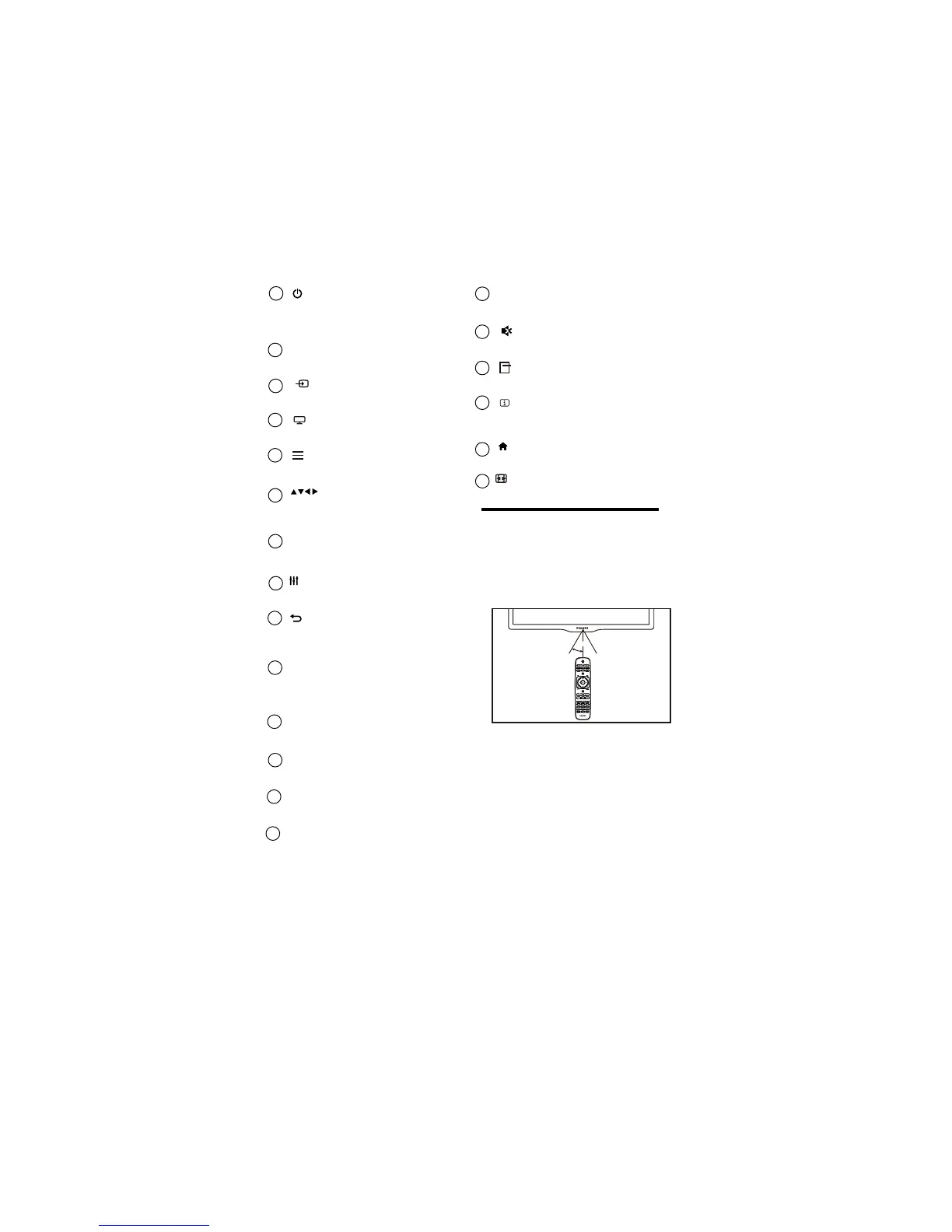
EN 7
~5m
o
~30
o
1
(Standby-On)
• Switches the TV ON or OFF.
The TV is not powered off completely
unless it is physically unplugged
2
Multimedia Control buttons
• Control video or music.
SOURCE
• Selects connected devices.
3
TV
4
•
Access the TV mode.
Access the Channel List.
•
LIST
5
(Navigation buttons)
• Navigate through menus and select
items. (Also in USB mode).
6
OK
• Confirm an entry or selection.
7
ADJUST
Access the adjust menu to adjust settings.
8
•
Return to the previous menu or exit
a function.
•
9
CH - / CH +
(
Previous/Next )
Switch channels or navigate through
menu pages, tracks, albums or
folders.
•
10
Adjust volume.
+/-
•
11
Color buttons
Select tasks or options.
12
•
0-9 Numeric buttons
• Select channels.
13
SUBTITLE
• Not applicable for 3200 series model’s.
14
TEXT
•
15
Mute or restore audio.
•
16
17
OPTIONS
Access the option menu to adjust settings.
•
18
INFO
•
19
( Home )
• Access the home menu.
20
FORMAT
• Adjust picture format.
3.3 Remote control usage
When you use the remote control, hold it close
to the TV and point it at the remote control
sensor. Make sure that the line-of-sight between
the remote control and TV is not blocked by
furniture, walls or other objects.
Not applicable for 3200 series model’s.
Displays the source information with
details of input connected .












 To Next Page