4 Use your TV
Learn how to operate your TV for daily use.
4.1 Turn on or off - Standby
rNote
The TV may take up to 15 seconds to turn on.
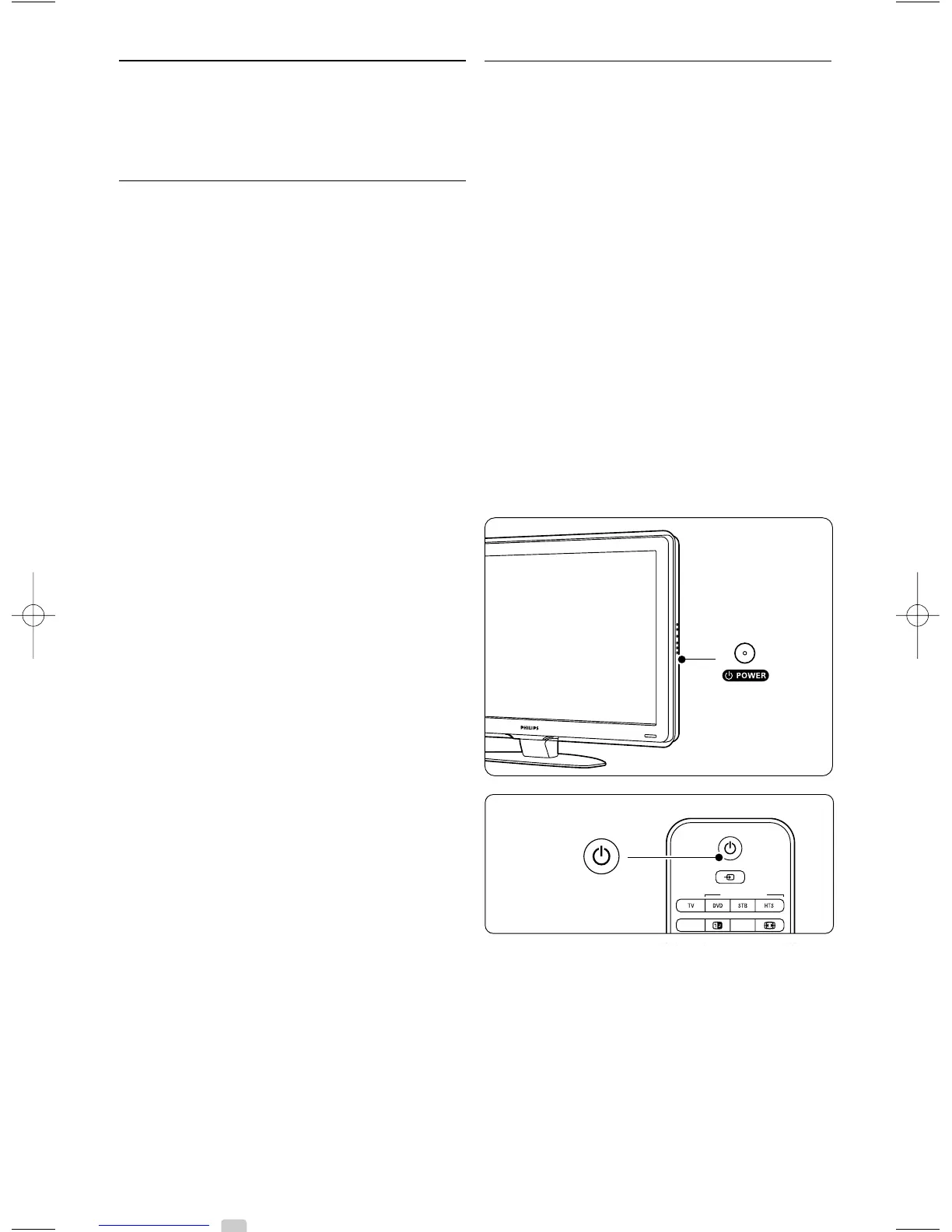
To turn on the TV:
• Press B Power at the right of the TV if the
standby indicator is off.
• Press B on the remote control if the standby
indicator is on.
The LightGuide flashes during start up and turns
on completely when the TV is ready for use.
To switch to standby:
• Press B on the remote control.
The LightGuide turns off and the standby
indicator is on.
To turn off:
• Press B Power at the side of the TV.
Both the LightGuide and the standby indicator
turn off.
8 Use your TV





 To Next Page