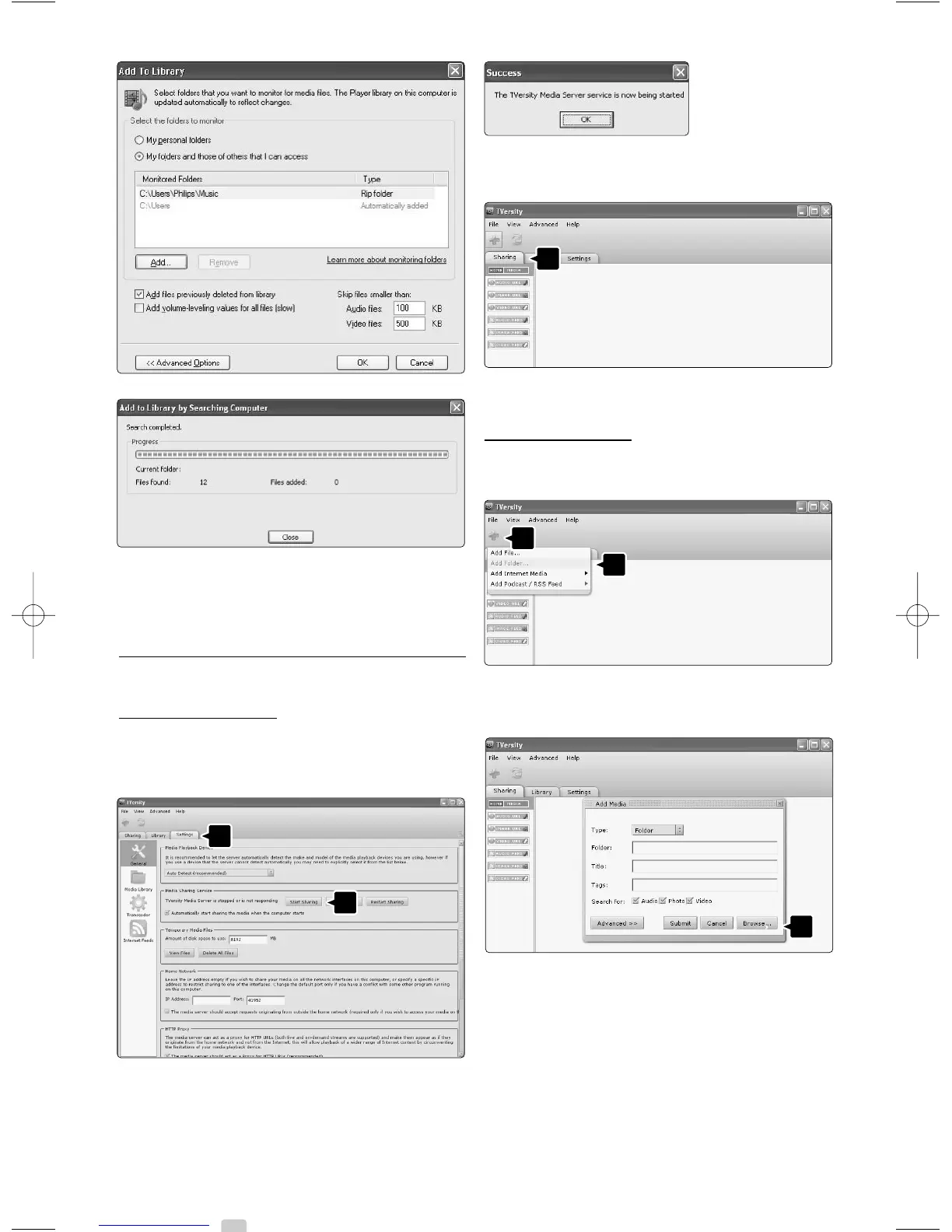
Now everything is set to enjoy music, photos and
videos on your TV.
TVersity v.0.9.10.3 on Windows XP
Set f
or network sharing
Click the Settings tab and click the Start Sharing
button.
A pop-up window tells you that the media
server service is started. Click OK.
Click the Sharing tab.
Set f
olders for sharing
Click the green plus icon and select Add folder…
In the Add media pop-up window, click the
Browse button.
In the Browse for Folder window select a folder
with music, photos or videos you want to share.
Click OK.
Now everything is set to enjoy music, photos and
videos on your TV.
48 Connections





 To Next Page