EasyManua.ls Logo

Philips 32PHD6947 - User Manual

Philips 32PHD6947
56 pages
Print Icon
To Next Page IconTo Next Page
Loading...
Register your product and get support at
www.philips.com/TVsupport
User Manual
32PHD69
47
43PFD69
47
6937 Series

Table of Contents

Question and Answer IconNeed help?

Do you have a question about the Philips 32PHD6947 and is the answer not in the manual?

Overview

This document is a user manual for a Philips Television, specifically the 6937 Series (models 32PHD6947 and 43PFD6947). It provides comprehensive instructions for setting up, operating, and maintaining the television.

Function Description

The Philips 6937 Series Television is an Android TV designed for home entertainment. It offers a range of features including:

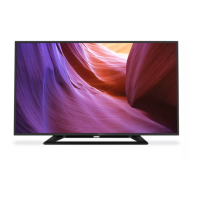
  • Television Viewing: Allows users to watch TV channels from various sources (antenna, cable) and manage channel lists, including sorting, copying, and parental controls.
  • Smart TV Capabilities: As an Android TV, it provides access to Google services like Google Play, YouTube, and Google Assistant. Users can sign in with their Google Account to get personalized recommendations, play games, and access a wide array of apps.
  • Media Playback: Supports playback of videos, photos, and music from connected USB flash drives.
  • Connectivity: Features HDMI ports for connecting external devices (digital receivers, Blu-ray players, computers), USB ports for media playback, and network connectivity (wired Ethernet or wireless Wi-Fi) for internet access.
  • Remote Control: Comes with a remote control that uses both Bluetooth® and IR (infrared) for commands, including voice search capabilities (after pairing).
  • Ambilight: For models that support it, the TV offers Ambilight functionality to enhance the viewing experience.
  • Accessibility Features: Includes settings for visually and hearing-impaired users, such as Audio Description and text descriptions for sound/visual information.

Important Technical Specifications

  • Display Type:
    • 32PHx69x7: 1366 x 768 pixels
    • 43PFx69x7: 1920 x 1080 pixels
  • Diagonal Screen Size:
    • 80 cm / 32 inch
    • 108 cm / 43 inch
  • Power:
    • Mains power: AC 110-240V +/-10%
    • Ambient temperature: 5°C to 35°C
    • Power saving features: Sleep timer, Switch off timer, Picture off, No Signal Auto Power Off, Auto sleep.
  • Operating System: Android 10
  • Reception:
    • Antenna input: 75 ohm coaxial (F-type)
    • Tuner bands: Hyperband, UHF, VHF, ISDBT
    • Analog video playback: NTSC, PAL, SECAM
    • Digital video playback: MPEG2 SD/HD (ISO/IEC 13818-2), MPEG4 SD/HD (ISO/IEC 14496-10)
    • Digital audio playback (ISO/IEC 13818-3)
  • Supported Video Resolutions (Video only):
    • 480i - 60 Hz
    • 576i - 50 Hz
    • 1080i – 50Hz, 60Hz (Only available for 43PFx69x7)
  • Connectivity:
    • HDMI: 3 inputs (HDMI 1 ARC, HDMI 2, HDMI 3)
    • USB: 2 inputs (USB 2.0)
    • Antenna: 75 ohm
    • Headphones: Stereo mini-jack 3.5mm
    • Network: LAN RJ45
    • Digital Audio out: Optical
    • Wi-Fi: 802.11n Dual Band
    • Bluetooth®: 5.0
  • Supported USB File Systems: FAT16, FAT32, NTFS
  • Supported Multimedia Formats:
    • Containers: PS, TS, M2TS, TTS, AVCHD, MP4, M4V, MOV, ASF, AVI, 3GP, QuickTime
    • Video Codecs: AVI, MP4, HEVC, H264/MPEG-4 AVC, MPEG-1, MPEG-2, MPEG-4, VP9, HEVC (H.265), AVI
    • Audio Codecs: MP3, WAV, AAC, WMA (v2 up to v9.2), WMA-PRO (v9 and v10)
    • Subtitles: SRT, SMI, SSA, SUB, ASS, TXT
  • Sound: Output power (RMS): 43" 16W/32" 10W, Dolby MS12 V2.5, Dolby Atmos, DTS - HD (MS), Surround Virtualizer + Height Virtualizer, Dolby Bass Enhancement, Dolby Dialogue Enhancement, Dolby Volume (AVL/Night Mode), AI Sound.

Usage Features

  • Home Screen: Customizable home screen with tabs for Home, Discover, Apps, and Search. Users can enable/disable video and audio previews and reorder apps and games.
  • Channel Installation: Guided first-time installation for antenna or cable channels. Options to hide, rename, and sort channels.
  • Channel Lists: View current, filtered, or favorite channel lists. Search for channels by number or name.
  • Watching Channels: Tune to channels using the remote control or by selecting from a channel list.
  • Parental Controls: Lock and unlock channels with a 4-digit PIN code to restrict viewing.
  • Favorite Channels: Create and manage favorite channel lists.
  • Remote Control Pairing: Pair the Bluetooth® remote control for voice search and advanced functions. Instructions for re-pairing and unpairing are provided.
  • Voice Search: Use the Google Assistant™ button on the remote control to search for content by voice.
  • USB Media Playback: Connect a USB flash drive to view photos, play videos, or listen to music. Options for sorting, copying, pasting, deleting files, and slideshow settings for photos.
  • USB Hard Drive for PVR/Time Shift: Format a USB hard drive to enable Personal Video Recorder (PVR) and Time Shift functions, allowing users to pause live TV and record programs.
  • Google Cast: Cast content from Google Cast-enabled apps on mobile devices to the TV.
  • Netflix: Direct access to the Netflix app via a dedicated button on the remote control.
  • Network Connectivity: Connect to the internet via Wi-Fi or Ethernet. Troubleshooting tips for network issues are included.
  • Google Account Integration: Sign in to a Google Account for personalized content, games, and app access.
  • Android Settings: Access Android-specific settings, view installed apps, manage storage, and configure the on-screen keyboard.
  • Clock and Language Settings: Set menu language, date, time (automatic or manual), and time zone.
  • Timer Functions: Set auto power on/off timers.
  • Accessibility: Enable Audio Description for visually impaired users and text descriptions for hearing-impaired users.
  • Sources Menu: Switch between connected devices (HDMI, tuner) and view their content.
  • Picture Settings: Adjust picture mode (e.g., Standard, Vivid, Movie, Game), color temperature, sharpness, gamma, light sensor, and advanced settings (DNR, MPEG NR, Dynamic Contrast, Local Contrast Control, Game Mode, PC Mode).
  • Sound Settings: Adjust sound mode (e.g., Standard, Movie, Music), advanced settings (DNR, Volume Leveler, Surround Virtualizer, Dolby Atmos, Dialogue Enhancer), and output options (TV speakers, external audio system, digital output).
  • Power Settings: Set sleep timer, power off timer, and no signal auto power off.
  • Device Preferences: Manage language, keyboard, inputs (rename, CEC settings), location, usage & diagnostics, accessibility, Ambilight, storage, home screen customization, retail mode, Google Assistant, and reboot options.

Maintenance Features

  • Cleaning: The remote control has a scratch-resistant coating and should be cleaned with a soft damp cloth. Avoid alcohol, chemicals, or household cleaners. The TV screen and frame should be cleaned with a soft damp cloth, avoiding alcohol, chemicals, or household cleaners.
  • Battery Replacement: Instructions for replacing the AAA-1.5V batteries in the remote control.
  • Software Updates: Update TV software locally via USB flash drive or over the internet.
  • Factory Reset: Reset all TV settings to original values, erasing user data, Google account information, downloaded apps, and installed channels.
  • Troubleshooting Guide: Provides solutions for common issues such as TV not switching on, remote control unresponsiveness, creaking sounds, no digital channels, poor antenna reception, picture/sound problems, Bluetooth® pairing issues, and wrong menu language.
  • Support and Repair: Information on how to contact customer care, find the TV model and serial number, and warnings against self-repair.
  • Environmental Information: Guidelines for the proper disposal of old products and batteries according to European Directives.
  • Safety Information: Important safety instructions regarding placement, power cable handling, risk of electric shock, battery disposal, overheating, lightning storms, and hearing damage.
  • Screen Care: Advice to avoid touching the screen, unplugging before cleaning, avoiding stationary images, and wiping water drops quickly.

Philips 32PHD6947 Specifications

General IconGeneral
BrandPhilips
Model32PHD6947
CategoryTV
LanguageEnglish

Related product manuals