EasyManua.ls Logo

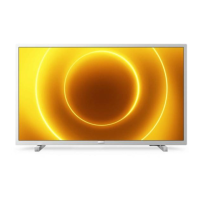
Philips 32PHS5505/12 - User Manual

Philips 32PHS5505/12
2 pages
Print Icon
To Next Page IconTo Next Page
Loading...
B
A
Quick Start Guide
5505 / 5525 series
Quick Start Guide
1
3
2
A
4
5
6
B
VESA (x,y)
80 cm
20
cm
20
cm
32100 mm M6
(L: 12 mm~16 mm)
VESA
TV
L
R
L
x

Other manuals for Philips 32PHS5505/12

Question and Answer IconNeed help?

Do you have a question about the Philips 32PHS5505/12 and is the answer not in the manual?

Summary

Quick Start: TV Setup and Mounting

Unpacking and Stand Installation

Steps for unpacking the TV and attaching the stand for initial setup.

Installing TV Mounting Brackets

Instructions for attaching the VESA mounting brackets to the back of the TV.

VESA Mounting Specifications

Details on VESA mounting hole patterns and screw requirements for wall mounting.

Wall Mount Clearance Guidelines

Recommended minimum distances for wall mounting to ensure proper ventilation.

Connecting Power and Antenna

Steps for connecting the power cable and antenna or coaxial cable to the TV.

TV Connectivity and Support Resources

Safety Precautions and Batteries

Essential safety instructions and information regarding AAA batteries for the remote control.

Understanding Input Ports

Overview of all input ports including HDMI, USB, and common interfaces like CAM.

Network and Audio Connections

Guidance on connecting to networks (LAN, Freeview) and audio output devices (TOSLINK).

Product Registration and Software Update

Instructions for registering your product and performing TV software upgrades via USB.

Summary

Quick Start: TV Setup and Mounting

Unpacking and Stand Installation

Steps for unpacking the TV and attaching the stand for initial setup.

Installing TV Mounting Brackets

Instructions for attaching the VESA mounting brackets to the back of the TV.

VESA Mounting Specifications

Details on VESA mounting hole patterns and screw requirements for wall mounting.

Wall Mount Clearance Guidelines

Recommended minimum distances for wall mounting to ensure proper ventilation.

Connecting Power and Antenna

Steps for connecting the power cable and antenna or coaxial cable to the TV.

TV Connectivity and Support Resources

Safety Precautions and Batteries

Essential safety instructions and information regarding AAA batteries for the remote control.

Understanding Input Ports

Overview of all input ports including HDMI, USB, and common interfaces like CAM.

Network and Audio Connections

Guidance on connecting to networks (LAN, Freeview) and audio output devices (TOSLINK).

Product Registration and Software Update

Instructions for registering your product and performing TV software upgrades via USB.

Philips 32PHS5505/12 Specifications

General IconGeneral
Screen Size32 inches
Display diagonal80 cm
Resolution1366 x 768 pixels
HD TypeHD Ready
Display TechnologyLED
Smart TVNo
HDMI Ports2
USB Ports1
Screen shapeFlat
Aspect ratio16:9
USB 2.0 ports1
VESA mountingYes
VESA mounting interfaces100 x 100 mm
Refresh Rate60 Hz
Digital signal format systemDVB-C, DVB-S, DVB-S2, DVB-T, DVB-T2

Related product manuals