13
3
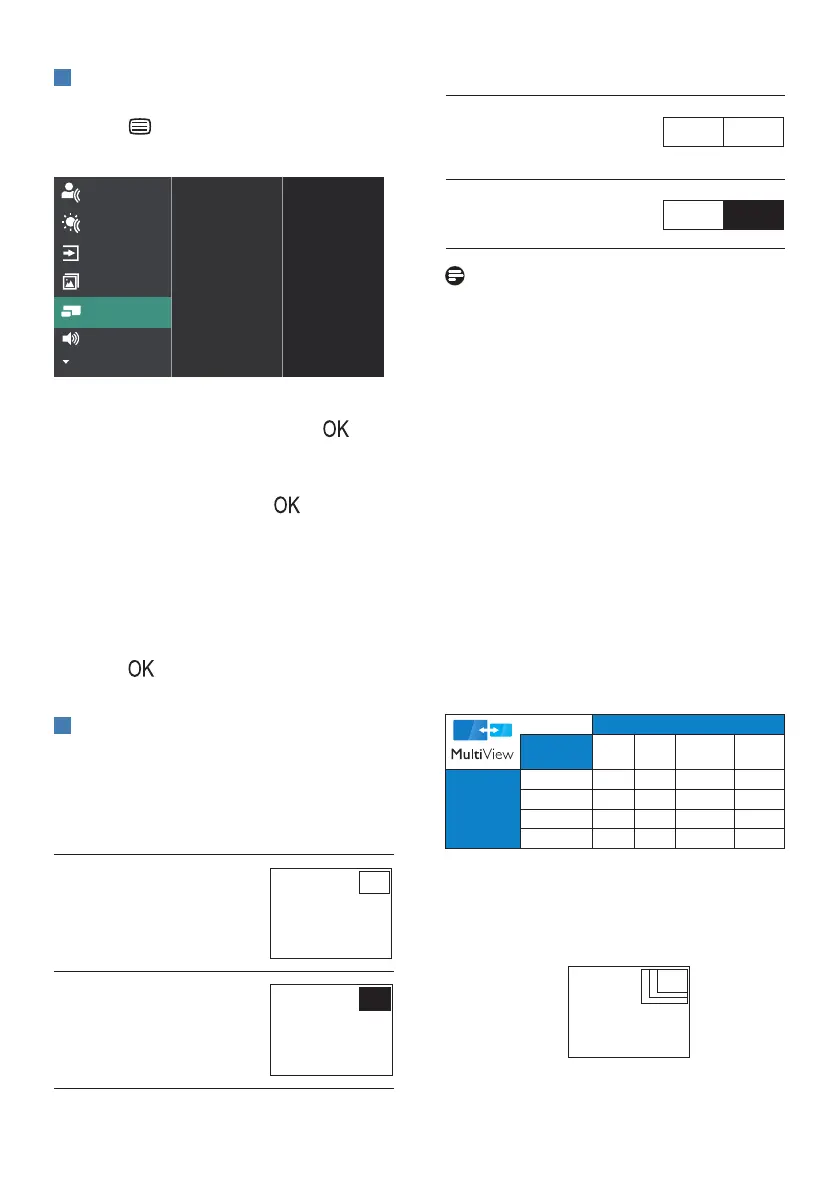
How to enable MultiView by OSD
menu?
1. Press button on the front bezel
to enter OSD Menu Screen.
2. Press ▲ or ▼ button to select main
menu [PIP / PBP], then press
button.
3. Press ▲ or ▼ button to select [PIP /
PBP Mode], then press button.
4. Press ▲ or ▼ button to select [PIP]
or [PBP].
5. Now you can move backward to set
the [PIP / PBP Input], [PIP Size], [PIP
Position], or [Swap].
6. Press button to conrm your
selection.
4
MultiView in OSD menu
• PIP / PBP Mode: There are two
modes for MultiView: [PIP] and
[PBP].
[PIP]: Picture in Picture
Open up a sub-window
of another signal source.
A (main)
When the sub source is
not detected:
A (main)
[PBP]: Picture by Picture
Open up a sub-window
side-by-side of another
signal source.
A (main) B
When the sub source is
not detected:
A (main) B
Note
The black strip located on the top
and the bottom of the screen is for
measuring the correct aspect ratio when
in the PBP mode. If you expect to see full-
screen, adjust your device's resolutions
to pop-up attention resolution and you
will able to see 2 devices' source screen
project to this display without black
strips. It is important to note that the
analog signal is not supported on full
screen in PBP mode.
• PIP / PBP Input: There are different
video inputs to choose from as the
sub-display source: [1 HDMI 2.0], [2
HDMI 2.0], [DisplayPort] and [USB
C].
Please refer to the table below for com-
patibility of the main/sub-input source.
SUB SOURCE POSSIBILITY (xl)
Inputs
HDMI 1 HDMI 2 DisplayPort USB C
MAIN
SOURCE
(xl)
HDMI 1
● ● ● ●
HDMI 2
● ● ● ●
DisplayPort
● ● ● ●
USB C
● ● ● ●
• PIP Size: When PIP is activated,
there are three sub-window sizes to
choose from [Small], [Middle], and
[Large].
A (main)
Small
Middle
Large



 To Next Page