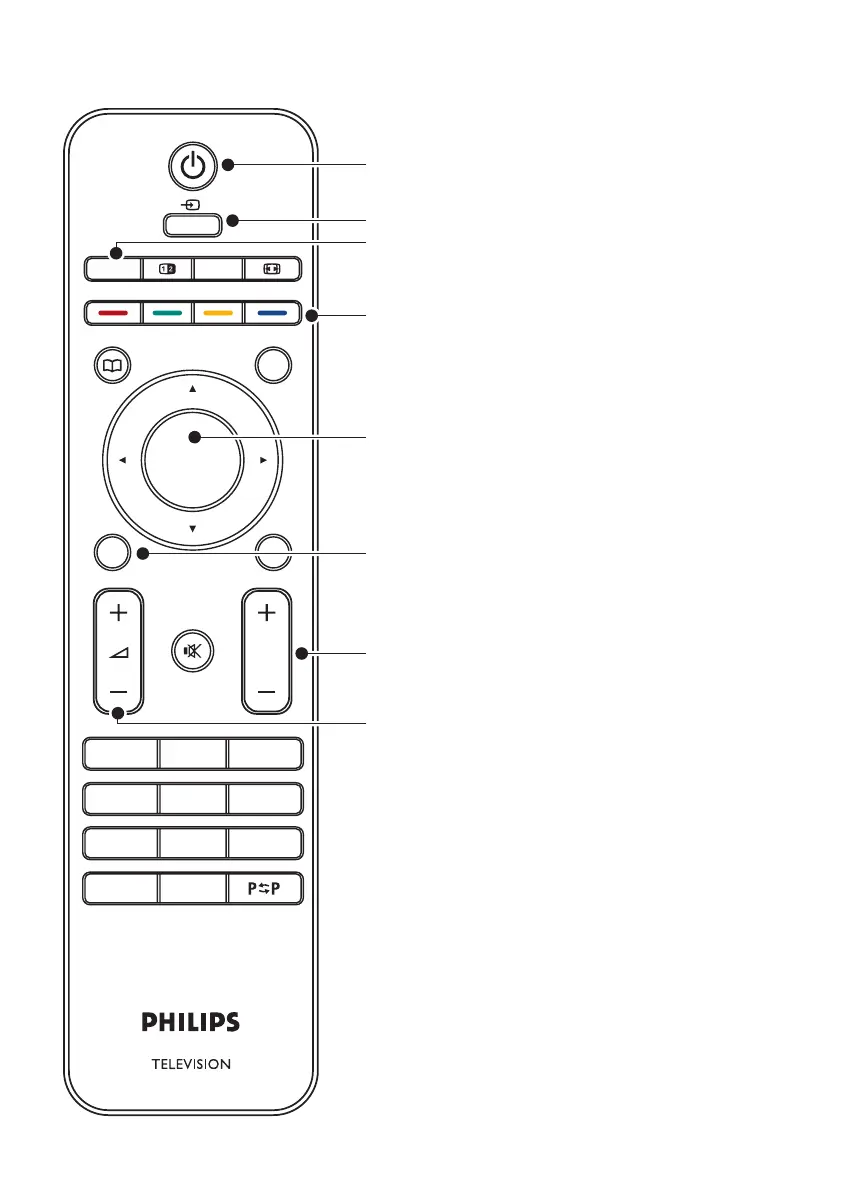
STANDBY1.
SOURCE2.
TELETEXT3.
COLOUR KEYS 4.
From left: Red, green, yellow, blue
NAVIGATION KEYS5.
Up Î, Down ï, Left Í, Right Æ, OK
MENU
6.
PROGRAM +/-7.
VOLUME +/-8.
For advanced information about the remote
control, see Section 5.1 Remote control overview.
Remote control
OK
EXIT
MENU
P
123
456
78
0
9
BROWSE
BACK
GUIDE
DEMO
MHEG
CANCEL
TELETEXT
SOURCE
SUBTITLE
INFO
OPTION
1
2
3
8
4
5
7
6










 To Next Page